

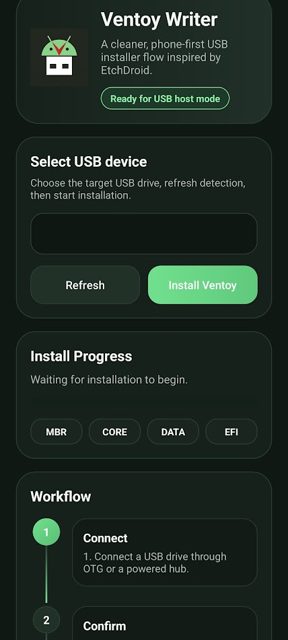
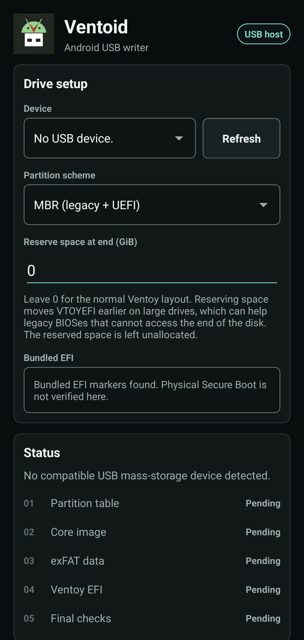
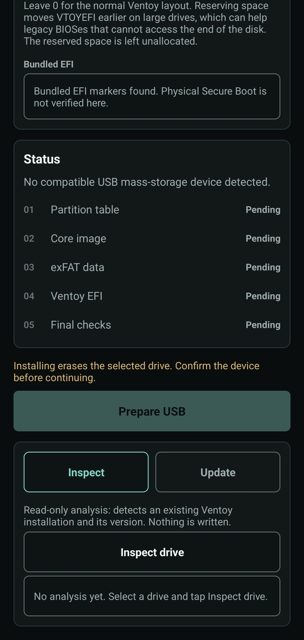
Ventoid turns an Android phone into a Ventoy-style USB preparation tool. Plug a USB drive into your phone over OTG, pick a layout, and prepare bootable USB media without needing a working computer.
Developer: GPLaider · License: GPL-3.0 (open source) · Price: Free
Before you start: connect a USB drive to your Android phone with an OTG adapter or cable. Your phone needs to support USB host / OTG mode, and the USB drive needs to be a standard mass-storage device. Root is not required.
Official file from the developer's release · Nov 1, 2026 · SHA-256 fe9e2b5cb3255cd5…
Screenshots
Key features
- <
- i
- t
- e
- m
Why isn’t Ventoid on Google Play?
Ventoid is published by its developer on GitHub and F-Droid, not on Google Play.
Is Ventoid safe?
Ventoid is open source under the GPL-3.0-only license, and the APK on GitHub Releases is built and attached by the developer. It writes directly to the USB drive you select, which can erase existing data, so check the device name, capacity, and layout carefully in the confirmation step before proceeding. Ventoid comes straight from its developer rather than through Google Play, so it hasn’t gone through Google’s app review. As with any app, check the permissions it asks for and install it if you’re comfortable with them.
How to install
- Tap the download button above: the APK file downloads straight to your phone.
- When Android asks, allow your browser to install unknown apps.
- Open the file and tap Install.
FAQ
Is Ventoid free
Yes. It is free, open source under GPL-3.0-only, and has no ads or analytics.
How do I prepare a USB drive with Ventoid
Connect a USB drive over OTG, open Ventoid and grant USB permission, select the target device carefully, choose MBR or GPT layout, check the erase confirmation details, then start preparation. Afterward, remount the drive and copy ISO files to the exFAT data partition with a file manager.
Is Ventoid the same as the official Ventoy app
No. Ventoid is an independent, GPL-licensed Android project that prepares Ventoy-style USB media. It bundles the checksum-verified Ventoy 1.1.18 release but is not the official Ventoy Android app, and it does not download ISO files for you.
More free apps you won’t find on Google Play: Open Source Apps · Best Android apps not on the Google Play Store.






Frequently Asked Questions
Is Ventoid free
Yes. It is free, open source under GPL-3.0-only, and has no ads or analytics.
How do I prepare a USB drive with Ventoid
Connect a USB drive over OTG, open Ventoid and grant USB permission, select the target device carefully, choose MBR or GPT layout, check the erase confirmation details, then start preparation. Afterward, remount the drive and copy ISO files to the exFAT data partition with a file manager.
Is Ventoid the same as the official Ventoy app
No. Ventoid is an independent, GPL-licensed Android project that prepares Ventoy-style USB media. It bundles the checksum-verified Ventoy 1.1.18 release but is not the official Ventoy Android app, and it does not download ISO files for you.













Leave a Comment