
Rufid is an open-source Android app for writing bootable USB drives, similar in spirit to desktop tools like Rufus but built from scratch for phones. It is for people who need to create or recover boot media (Windows installers, Linux ISOs, FreeDOS) directly from an Android device, without root access.
Developer: GPLaider · License: GPL-3.0 (open source) · Price: Free
Before you start: no special setup is needed since Rufid uses Android's standard USB permission prompt when you plug in a USB drive. Just connect your USB device through an OTG adapter or USB-C port and approve the permission request when the app asks.
Official file from the developer's release · Jul 19, 2026 · SHA-256 e805d5d1886a62bc…
Screenshots
Key features
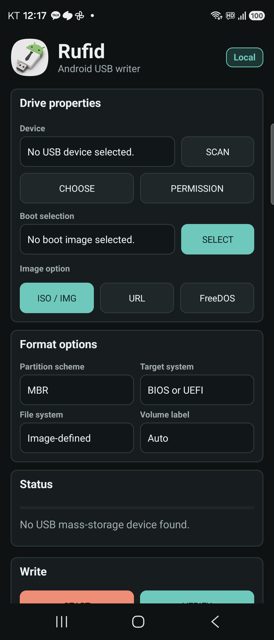
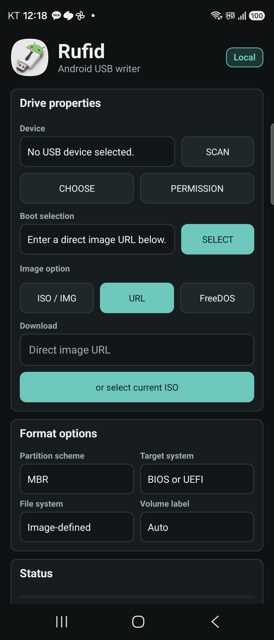
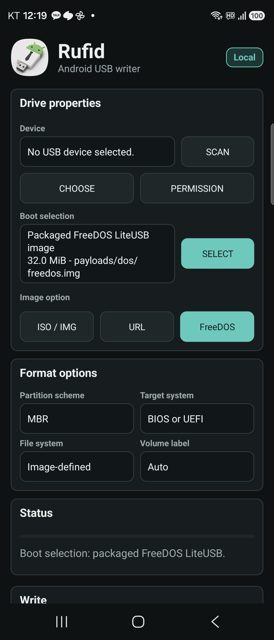
- Scans USB mass-storage devices and writes raw ISO/IMG files to them with manual verification
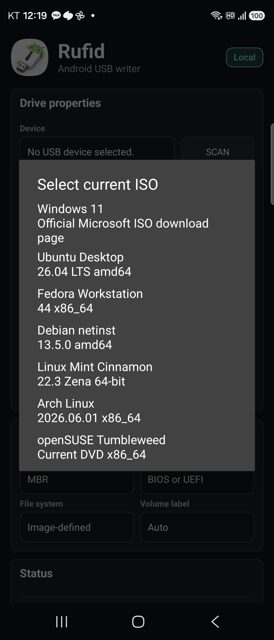
- Direct URL-to-USB streaming and a built-in picker for official Windows, Ubuntu, Fedora, Debian, Linux Mint, Arch Linux, and openSUSE ISOs
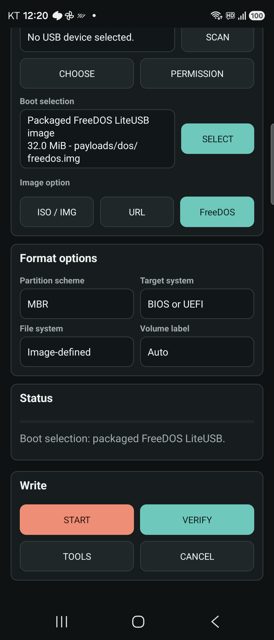
- Packaged source-built FreeDOS write mode plus whole-device backup to an Android document
- USB recovery/reinitialize flow that wipes metadata and formats a new FAT32 or exFAT partition, with a plan screen and typed confirmation before anything destructive happens
- Windows installer ISO extraction to FAT32 UEFI or NTFS layouts (MBR/GPT UEFI:NTFS), including wimlib splitting for install.wim files over 4 GiB
Why isn’t Rufid on Google Play?
Rufid is published by its developer on GitHub and distributed through F-Droid; it is not listed on Google Play.
Is Rufid safe?
Rufid is open source under GPL-3.0-or-later, and the APK comes from the developer's official GitHub releases or F-Droid. The app does not request root, and the README states it avoids ad, analytics, billing, and external crash-reporting SDKs, though its USB recovery/reinitialize feature is destructive and requires typing a confirmation before it formats a drive. Rufid comes straight from its developer rather than through Google Play, so it hasn’t gone through Google’s app review. As with any app, check the permissions it asks for and install it if you’re comfortable with them.
How to install
- Tap the download button above: the APK file downloads straight to your phone.
- When Android asks, allow your browser to install unknown apps.
- Open the file and tap Install.
FAQ
Is Rufid free
Yes. Rufid is free and open source under the GPL-3.0-or-later license, with no ads, analytics, or billing SDKs according to the README.
Does Rufid need root access
No. Rufid writes to USB drives through Android's standard USB host permission flow and does not request root.
How is Rufid different from Rufus or EtchDroid
Rufid is an independent Android implementation inspired by desktop USB writer workflows. The README states it is not affiliated with Rufus, Ventoy, or EtchDroid, and its goal is an auditable set of practical boot-media features rather than cloning every Rufus feature.
More free apps you won’t find on Google Play: Open Source Apps · Best Android apps not on the Google Play Store.






Frequently Asked Questions
Is Rufid free
Yes. Rufid is free and open source under the GPL-3.0-or-later license, with no ads, analytics, or billing SDKs according to the README.
Does Rufid need root access
No. Rufid writes to USB drives through Android's standard USB host permission flow and does not request root.
How is Rufid different from Rufus or EtchDroid
Rufid is an independent Android implementation inspired by desktop USB writer workflows. The README states it is not affiliated with Rufus, Ventoy, or EtchDroid, and its goal is an auditable set of practical boot-media features rather than cloning every Rufus feature.













Leave a Comment