
An APKS file is a ZIP archive of split APKs: the app’s base APK plus the configuration pieces for one phone’s processor, screen density and languages. It’s made by Google’s bundletool or by apps like SAI that back up installed apps. Android can’t install it by tapping it; you need a split-APK installer such as AppsApk Installer.
Updated November 21, 2026 · by Jaron Kim, developer of AppsApk Installer
What are split APKs?
Apps on Google Play are published as App Bundles. Instead of one large APK for every phone, Google Play sends each phone a base APK plus a few small split APKs: one for its processor (for example arm64_v8a), one for its screen density (for example xxhdpi) and one per language. That makes downloads smaller, but it also means the app can’t be shared as a single file any more. APKS and XAPK files exist to keep those pieces together.
What’s inside an APKS file?
| Piece | Example name | Needed? |
|---|---|---|
| Base APK | base.apk or splits/base-master.apk |
Always |
| Processor | split_config.arm64_v8a.apk |
The one matching your phone |
| Screen density | split_config.xxhdpi.apk |
The one matching your screen |
| Languages | split_config.en.apk, split_config.es.apk |
Your languages |
| Feature modules | split_feature_maps.apk |
Usually all |
An APKS made with bundletool’s default mode can hold pieces for every type of phone at once; an APKS made for one device (the usual case) holds only that phone’s pieces.
APKS vs XAPK
| APKS | XAPK | |
|---|---|---|
| Made by | SAI, Google’s bundletool | APKPure |
| Contains | Split APKs | Split APKs + manifest + icon + optional OBB game data |
| OBB game data | No | Yes, for big games |
| Install with | AppsApk Installer, SAI | AppsApk Installer (with OBB), XAPK installers |
How to install an APKS file on Android
- Install AppsApk Installer.
- Open the .apks file from your downloads or file manager and choose AppsApk Installer, or tap Choose a file in the app.
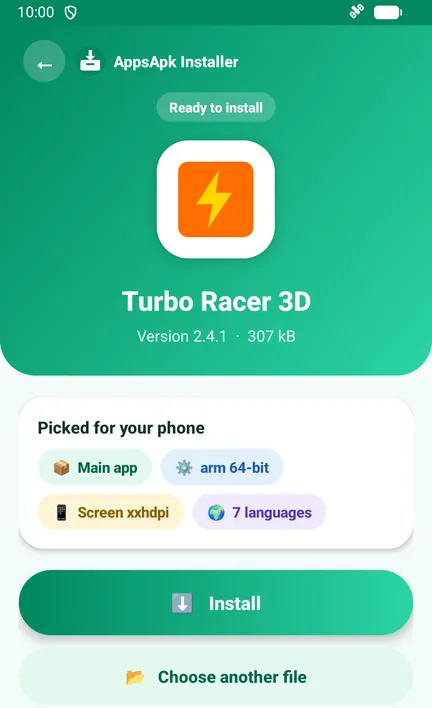
- The app reads the bundle and picks the base, your processor, your screen and your language pieces.
- Tap Install and confirm Android’s prompt. All pieces are installed together in one Android session.
Install APKS files in one tap
Free XAPK, APKS and APK installer with OBB support · no ads · no internet permission · Android 5.0+
Download the APK from AppsApk (64 KB)
Same app, same developer key as the Google Play version, so Play keeps it updated.
How to install APKS with ADB (computer)
Unzip the .apks file and install all its APKs in one command: adb install-multiple base.apk split_config.arm64_v8a.apk split_config.xxhdpi.apk split_config.en.apk. Google’s bundletool can also install it directly: bundletool install-apks --apks=app.apks.
Common APKS errors
- “There was a problem parsing the package”: you tapped a single APK from the bundle. Install the whole .apks with an installer.
- INSTALL_FAILED_MISSING_SPLIT: a required piece is missing; get the complete .apks again.
- Wrong processor: the bundle was made for another phone type (for example an arm 32-bit phone).
- App not installed / signatures don’t match: the app on your phone was signed by a different developer key; uninstall it first (this deletes its data).
AppsApk Installer explains each of these in plain words, with a one-tap fix.






Frequently Asked Questions
What is an APKS file?
A ZIP archive of split APKs (base APK plus processor, screen and language pieces) for an Android app, made by bundletool or SAI.
How do I install an APKS file?
Open it with a split-APK installer such as AppsApk Installer or SAI. It installs all the pieces together in one Android session.
What is the difference between APKS and XAPK?
Both hold split APKs. XAPK (APKPure) can also include OBB game data and a manifest; APKS (bundletool, SAI) has only the split APKs.
Can I install split APKs without an app?
Only from a computer, with adb install-multiple or bundletool install-apks.
What are split APKs?
Small APK pieces that Google Play sends instead of one big APK: a base APK plus pieces for your phone’s processor, screen density and languages.













Leave a Comment