

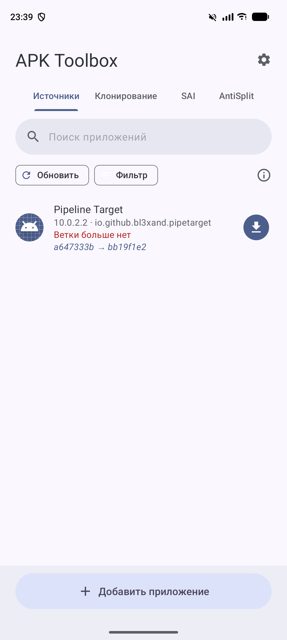
APK Toolbox is a small set of tools for managing Android apps directly on your phone: it tracks apps from GitHub, F-Droid, Telegram channels and other sources so you always get the latest build, lets you clone an app under a new name while stripping permissions you don't want it to have, installs split APKs (APKS, XAPK, APKM, ZIP), and merges split apps back into one regular APK. It brings together what Obtainium, SAI and AntiSplit-M do separately into one app.
Developer: bl3xand · License: GPL-3.0 (open source) · Price: Free
Before you start: no root is needed. Android 12 or newer lets APK Toolbox update apps through the system installer without a prompt; on older Android versions (8.0+) you'll need Shizuku (shizuku.rikka.app) installed for prompt-free updates. Tracking apps posted in Telegram channels also requires signing in with a Telegram account inside the app's Sources settings.
Official file from the developer's release · Oct 28, 2026 · SHA-256 5060abdc8e7ae044…
Screenshots
Key features
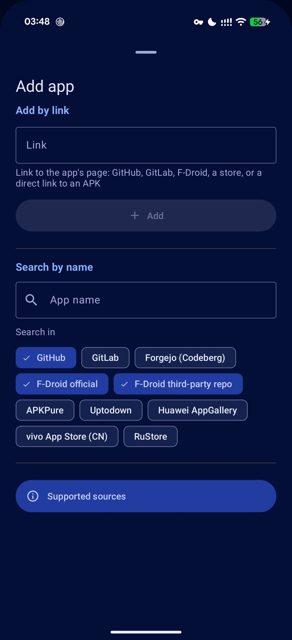
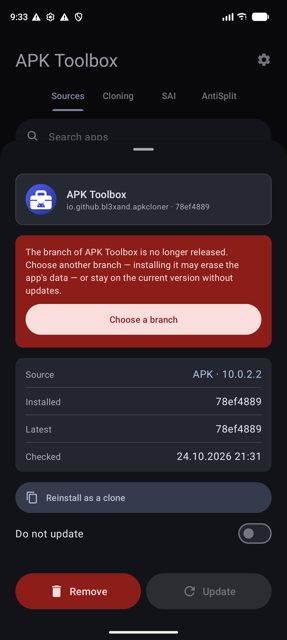
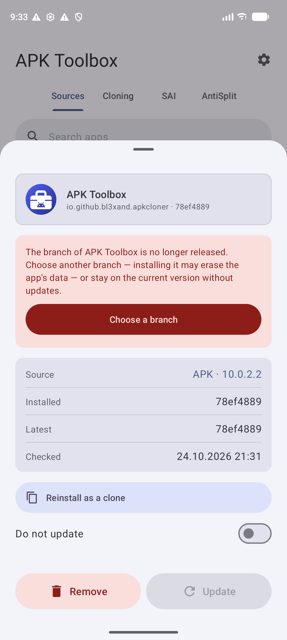
- Sources: track and auto-update apps from GitHub, GitLab, F-Droid, app stores and Telegram channels, with Obtainium-compatible import/export
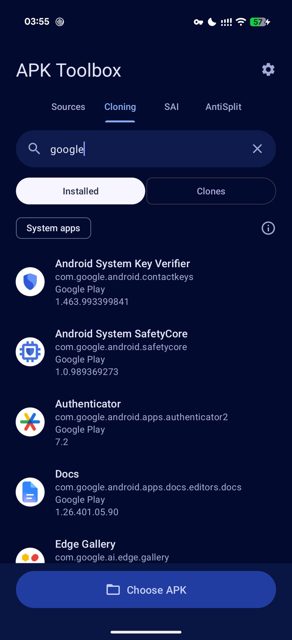
- Cloning: make a renamed copy of an app, strip permissions, and keep the clone updated seamlessly with its data intact
- Install as a clone only: track an app and only ever install a permission-stripped clone, without the original ever touching the device
- SAI-style installer: install split APKs (APKS, XAPK, APKM, ZIP) and export installed apps as .apks files
- AntiSplit: merge a multi-APK app into one regular APK
Why isn’t APK Toolbox on Google Play?
It's published by its developer on GitHub, not on Google Play or F-Droid.
Is APK Toolbox safe?
APK Toolbox is open source under the GPL-3.0 license, and the APK is built and released by the developer on the project's GitHub Releases page. It asks for file access and permission to install apps, which it needs to do its job; using it to update apps automatically without prompts on Android versions before 12 requires the separate Shizuku app. APK Toolbox comes straight from its developer rather than through Google Play, so it hasn’t gone through Google’s app review. As with any app, check the permissions it asks for and install it if you’re comfortable with them.
How to install
- Tap the download button above: the APK file downloads straight to your phone.
- When Android asks, allow your browser to install unknown apps.
- Open the file and tap Install.
FAQ
Is APK Toolbox free
Yes. It is open source (GPL-3.0) and downloaded directly from its GitHub Releases page, not sold through any store.
How do I clone an app and remove permissions
In the app, pick an installed app or choose an APK, set a new package/app name, then open Permissions and switch off what the clone should not have, such as network or location. Tap Clone, then Install or Save the result.
Do I need root or Shizuku to use it
No root is needed at all. Shizuku is optional and only used to let apps and clones update without an install prompt, which matters most on Android versions older than 12.
Which APK file should I download
The universal APK installs on any device. If you want a smaller file, pick the one matching your processor; arm64-v8a covers nearly all phones from the last several years.
More free apps you won’t find on Google Play: Open Source Apps · Best Android apps not on the Google Play Store.





Frequently Asked Questions
Is APK Toolbox free
Yes. It is open source (GPL-3.0) and downloaded directly from its GitHub Releases page, not sold through any store.
How do I clone an app and remove permissions
In the app, pick an installed app or choose an APK, set a new package/app name, then open Permissions and switch off what the clone should not have, such as network or location. Tap Clone, then Install or Save the result.
Do I need root or Shizuku to use it
No root is needed at all. Shizuku is optional and only used to let apps and clones update without an install prompt, which matters most on Android versions older than 12.
Which APK file should I download
The universal APK installs on any device. If you want a smaller file, pick the one matching your processor; arm64-v8a covers nearly all phones from the last several years.













Leave a Comment