
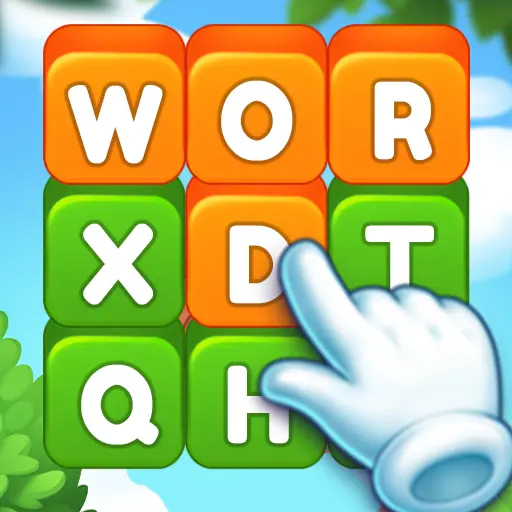

Words Search – Word Puzzles is a word game from A.V.A – Smart Games. Enjoy more than 2000 unique levels, No internet connection is required. It currently holds a 4.5-star rating on Google Play, based on 587 user reviews.
App Details
| Developer | A.V.A – Smart Games |
|---|---|
| Content Rating | Everyone |
| Installs | 10K+ |
| Rating | 4.5 / 5 (587 reviews) |
| Updated | Aug 20, 2026 |
Screenshots


About Words Search – Word Puzzles
Words Search – Word Puzzles is a word game by A.V.A – Smart Games featuring over 2000 unique levels. The game operates entirely offline, requiring no internet connection to play. With a rating of 4.5 stars from 587 reviews and 10K+ installs, it's a free, content-appropriate word puzzle option for players seeking substantial offline gameplay.
Words Search – Word Puzzles pros and cons
Pros
- Over 2000 unique levels for extensive gameplay
- Offline play — no internet connection required
- Free to download and play
- 4.5-star rating from 587 user reviews
- Suitable for all ages (Everyone content rating)
Cons
- File size and minimum Android version not specified
- Word puzzle game has narrow appeal compared to broader game categories
Words Search – Word Puzzles specifications and compatibility
The build on this page was last refreshed on Aug 20, 2026. Google Play classifies the content as Everyone.
How to get Words Search – Word Puzzles from Google Play
- Open the Google Play listing. Tap the Download Now button on this page. It opens the official Words Search – Word Puzzles listing on Google Play.
- Install or buy. Tap Install (or the price button for a paid game). Google Play downloads and installs it for you, no extra settings needed.
- Open Words Search – Word Puzzles. When the install finishes, tap Open to launch Words Search – Word Puzzles. Updates arrive automatically through Google Play.
Browse more Word apps, similar to Ukrštenica – Kao iz časopisa.
Frequently asked questions
Is Words Search – Word Puzzles free to download?
Yes, Words Search – Word Puzzles is free on Google Play right now. Get it on Google Play with the Download button on this page.
How many people have downloaded Words Search – Word Puzzles?
Words Search – Word Puzzles has been downloaded 10K+ times from Google Play, putting it among the more widely adopted word games in its category.
Is Words Search – Word Puzzles safe to install?
Yes, when you install it from Google Play. The Download button on this page opens the official Google Play listing from A.V.A – Smart Games, so you get the developer's own build, checked by Google Play Protect. It carries the Everyone content rating Google assigns on Play.


On sale today All deals ›
 Jewels Charm: Match 3 Game Pro
 Shadow Hunter: Offline Premium
 [VIP] Missile Dude RPG : idle
 Neo Monsters
 Box Head: Roguelike Premium
 Word Arcadia: Word Search Game
 SciFi Survivor Premium
 Solitaire Pro : Card Games
 Water Sort - Color Puzzle Pro
 King of Defense 2: TD Premium













Leave a Comment