

TeleDrive turns a private Telegram channel on your own account into a personal cloud drive. It gives you a proper file manager, a media player, and automatic backup on top of storage you already have, with no new account and no company server in between.
Developer: Mahmud0808 (DrDisagree) · License: Apache-2.0 (open source) · Price: Free
Before you start: get your own Telegram API credentials. Sign in at my.telegram.org, open "API development tools", and fill in any app name and short name (the platform and description fields don't matter). The page then shows an api_id and api_hash, which TeleDrive asks for on first launch. These are stored encrypted on your device and are never sent anywhere except Telegram.
Official file from the developer's release · Oct 19, 2026 · SHA-256 d505b067e7b741e8…
Screenshots
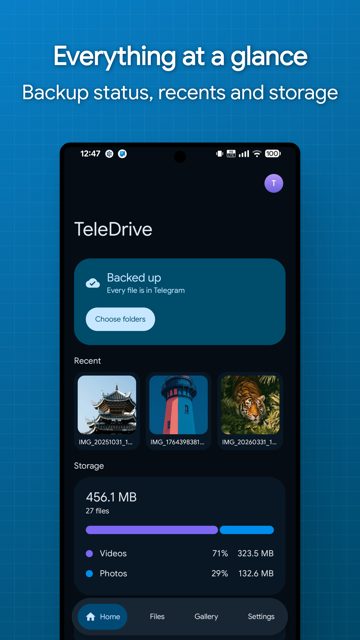
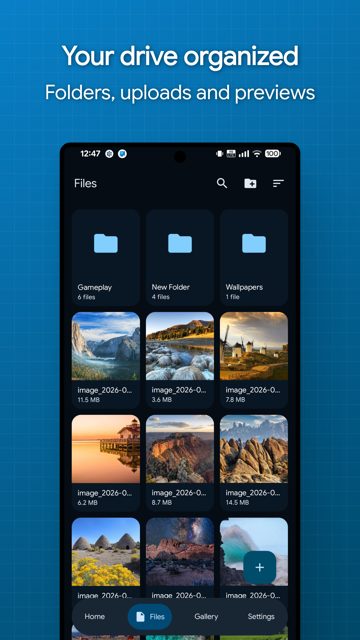
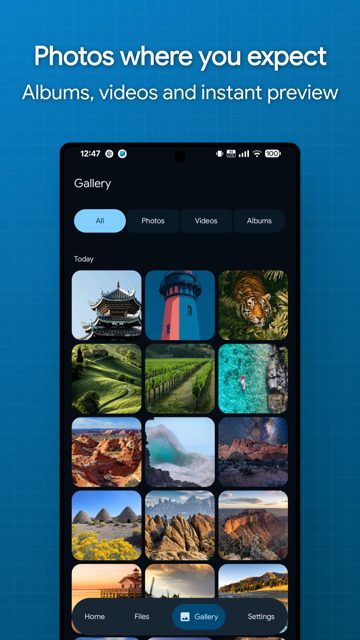
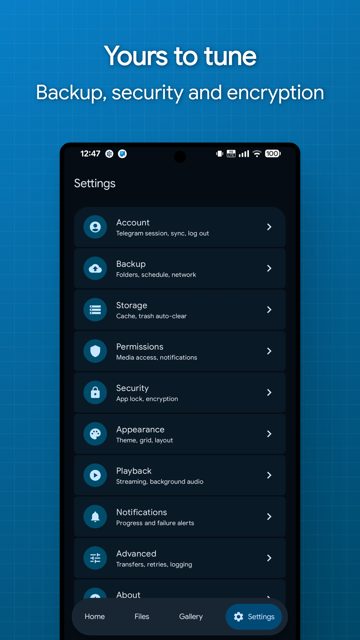
Key features
- Automatic backup of photos and chosen folders on Android, with Wi-Fi, charging and schedule rules
- No file size limit beyond Telegram's own per-message cap, so a 20 GB video is still just one file
- Optional AES-256-GCM encryption for file bodies, names, captions and the folder tree
- Streaming playback of video and audio straight from Telegram, including encrypted files, plus inline previews for images, PDFs, text and ZIP contents
- Multiple drives (separate channels), bulk file management with favorites, hidden, archived and trash, and transfers that pause, resume and survive reboots
Why isn’t TeleDrive on Google Play?
TeleDrive is published by its developer on GitHub rather than Google Play. It is not listed on F-Droid either.
Is TeleDrive safe?
TeleDrive is open source under the Apache-2.0 license, and the APKs and desktop installers come straight from the developer's GitHub releases page. It needs your own Telegram API credentials and account access to work, and on first launch macOS users need to manually clear a quarantine flag since the app isn't signed with an Apple Developer ID. TeleDrive comes straight from its developer rather than through Google Play, so it hasn’t gone through Google’s app review. As with any app, check the permissions it asks for and install it if you’re comfortable with them.
How to install
- Tap the download button above: the APK file downloads straight to your phone.
- When Android asks, allow your browser to install unknown apps.
- Open the file and tap Install.
FAQ
Is TeleDrive free
Yes. It is open source under the Apache-2.0 license, with no account to create and no TeleDrive server involved. The developer accepts optional donations through Buy Me a Coffee.
Which Android APK should I download
Pick TeleDrive-<version>-arm64-v8a-release.apk for almost any phone from the last several years. Use armeabi-v7a for older 32-bit devices, x86_64 or x86 for emulators and x86 Chromebooks, or the universal build if you are unsure or sideloading somewhere unusual.
Can I bring files I already have in Telegram into TeleDrive
Yes, as long as they were sent as documents rather than compressed media messages. Forward them from any chat into the channel TeleDrive created, then pull to refresh in the app. Note that captions get replaced with TeleDrive's own file info and forwarded files are not checked for duplicates.
More free apps you won’t find on Google Play: Open Source Apps · Best Android apps not on the Google Play Store.





Frequently Asked Questions
Is TeleDrive free
Yes. It is open source under the Apache-2.0 license, with no account to create and no TeleDrive server involved. The developer accepts optional donations through Buy Me a Coffee.
Which Android APK should I download
Pick TeleDrive-<version>-arm64-v8a-release.apk for almost any phone from the last several years. Use armeabi-v7a for older 32-bit devices, x86_64 or x86 for emulators and x86 Chromebooks, or the universal build if you are unsure or sideloading somewhere unusual.
Can I bring files I already have in Telegram into TeleDrive
Yes, as long as they were sent as documents rather than compressed media messages. Forward them from any chat into the channel TeleDrive created, then pull to refresh in the app. Note that captions get replaced with TeleDrive's own file info and forwarded files are not checked for duplicates.













Leave a Comment