
nanoMuse is an open-source personal agent that runs on your own phone, computer, or server instead of a company's cloud VM. It does things for you instead of just answering questions, keeps working after you close the app, remembers who you are, and stops to ask before doing anything you can't undo.
Developer: nano-muse · License: GPL-3.0 (open source) · Price: Free
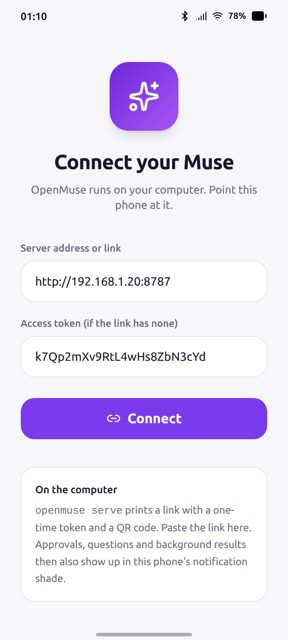
Before you start: you will need to sign in with an email address or a mainland-China phone number when you first open the app, since this is how you get a model to think with (a free allowance on the community relay, or your own API key if you prefer).
Official file from the developer's release · Oct 29, 2026 · SHA-256 a37d4909a6f2dd11…
Screenshots
Key features
- Does things: uses a Linux shell, a browser, MCP servers and skills, and can control apps on your phone or windows on your computer through their screens when Hands is turned on
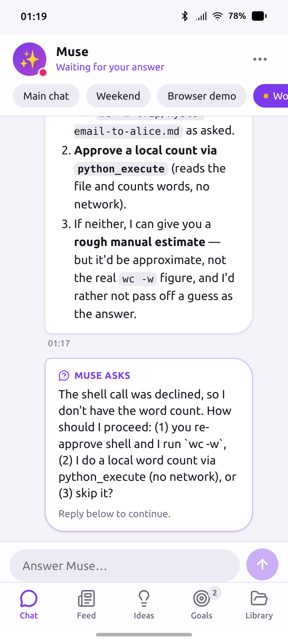
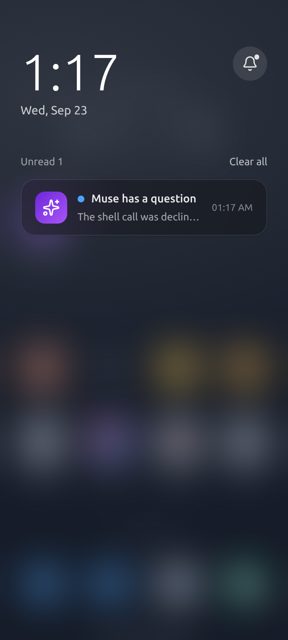
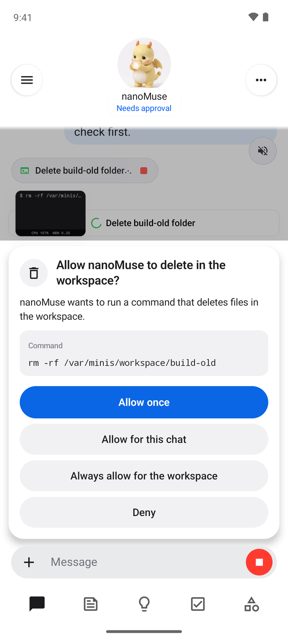
- Asks first: pauses before deleting, sending or paying, and hands logins or CAPTCHAs back to you, resuming once you tap Done
- Reaches your other devices: say it on your phone and it runs on your PC, or start a message with @Mac to send the task there
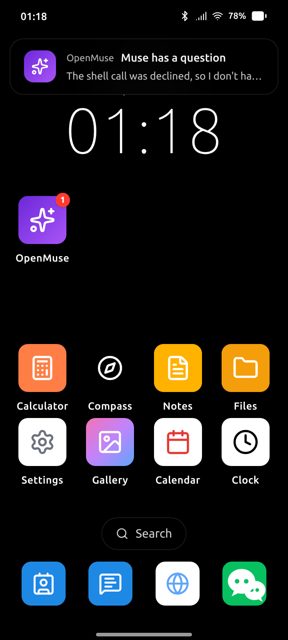
- Keeps going: checks goals on a schedule and runs routines while the app is closed, including a feed written for you each morning
- Remembers you in plain Markdown files you can read and edit, and answers inside 飞书, 钉钉, 企业微信 and Telegram
- Works with any model: the community relay's free allowance, or your own key at one of twenty-five providers including OpenAI, Gemini and DeepSeek
Why isn’t nanoMuse on Google Play?
nanoMuse is published by its developers on GitHub, not on Google Play or F-Droid.
Is nanoMuse safe?
The project is open source under the GPL-3.0-or-later license, and this APK is the official build from the developer's GitHub releases page, signed with the same key across versions so updates install over the previous one. The Android app can control other apps on your phone through their screens when you turn on the Hands feature, which is a broad permission to be aware of; the download is a large file since it bundles an Alpine Linux environment for running a shell and browser on-device. nanoMuse comes straight from its developer rather than through Google Play, so it hasn’t gone through Google’s app review. As with any app, check the permissions it asks for and install it if you’re comfortable with them.
How to install
- Tap the download button above: the APK file downloads straight to your phone.
- When Android asks, allow your browser to install unknown apps.
- Open the file and tap Install.
FAQ
Is nanoMuse free?
Yes. It is free, open source and non-profit. Signing in gives you a free allowance of model use on the community relay, which the developer pays for; once that is used up you can supply your own API key from one of twenty-five supported providers.
What Android version and device type does it need?
Android 8.0 or later, on arm64 devices. The release page offers one APK file, nanoMuse-1.0.9-arm64.apk, and every version is signed with the same key so it installs as an update over the last one.
How is nanoMuse different from Meta's Muse or from OpenMinis?
Meta's Muse runs your agent on a cloud VM per user and is closed source. OpenMinis runs only on the phone it's installed on. nanoMuse runs on your own phone, computer, or a server you control, lets devices ask each other for things through a shared account, and is licensed GPL-3.0-or-later, built on top of OpenMinis.
More free apps you won’t find on Google Play: Open Source Apps · Best Android apps not on the Google Play Store.






Frequently Asked Questions
Is nanoMuse free?
Yes. It is free, open source and non-profit. Signing in gives you a free allowance of model use on the community relay, which the developer pays for; once that is used up you can supply your own API key from one of twenty-five supported providers.
What Android version and device type does it need?
Android 8.0 or later, on arm64 devices. The release page offers one APK file, nanoMuse-1.0.9-arm64.apk, and every version is signed with the same key so it installs as an update over the last one.
How is nanoMuse different from Meta's Muse or from OpenMinis?
Meta's Muse runs your agent on a cloud VM per user and is closed source. OpenMinis runs only on the phone it's installed on. nanoMuse runs on your own phone, computer, or a server you control, lets devices ask each other for things through a shared account, and is licensed GPL-3.0-or-later, built on top of OpenMinis.













Leave a Comment