
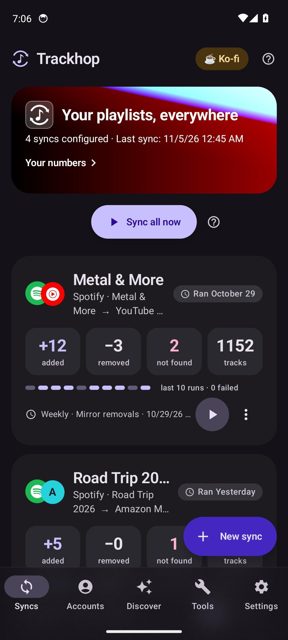
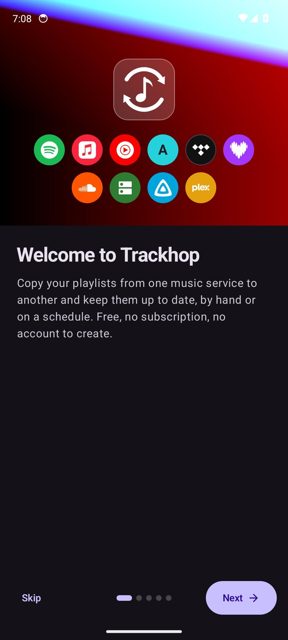
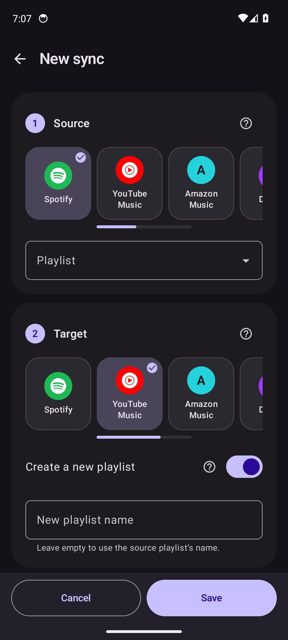
Trackhop keeps your playlists identical across Spotify, YouTube Music, Apple Music, Amazon Music, TIDAL, Deezer and more, including self-hosted options like Navidrome, Jellyfin and Plex. It is free and open source, runs entirely on your own devices, and does not need a Trackhop account or server.
Developer: xlollx · License: AGPL-3.0 (open source) · Price: Free
Before you start: if you want to use services through quick sign-in (such as YouTube Music, Amazon Music or SoundCloud) on the Google Play or AppGallery store builds, you also need to install the free Trackhop Bridge plugin from its own GitHub releases page. If you install from F-Droid, Obtainium or GitHub directly, Bridge is not needed since those builds already include everything.
Official file from the developer's release · Nov 12, 2026 · SHA-256 b10adee022ea3acf…
Screenshots
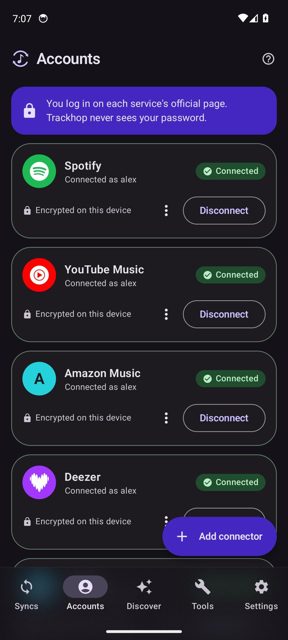
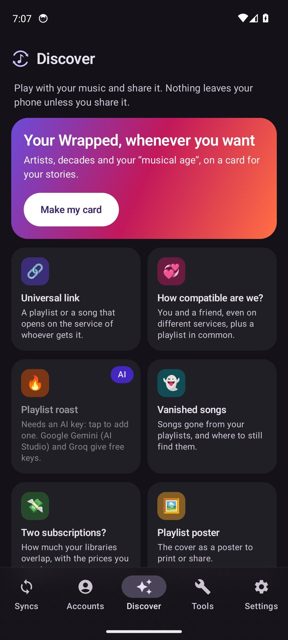
Key features
- <
- i
- t
- e
- m
Why isn’t Trackhop on Google Play?
Trackhop is not on Google Play yet (the Play listing is marked "coming soon"). It is published by its developer on GitHub and F-Droid, and also listed on Huawei AppGallery and Obtainium.
Is Trackhop safe?
Trackhop is open source under the AGPL-3.0 license, and the F-Droid build is reproducible. The app's files are published on VirusTotal by the developer, there is no Trackhop account or tracking, and the project states there are no ads in any build. Trackhop comes straight from its developer rather than through Google Play, so it hasn’t gone through Google’s app review. As with any app, check the permissions it asks for and install it if you’re comfortable with them.
How to install
- Tap the download button above: the APK file downloads straight to your phone.
- When Android asks, allow your browser to install unknown apps.
- Open the file and tap Install.
FAQ
Is Trackhop free?
Yes. It is free and open source with no ads in any build. Development is supported by voluntary donations through Ko-fi or GitHub Sponsors.
Do I need an account or server to use Trackhop?
No. There is no Trackhop account and no Trackhop server. Everything runs on your own phone, computer or Docker container, and your access tokens stay on your device.
How is Trackhop different from Soundiiz, TuneMyMusic or FreeYourMusic?
Those services are built for a one-off playlist transfer. Trackhop is built for keeping playlists in sync over time, with scheduled syncs and a review step for tracks that are not found.
More free apps you won’t find on Google Play: Open Source Apps · Best Android apps not on the Google Play Store.




Frequently Asked Questions
Is Trackhop free?
Yes. It is free and open source with no ads in any build. Development is supported by voluntary donations through Ko-fi or GitHub Sponsors.
Do I need an account or server to use Trackhop?
No. There is no Trackhop account and no Trackhop server. Everything runs on your own phone, computer or Docker container, and your access tokens stay on your device.
How is Trackhop different from Soundiiz, TuneMyMusic or FreeYourMusic?
Those services are built for a one-off playlist transfer. Trackhop is built for keeping playlists in sync over time, with scheduled syncs and a review step for tracks that are not found.













Leave a Comment