
An OBB file holds a game’s extra data (graphics, sounds, levels) and must sit in Android/obb/<package name>/, for example Android/obb/com.game.racer/main.12.com.game.racer.obb. On Android 11 and newer, file managers can no longer write to that folder, so the easiest way is an installer that copies the OBB and installs the game in one step, like AppsApk Installer.
Updated November 21, 2026 · by Jaron Kim, developer of AppsApk Installer
What is an OBB file?
OBB stands for Opaque Binary Blob. Google Play limits the size of an app’s APK, so big games ship their heavy content separately as one or two OBB files: a main file and sometimes a patch file. The game reads them from its own OBB folder when it starts. If the OBB is missing or in the wrong place, the game usually shows a black screen, asks to “download additional data”, or closes.
Where do OBB files go?
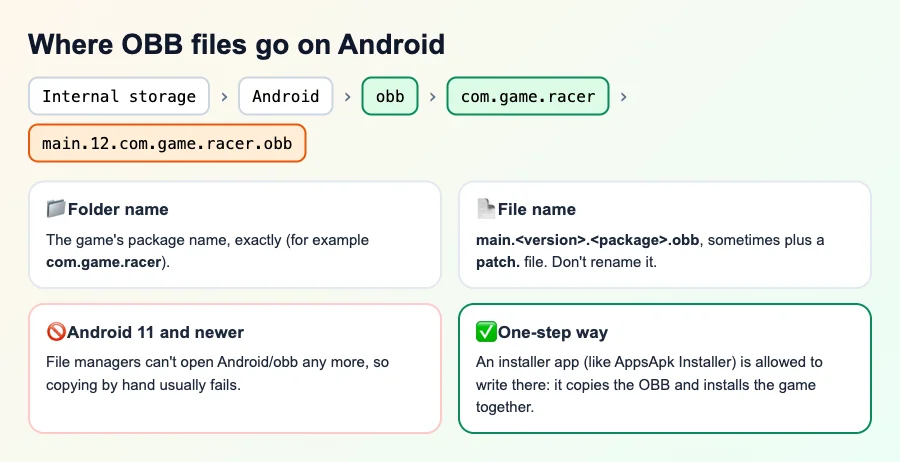
- Path: Internal storage › Android › obb › package name ›
- Folder name: the game’s package name, exactly (you can see it in the game’s Google Play link after
id=). - File name:
main.<version code>.<package name>.obb. Don’t rename it: the game looks for that exact name.
How to install a game with OBB in one step (Android 5 to 16)
- Download the game as an XAPK file: the XAPK already contains the OBB data. (What is an XAPK?)
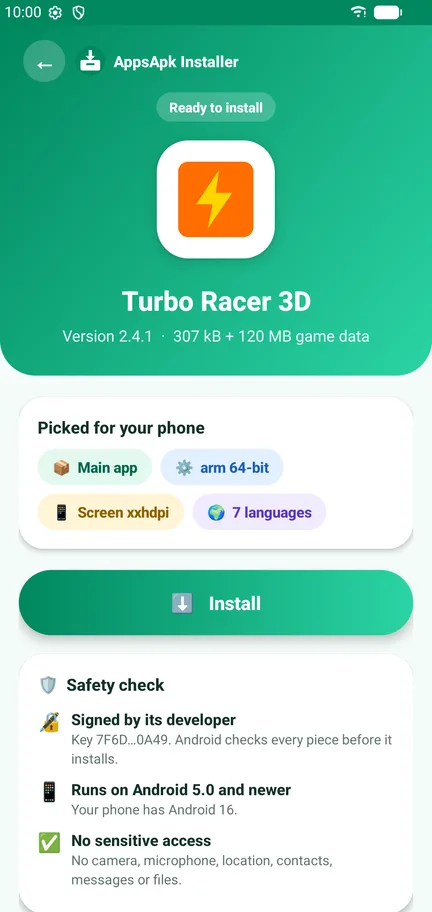
- Open it with AppsApk Installer. The size line shows the game data, for example 307 kB + 120 MB game data.
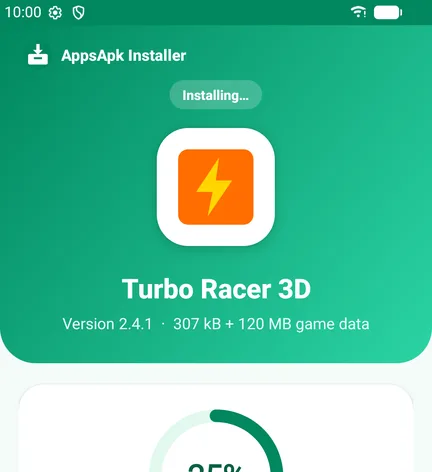
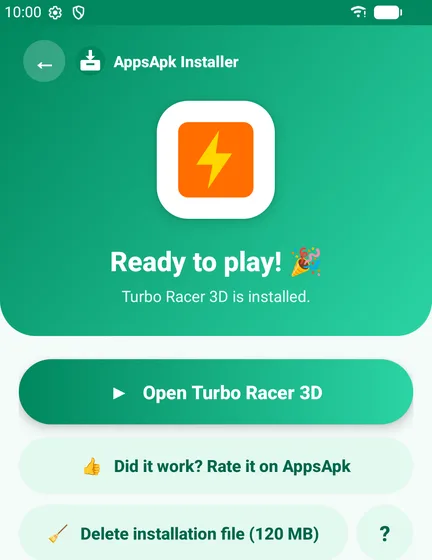
- Tap Install. The app shows Copying game data… while it saves the OBB in the right folder.
- Confirm Android’s install prompt and open the game.
Install games with OBB in one step
Free XAPK, APKS and APK installer with OBB support · no ads · no internet permission · Android 5.0+
Download the APK from AppsApk (64 KB)
Same app, same developer key as the Google Play version, so Play keeps it updated.
On Android 6 to 10, the app asks once for storage access, only for games that come with OBB data. On Android 11 and newer, Android lets installer apps write to the OBB folder, so no extra permission is needed.
Why copying OBB files by hand fails on Android 11, 12, 13, 14, 15 and 16
Since Android 11, the Android/data and Android/obb folders are protected. Most file managers show the folder as empty or say Can’t use this folder, and from Android 13 even the system file picker refuses access. Old guides that say “copy the OBB with ZArchiver” were written for Android 10 and older. Apps that install other apps are the exception: Android allows them to write game data, which is why an installer can do it.
Installing OBB manually (Android 10 and older)
- Install the game’s APK first, but don’t open it yet.
- With a file manager, go to Internal storage › Android › obb.
- Create a folder named exactly like the game’s package name (if it isn’t there).
- Copy the
main…obbfile into it, then open the game.
On a computer you can also use adb push main.12.com.game.racer.obb /sdcard/Android/obb/com.game.racer/.
Game still asks to download data?
- Wrong folder name: it must match the package name exactly, including dots.
- Renamed file: restore the original
main.<version>.<package>.obbname. - Version mismatch: the OBB must belong to the same game version as the APK. Use the XAPK that contains both.
- Not enough space: the game needs room for the OBB plus the install. AppsApk Installer checks this before it starts.
- Play-only games: some games verify they were installed from Google Play and won’t run otherwise. AppsApk Installer detects these and sends you to Play.





Frequently Asked Questions
Where do I put OBB files on Android?
In Internal storage > Android > obb > <package name>, for example Android/obb/com.game.racer/main.12.com.game.racer.obb.
How do I install an OBB file on Android 14, 15 or 16?
File managers can’t write to Android/obb on new Android versions. Open the game’s XAPK with an installer such as AppsApk Installer: it copies the OBB and installs the game in one step.
What does OBB stand for?
Opaque Binary Blob: a file with a game’s extra data, such as graphics and sounds, kept outside the APK.
Why does my game ask to download data after copying the OBB?
The folder or file name is wrong, the OBB belongs to a different game version, or the game only runs when installed from Google Play.
Can I install an APK and OBB without a computer?
Yes. Use the game’s XAPK file, which contains both, and install it with an XAPK installer that supports OBB.
Do I need root to install OBB files?
No. Installer apps are allowed to write to the OBB folder without root.













Leave a Comment