

Ensemble is an unofficial mobile client for Music Assistant that lets you stream your music library directly to your phone or control playback on any speaker connected to your Music Assistant server. It is built for people who already run Music Assistant at home and want a dedicated mobile app instead of using the web interface.
Developer: CollotsSpot · License: Open source (open source) · Price: Free
Before you start: you need a running Music Assistant server and its Base URL (found in the Music Assistant web UI under Settings > About), not your Home Assistant URL. If you run Music Assistant as a Home Assistant add-on, use the IP address of your Home Assistant server instead of its URL or ingress URL. For Android Auto, you also need to enable unknown sources: open Android Auto settings, tap the Version number 10 times to enable developer mode, open the three-dot menu, go to Developer settings, and turn on Unknown sources.
Official file from the developer's release · Feb 20, 2026 · SHA-256 3cfbdc13453be3ca…
Screenshots
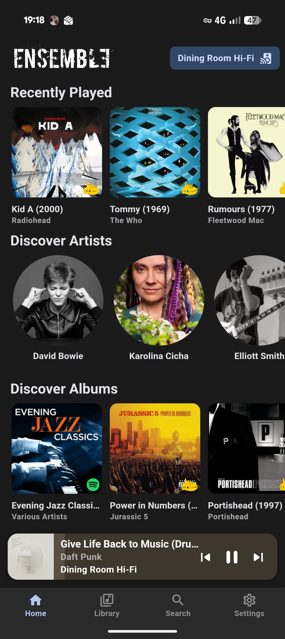
Key features
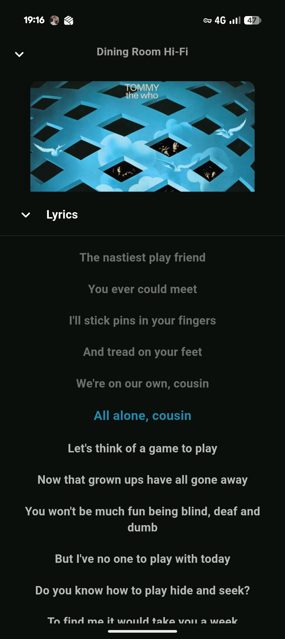
- Stream to your phone via the Sendspin protocol, with background playback and media notifications
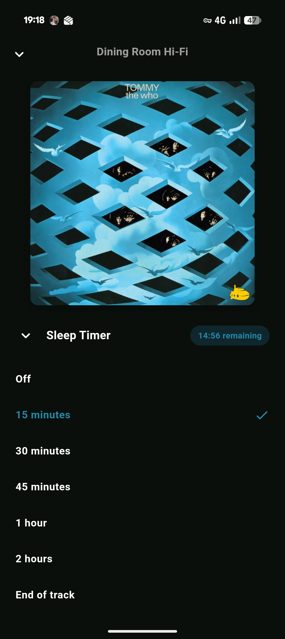
- Control any speaker connected to Music Assistant, with multi-room grouping and a device selector
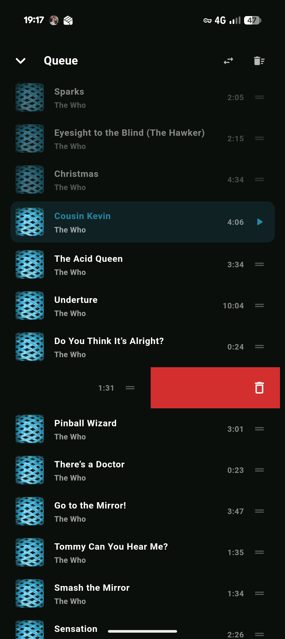
- Browse and manage the playback queue, with drag to reorder and swipe to delete or play next
- Library support for music, radio stations, podcasts, and audiobooks, with favorites and provider filters
- Android Auto support with media browsing, voice search, and full playback controls from your car
Why isn’t Ensemble on Google Play?
Ensemble is published by its developer on GitHub and is also available on F-Droid. It is not on Google Play.
Is Ensemble safe?
Ensemble is open source under the MIT license, and the APK on the GitHub Releases page is published directly by the developer. The app is currently at a beta version (v3.0.4-beta), and the developer notes it was built with AI-assisted development using Claude Code and Gemini CLI, so expect ongoing changes. Ensemble comes straight from its developer rather than through Google Play, so it hasn’t gone through Google’s app review. As with any app, check the permissions it asks for and install it if you’re comfortable with them.
How to install
- Tap the download button above: the APK file downloads straight to your phone.
- When Android asks, allow your browser to install unknown apps.
- Open the file and tap Install.
FAQ
Is Ensemble free to use
Yes. It is an open-source app released under the MIT license. The developer accepts optional sponsorship through GitHub Sponsors and Ko-fi, but the app itself is free.
How do I connect Ensemble to my music library
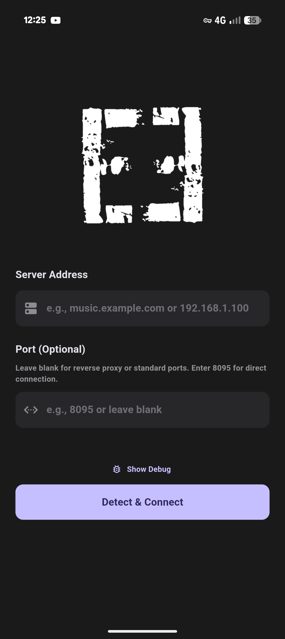
Launch the app, enter your Music Assistant server URL, and connect. Once connected, music plays on your phone by default, or you can swipe down on the mini player to pick a different connected speaker.
Do I need anything extra for audiobooks or Android Auto
Audiobook features require an Audiobookshelf provider configured in Music Assistant. Android Auto requires enabling unknown sources in the Android Auto developer settings since Ensemble is not installed from the Play Store.
More free apps you won’t find on Google Play: Open Source Apps · Best Android apps not on the Google Play Store.






Frequently Asked Questions
Is Ensemble free to use
Yes. It is an open-source app released under the MIT license. The developer accepts optional sponsorship through GitHub Sponsors and Ko-fi, but the app itself is free.
How do I connect Ensemble to my music library
Launch the app, enter your Music Assistant server URL, and connect. Once connected, music plays on your phone by default, or you can swipe down on the mini player to pick a different connected speaker.
Do I need anything extra for audiobooks or Android Auto
Audiobook features require an Audiobookshelf provider configured in Music Assistant. Android Auto requires enabling unknown sources in the Android Auto developer settings since Ensemble is not installed from the Play Store.













Leave a Comment