
Dicio is a free and open source voice assistant for Android that answers questions with both speech and on-screen feedback. It processes your requests on-device where possible, so you get assistant features like weather, timers, and calculations without sending everything to a company server.
Developer: DicioTeam (Stypox) · License: GPL-3.0 (open source) · Price: Free
Before you start: if you want a wake word other than the default "Hey Dicio", download a .tflite model from the Open Wake Word releases page or a wake word collection first, then import it in the app under Settings > Input and output methods > Import custom wake word.
Official file from the developer's release · Oct 11, 2026 · SHA-256 c2c04b0cc2f7b601…
Screenshots
Key features
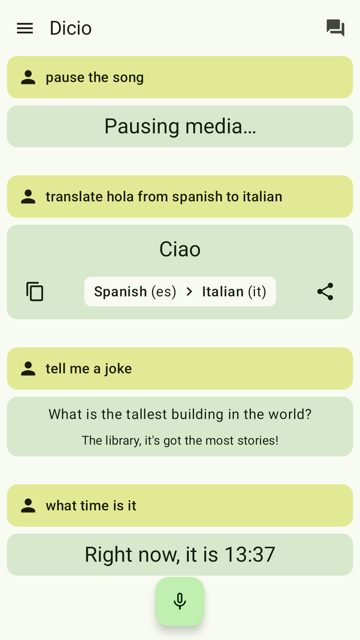
- Speech and graphical feedback for questions, with on-device processing by design for privacy
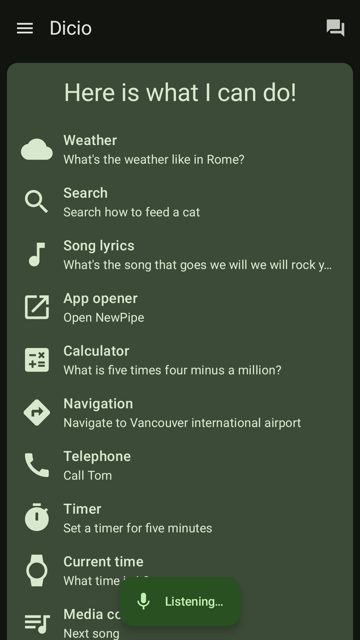
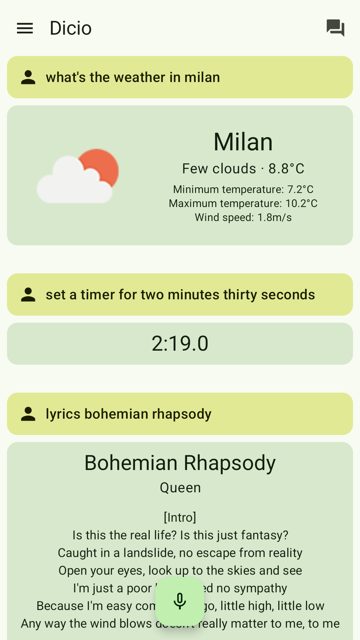
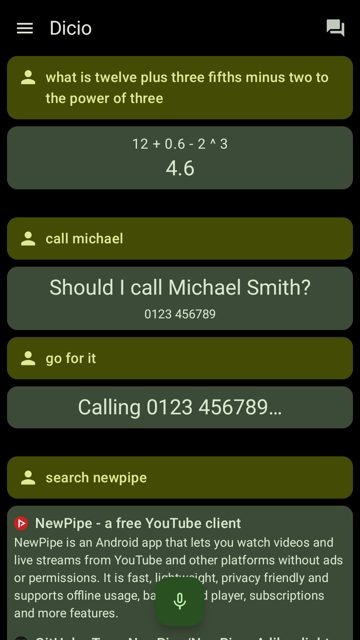
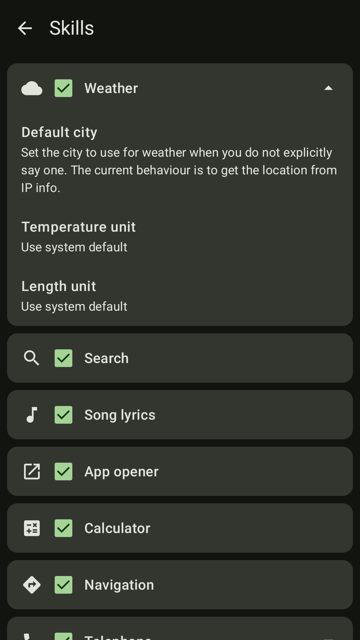
- Skills for search (DuckDuckGo), weather, lyrics, calculator, timers, current time, and telephone calls
- Opens apps, gives navigation directions, tells jokes, controls media playback and the flashlight
- Reads out notifications currently in your status bar and translates words or phrases with Lingva
- Customizable wake word (default "Hey Dicio") using OpenWakeWord .tflite models, plus multilanguage support for 14 languages
Why isn’t Dicio Assistant on Google Play?
Dicio is published by its developers on GitHub and F-Droid, not on Google Play; there is an open GitHub issue discussing a possible Play Store release.
Is Dicio Assistant safe?
Dicio is open source under the GPL-3.0 license, and this page links to the official release built by the DicioTeam developers on GitHub. The app downloads small speech-to-text models (around 50MB) automatically from Vosk when needed, and it can request permissions for things like contacts, notifications, and the flashlight depending on which skills you use. Dicio Assistant comes straight from its developer rather than through Google Play, so it hasn’t gone through Google’s app review. As with any app, check the permissions it asks for and install it if you’re comfortable with them.
How to install
- Tap the download button above: the APK file downloads straight to your phone.
- When Android asks, allow your browser to install unknown apps.
- Open the file and tap Install.
FAQ
Is Dicio free to use?
Yes. Dicio is free and open source software released under the GPL-3.0 license.
Does Dicio work without an internet connection?
Dicio aims to interpret input and generate output on-device where possible for privacy, though some skills like search, weather, lyrics, and translation rely on online services such as DuckDuckGo, OpenWeatherMap, Genius, and Lingva.
How do I change the wake word Dicio listens for?
Go to Settings > Input and output methods > Import custom wake word and select a .tflite model, either one you downloaded from the Open Wake Word releases or home-assistant wake word collection, or one you trained yourself.
More free apps you won’t find on Google Play: Open Source Apps · Best Android apps not on the Google Play Store.






Frequently Asked Questions
Is Dicio free to use?
Yes. Dicio is free and open source software released under the GPL-3.0 license.
Does Dicio work without an internet connection?
Dicio aims to interpret input and generate output on-device where possible for privacy, though some skills like search, weather, lyrics, and translation rely on online services such as DuckDuckGo, OpenWeatherMap, Genius, and Lingva.
How do I change the wake word Dicio listens for?
Go to Settings > Input and output methods > Import custom wake word and select a .tflite model, either one you downloaded from the Open Wake Word releases or home-assistant wake word collection, or one you trained yourself.













Leave a Comment