

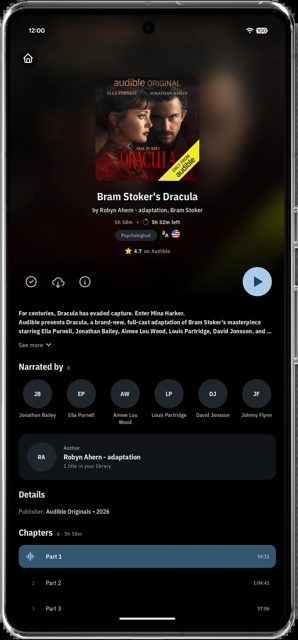
AFinity is a native Android app for playing your Jellyfin server's movies, shows, music, audiobooks and live TV. Beyond basic playback it can show ratings and awards, find missing subtitles online, let you request new titles through Seerr, and play audiobooks and podcasts from Audiobookshelf.
Developer: MakD · License: GPL-3.0 (open source) · Price: Free
Before you start: you need a Jellyfin server running version 12.0 or newer, and your phone needs to be on Android 15 or newer. If your server is still on Jellyfin 10.x, use the older v0.10.10-beta release instead of the latest version. Optional extras like Seerr requests or Audiobookshelf playback need those services set up separately and then connected under Settings > Connect Services.
Official file from the developer's release · Nov 17, 2026 · SHA-256 38caa5f56a236dca…
Screenshots
Key features
- A customizable home screen with reorderable rows, including franchise groupings, IMDb Top 250 rows and a Spotlight carousel
- Two playback engines, LibMPV and ExoPlayer, both with trickplay previews, intro/outro skip buttons, sleep timer, picture-in-picture and SyncPlay
- Online subtitle search via TheSubtitleDB and your server's subtitle plugins when no subtitle in your language exists
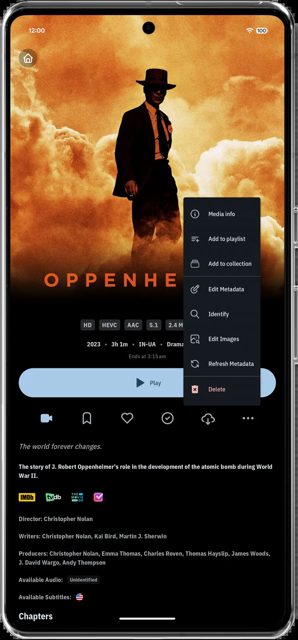
- Item pages with IMDb, Rotten Tomatoes, Metacritic, Letterboxd and TMDB scores, plus award info from Wikidata and OMDb
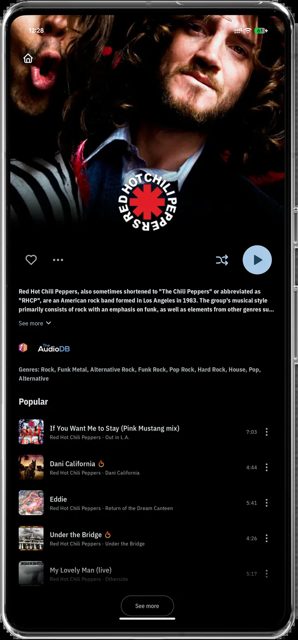
- A music player with word-by-word lyrics, Last.fm popular tracks, radio/instant mix, equalizer, and a resizable home screen widget
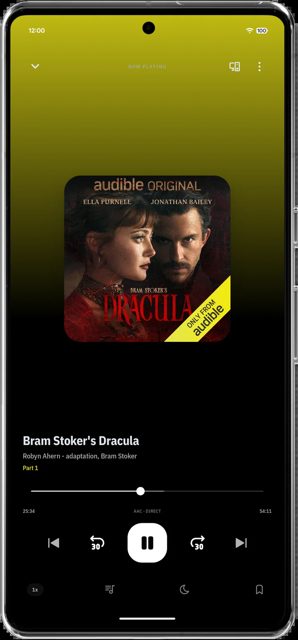
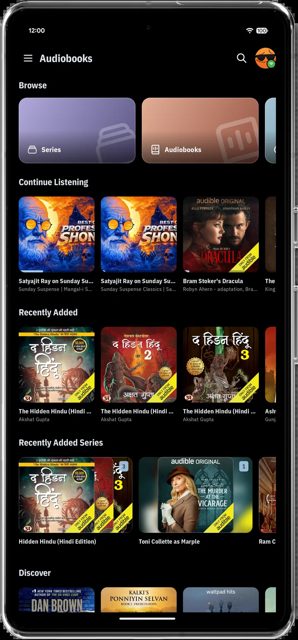
- Optional integration with Seerr for requesting movies and shows, and Audiobookshelf for audiobooks and podcasts
Why isn’t AFinity on Google Play?
AFinity is published by its developer on GitHub rather than the Play Store; it is not listed on F-Droid either.
Is AFinity safe?
AFinity is open source under the GPL-3.0 license, and the APK on this page comes from the developer's official GitHub releases. It is currently a beta release, so expect occasional rough edges, and features beyond core Jellyfin playback (Seerr, Audiobookshelf, Wikidata, etc.) are optional and need to be switched on per server under Settings > Connect Services. AFinity comes straight from its developer rather than through Google Play, so it hasn’t gone through Google’s app review. As with any app, check the permissions it asks for and install it if you’re comfortable with them.
How to install
- Tap the download button above: the APK file downloads straight to your phone.
- When Android asks, allow your browser to install unknown apps.
- Open the file and tap Install.
FAQ
Is AFinity free?
Yes. It's an open-source app released under the GPL-3.0 license, with the APK available directly from the developer's GitHub releases page.
Do I need a Jellyfin server to use it?
Yes. AFinity is a client app, so you need access to a Jellyfin server running version 12.0 or newer. It does not host or provide media itself.
What's the difference between the MPV and ExoPlayer modes?
Both play video with trickplay previews, chapter and skip buttons, and native ASS/SSA subtitle rendering. LibMPV additionally supports Vulkan rendering with experimental HDR passthrough.
More free apps you won’t find on Google Play: Open Source Apps · Best Android apps not on the Google Play Store.






Frequently Asked Questions
Is AFinity free?
Yes. It's an open-source app released under the GPL-3.0 license, with the APK available directly from the developer's GitHub releases page.
Do I need a Jellyfin server to use it?
Yes. AFinity is a client app, so you need access to a Jellyfin server running version 12.0 or newer. It does not host or provide media itself.
What's the difference between the MPV and ExoPlayer modes?
Both play video with trickplay previews, chapter and skip buttons, and native ASS/SSA subtitle rendering. LibMPV additionally supports Vulkan rendering with experimental HDR passthrough.













Leave a Comment