
TriliumDroid is an unofficial Android client for Trilium Notes, the open-source hierarchical note-taking app. It syncs with your existing Trilium sync server or desktop app, so you can read and edit your notes on the go.
Developer: FliegendeWurst · License: AGPL-3.0 (open source) · Price: Free
Before you start: you need a Trilium sync server running version 0.97 or newer (desktop Trilium or a self-hosted sync server), since TriliumDroid syncs to it rather than working as a fully standalone app. You'll also need Android 7.0 or newer. If you want to use the app without a sync server, check the linked issue in the project's GitHub tracker for the current status.
Official file from the developer's release · Aug 27, 2026 · SHA-256 3332c0b13ef07f94…
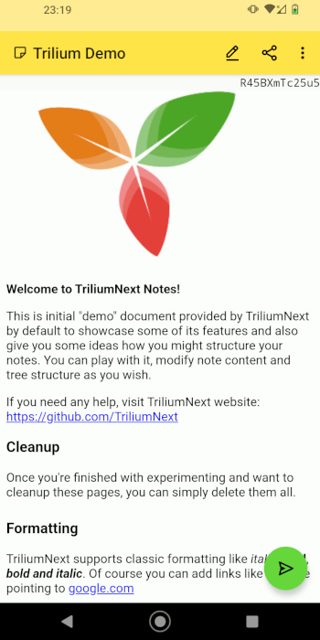
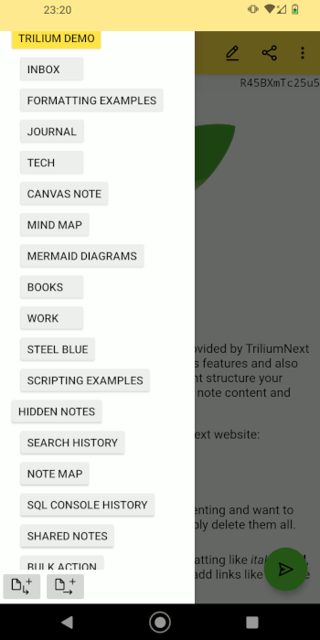
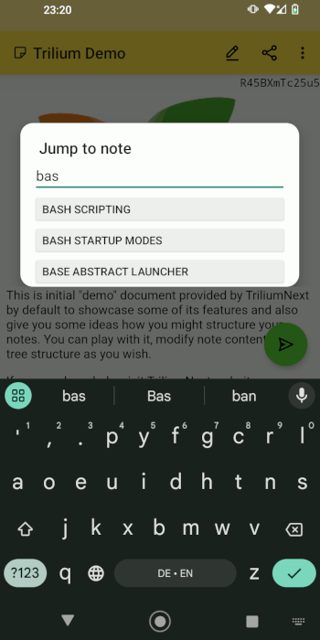
Screenshots
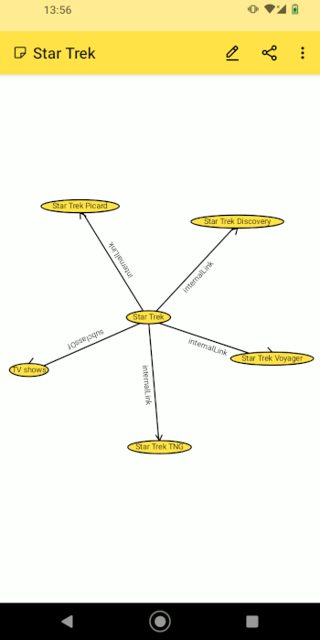
Key features
- Syncs with your Trilium sync server or desktop app
- Arrange notes in a deep tree, with notes placed in multiple spots at once
- WYSIWYG editor built on CKEditor
- Note versioning, attributes, relations, and per-note encryption
- Canvas notes (Excalidraw) and geo map notes (Leaflet/OSM)
- Share content to the app to save it as a new note, or share note content out to other apps
Why isn’t Trilium Notes for Android on Google Play?
TriliumDroid isn't on Google Play. It's published by its developer on GitHub, and the APK is also distributed through IzzyOnDroid's F-Droid repository.
Is Trilium Notes for Android safe?
This app is open source under the AGPL-3.0 license, and the README points to the official APK hosted on IzzyOnDroid. It's an alpha release, so expect occasional rough edges, and you'll need to allow installs from unknown sources since it's not on Google Play. Trilium Notes for Android comes straight from its developer rather than through Google Play, so it hasn’t gone through Google’s app review. As with any app, check the permissions it asks for and install it if you’re comfortable with them.
How to install
- Tap the download button above: the APK file downloads straight to your phone.
- When Android asks, allow your browser to install unknown apps.
- Open the file and tap Install.
FAQ
Is TriliumDroid free?
Yes. It's open source under the AGPL-3.0 license and free to download and use.
How do I install it?
Download the APK from IzzyOnDroid, enable installing apps from unknown sources, install it, then open the app and enter your sync server's hostname, port, and password. Alternatively, add IzzyOnDroid's F-Droid repository in F-Droid and install it from there.
Do I need a Trilium server to use it?
Yes, currently you need a Trilium sync server running version 0.97 or later. Support for using the app without a sync server is tracked as an open issue on GitHub.
More free apps you won’t find on Google Play: Open Source Apps · Best Android apps not on the Google Play Store.





Frequently Asked Questions
Is TriliumDroid free?
Yes. It's open source under the AGPL-3.0 license and free to download and use.
How do I install it?
Download the APK from IzzyOnDroid, enable installing apps from unknown sources, install it, then open the app and enter your sync server's hostname, port, and password. Alternatively, add IzzyOnDroid's F-Droid repository in F-Droid and install it from there.
Do I need a Trilium server to use it?
Yes, currently you need a Trilium sync server running version 0.97 or later. Support for using the app without a sync server is tracked as an open issue on GitHub.













Leave a Comment