

Husi is an open-source, non-professional proxy toolset that runs on Android and desktop (Linux, macOS, Windows). It's built for people who want a proxy client built around proxy sets, and it's maintained as a free, transparent alternative to closed-source proxy apps.
Developer: xchacha20-poly1305 · License: NOASSERTION (open source) · Price: Free
Before you start: if you want TUN (system-wide proxying) support on desktop Linux/macOS/Windows, you need to install the optional husi-core daemon separately, either by running the installer with –with-daemon, using the Settings entry in the app, or running husi-core service install as root. This step requires polkit on Linux. If you just want basic proxy functionality, no extra setup is needed before installing.
Official file from the developer's release · Oct 31, 2026 · SHA-256 01335ee869683c98…
Screenshots
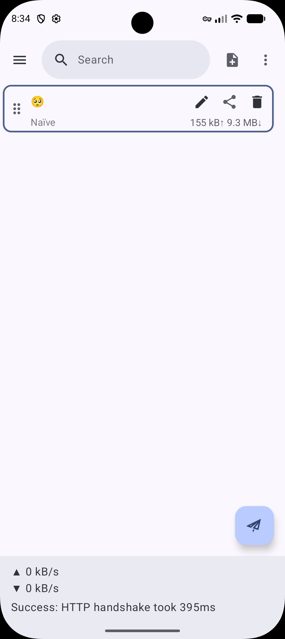
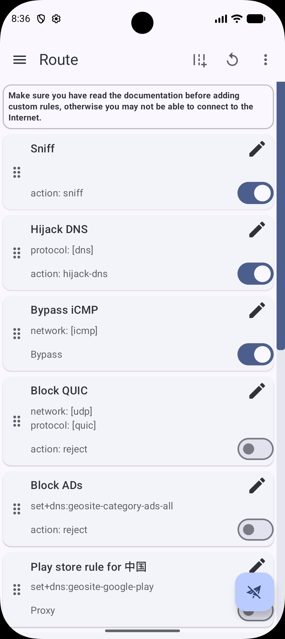
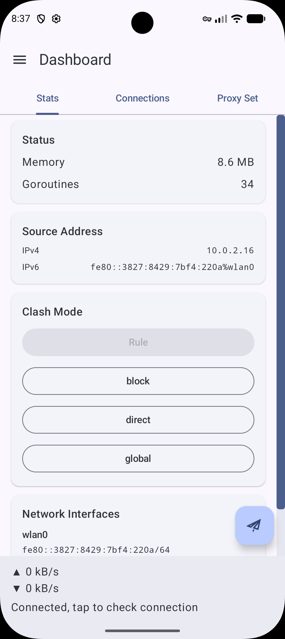
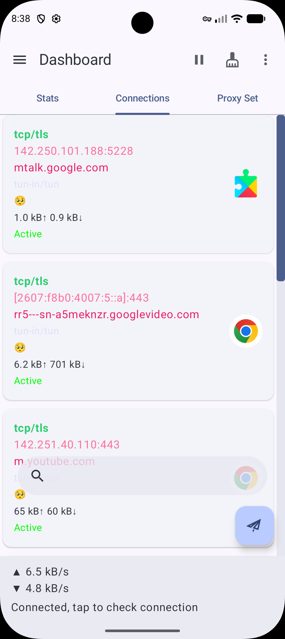
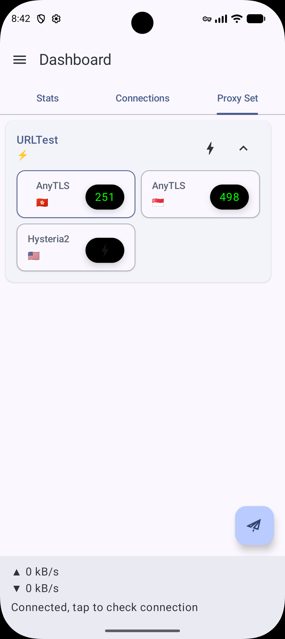
Key features
- Multiplatform: Android app plus desktop builds for Linux, macOS and Windows
- Linux installs without root using a tarball or a self-contained AppImage
- Desktop packages include deb, rpm, pacman, AppImage, tarball, dmg, and Windows portable zip/NSIS installer
- A separate husi-core daemon handles privileged tasks like TUN, kept apart from the unprivileged UI
- Open to community translation via Weblate for users who want husi in their own language
Why isn’t Husi on Google Play?
Husi is published by its developer on GitHub rather than the Play Store, and it is not listed on F-Droid either.
Is Husi safe?
Husi is open source and this page links to the developer's own GitHub releases. The license field is marked NOASSERTION in the project metadata, so check the repository's license file if that matters for your use. On Linux, only installing the optional daemon (for TUN support) requests elevated privileges via pkexec; the rest of the app runs unprivileged. Husi comes straight from its developer rather than through Google Play, so it hasn’t gone through Google’s app review. As with any app, check the permissions it asks for and install it if you’re comfortable with them.
How to install
- Tap the download button above: the APK file downloads straight to your phone.
- When Android asks, allow your browser to install unknown apps.
- Open the file and tap Install.
FAQ
Is Husi free to use
Yes, Husi is an open-source project hosted on GitHub. There is no listed price.
How do I install Husi on Linux without root access
Use the tarball or AppImage builds. Both can be installed under your own home directory with no root required, for example by running install.sh, which installs under ~/.local by default. Native deb/rpm/pacman packages do require root because they go through a system package manager.
Is Husi available on the Google Play Store or F-Droid
No. Husi is not on Google Play and, according to its project metadata, it is also not currently listed on F-Droid. You can get the official builds from the developer's GitHub releases.
More free apps you won’t find on Google Play: Open Source Apps · Best Android apps not on the Google Play Store.






Frequently Asked Questions
Is Husi free to use
Yes, Husi is an open-source project hosted on GitHub. There is no listed price.
How do I install Husi on Linux without root access
Use the tarball or AppImage builds. Both can be installed under your own home directory with no root required, for example by running install.sh, which installs under ~/.local by default. Native deb/rpm/pacman packages do require root because they go through a system package manager.
Is Husi available on the Google Play Store or F-Droid
No. Husi is not on Google Play and, according to its project metadata, it is also not currently listed on F-Droid. You can get the official builds from the developer's GitHub releases.













Leave a Comment