

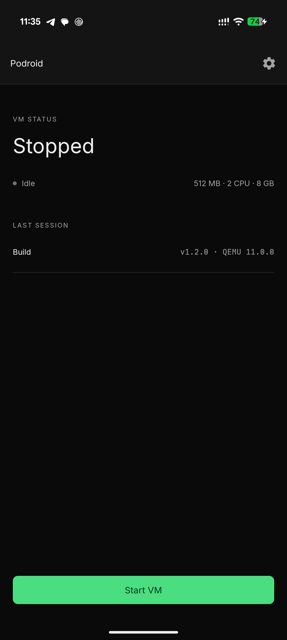
Podroid boots a real Alpine Linux virtual machine on your Android phone, complete with its own kernel, so you can run Podman, Docker and LXC containers just like you would on a server. It also gives you an in-app terminal and an X11 desktop for running Linux GUI apps, all without rooting the device.
Developer: ExTV · License: GPL-2.0 (open source) · Price: Free
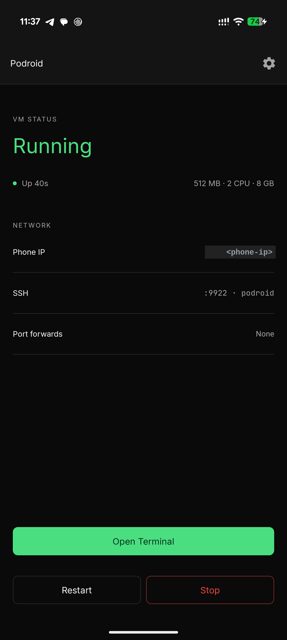
Before you start: make sure your device is arm64 and running Android 8 or later. No root is needed. If you want SSH access, enable it in the setup wizard or in Settings before connecting with ssh root@<phone-ip> -p 9922 (password: podroid).
Official file from the developer's release · Sep 21, 2026 · SHA-256 3945c8c887f1df23…
Screenshots
Key features
- Podman, Docker and LXC pre-installed and ready as soon as the VM boots
- A real VM running Alpine Linux on a custom kernel via QEMU, or hardware-accelerated AVF on supported pKVM devices
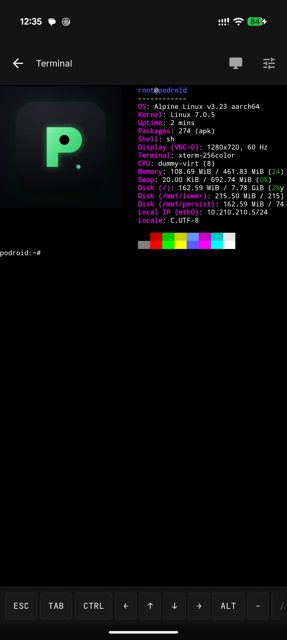
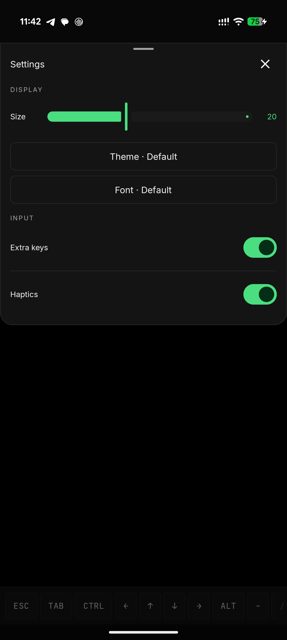
- Built-in terminal with full xterm-256color support, 122 color themes, 13 fonts, and live resize
- X11 desktop viewer for GUI Linux apps with touch, keyboard, mouse and audio support
- USB passthrough, SSH, port forwarding, a guest-to-Android bridge, container backup, live VM status and Downloads-folder sharing
Why isn’t Podroid on Google Play?
Podroid is published by its developer on GitHub rather than the Play Store, and it is not listed on F-Droid.
Is Podroid safe?
Podroid is open source under the GPL-2.0 license, and the APK on this page is the official file from the developer's GitHub releases. It's a technical app that boots a full Linux VM, so expect the download to be sizeable and some setup steps before you get a working container environment.
How to install
- Tap the download button above: the APK file downloads straight to your phone.
- When Android asks, allow your browser to install unknown apps.
- Open the file and tap Install.
FAQ
Is Podroid free?
Yes. It is open source under the GPL-2.0 license and downloadable from its GitHub releases page.
How do I run my first container?
Install the APK, tap Start VM, wait for the Ready! message, then open the built-in terminal and run a command like podman run –rm alpine echo "hello from a container" or docker run -d -p 8080:80 nginx.
Does Podroid need root or a custom ROM?
No. It runs a real Alpine Linux VM with its own kernel via QEMU or hardware-accelerated AVF on supported pKVM devices, and works on any arm64 device running Android 8 or later, no root required.
More free apps you won’t find on Google Play: Open Source Apps · Best Android apps not on the Google Play Store.



Frequently Asked Questions
Is Podroid free?
Yes. It is open source under the GPL-2.0 license and downloadable from its GitHub releases page.
How do I run my first container?
Install the APK, tap Start VM, wait for the Ready! message, then open the built-in terminal and run a command like podman run --rm alpine echo "hello from a container" or docker run -d -p 8080:80 nginx.
Does Podroid need root or a custom ROM?
No. It runs a real Alpine Linux VM with its own kernel via QEMU or hardware-accelerated AVF on supported pKVM devices, and works on any arm64 device running Android 8 or later, no root required.













Leave a Comment