

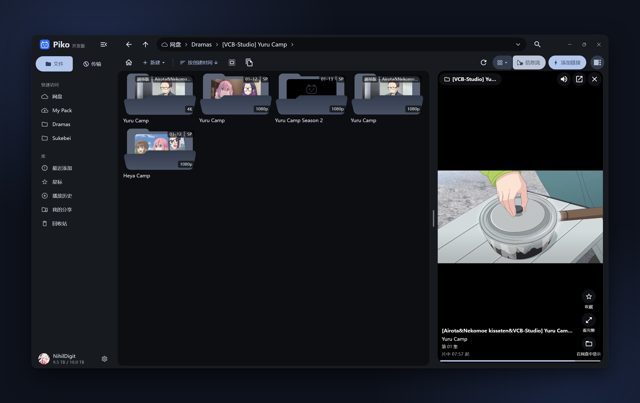
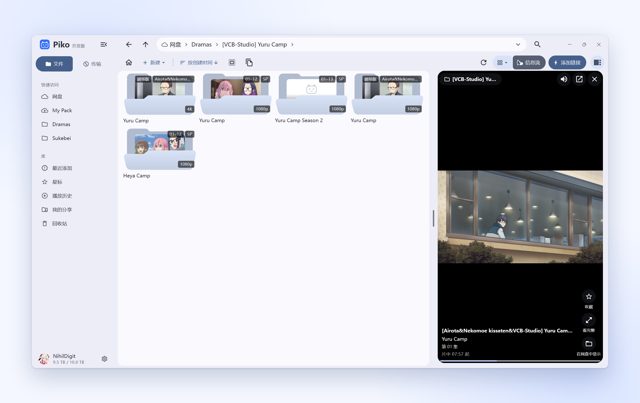
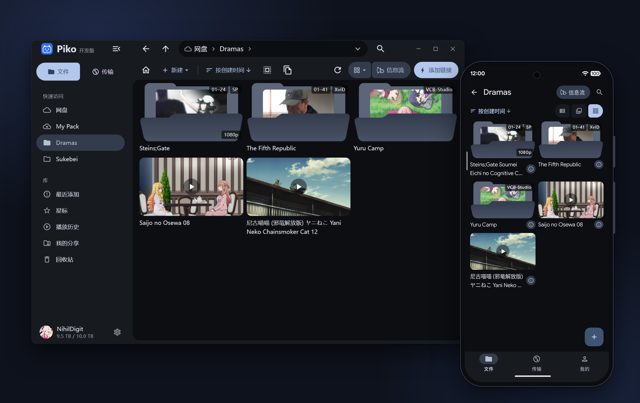
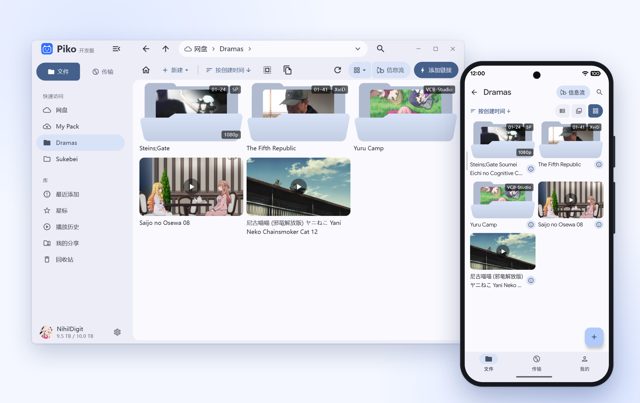
Piko is a fast client for the PikPak cloud storage service, built for Android, Windows and macOS. People use it to manage PikPak files, parse magnet links and torrents, and watch or browse media with a layout that adapts to desktop or mobile use.
Developer: NihilDigit · License: AGPL-3.0 (open source) · Price: Free
Before you start: you need a PikPak account to sign in and use the app. For Android, pick the APK matching your device's architecture from the Releases page, or choose the universal build if you are not sure. Requires Android 8.0 or newer.
Official file from the developer's release · Oct 31, 2026 · SHA-256 fde9c9fbb0479061…
Screenshots
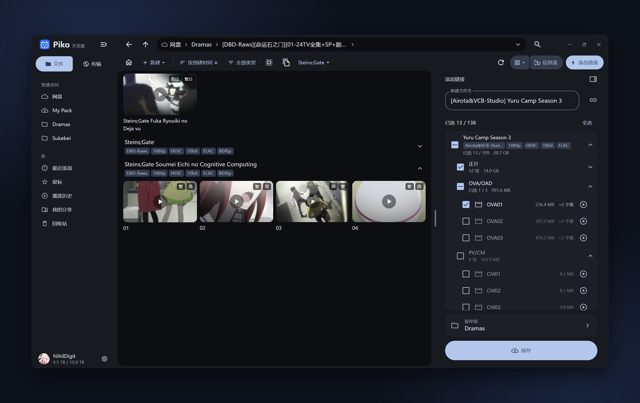
Key features
- Adaptive layout with multi-tab workspace, grid view for videos and photos, and read-only mounting of local folders into the cloud drive view
- Feed view that randomly plays clips from a folder or chosen videos, with swipe navigation and auto-continue
- Parses magnet links, torrents, download links and share links, with preview before saving and an option to save as a reference without using cloud storage space
- Multi-connection transfers that route around slow or unresponsive nodes, plus a speed-limited mode that does not interrupt playback
- Local file tools including full-drive fuzzy search, archiving to free up cloud space, video clip trimming, batch renaming and duplicate file finder across folders
Why isn’t Piko on Google Play?
Piko is published by its developer on GitHub only, not on Google Play.
Is Piko safe?
Piko is open source under the AGPL-3.0-or-later license (versions 1.1.0 and earlier were MIT), and installers are built directly from source by GitHub Actions and listed per device on the Releases page. The Android build uses mpv and FFmpeg built under GPLv3; the macOS build is experimental and not notarized, so you need to allow it manually in Privacy & Security settings, and the Linux build is also experimental. Piko comes straight from its developer rather than through Google Play, so it hasn’t gone through Google’s app review. As with any app, check the permissions it asks for and install it if you’re comfortable with them.
How to install
- Tap the download button above: the APK file downloads straight to your phone.
- When Android asks, allow your browser to install unknown apps.
- Open the file and tap Install.
FAQ
Is Piko free to use?
The app itself is free and open source. You still need a PikPak account, and any PikPak subscription limits are set by PikPak, not by Piko.
How do I install Piko on Android?
Go to the Releases page on GitHub, download the APK that matches your device's architecture (or the universal APK if you are unsure), and install it. Android 8.0 or newer is required.
Is Piko available on Windows and macOS too?
Yes. Windows builds come as an installer (.msi) or portable (.7z) package for x64 (Windows 10+) and arm64 (Windows 11+). An experimental macOS build for Apple silicon (macOS 12+) and an experimental Linux x64 AppImage are also provided.
More free apps you won’t find on Google Play: Open Source Apps · Best Android apps not on the Google Play Store.






Frequently Asked Questions
Is Piko free to use?
The app itself is free and open source. You still need a PikPak account, and any PikPak subscription limits are set by PikPak, not by Piko.
How do I install Piko on Android?
Go to the Releases page on GitHub, download the APK that matches your device's architecture (or the universal APK if you are unsure), and install it. Android 8.0 or newer is required.
Is Piko available on Windows and macOS too?
Yes. Windows builds come as an installer (.msi) or portable (.7z) package for x64 (Windows 10+) and arm64 (Windows 11+). An experimental macOS build for Apple silicon (macOS 12+) and an experimental Linux x64 AppImage are also provided.













Leave a Comment