
Trudido is an open-source app for managing tasks and notes, with an optional encrypted Vault for sensitive notes. It is made in Europe and works fully offline, which makes it a good pick for people who want a to-do and notes app without ads, tracking, or accounts.
Developer: dominikmuellr · License: GPL-3.0 (open source) · Price: Free
Official file from the developer's release · May 4, 2026 · SHA-256 08065906db50226e…
Screenshots
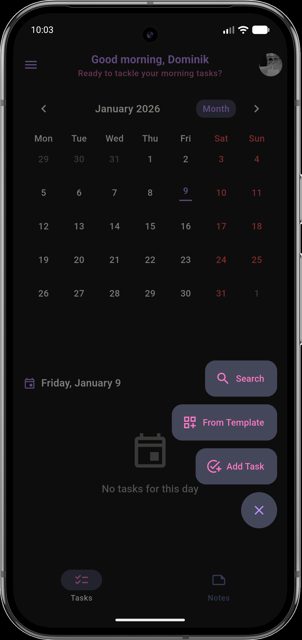
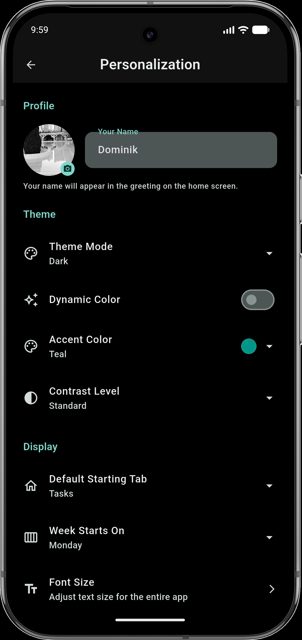
Key features
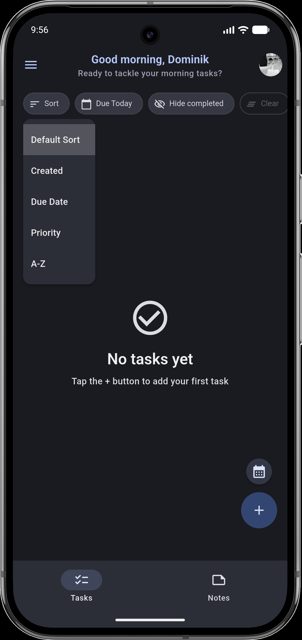
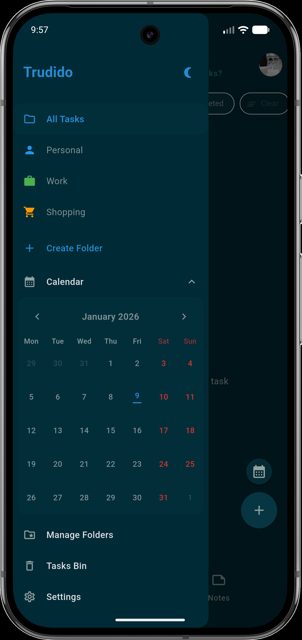
- Task management with recurring tasks, multi-day tasks, reminders, and list/calendar views
- Markdown and rich-text notes with media support, pinning, and export to PDF or Markdown
- Vault feature locks note folders with AES-256 encryption and password, PIN, or biometric unlock
- Folder templates to quickly set up task folders, plus custom templates
- JSON and PDF backups, automatic scheduled backups, and optional two-way calendar sync
Why isn’t Trudido on Google Play?
Trudido is published by its developer on GitHub and is also available on F-Droid; it is not listed on Google Play.
Is Trudido safe?
Trudido is open source under the GPL-3.0 license, and this page links to the official GitHub releases from the developer. The README notes the app is 100% offline by default with no tracking, ads, or analytics, and that your data stays on your device. Trudido comes straight from its developer rather than through Google Play, so it hasn’t gone through Google’s app review. As with any app, check the permissions it asks for and install it if you’re comfortable with them.
How to install
- Tap the download button above: the APK file downloads straight to your phone.
- When Android asks, allow your browser to install unknown apps.
- Open the file and tap Install.
FAQ
Is Trudido free?
The README does not list a price, and the app is open source under GPL-3.0. You can support development voluntarily through Ko-fi or Liberapay, as linked in the project's README.
How does the Vault keep my notes secure?
You can lock note folders as a Vault protected with AES-256 encryption, unlocked with a password, PIN, or optional biometric unlock. Vault content stays local and encrypted on your device.
Can I back up or move my data out of Trudido?
Yes. You can export and import your full app data as JSON, export everything to a single PDF, export/import notes as Markdown, and set up automatic scheduled backups with restore support.
More free apps you won’t find on Google Play: Open Source Apps · Best Android apps not on the Google Play Store.






Frequently Asked Questions
Is Trudido free?
The README does not list a price, and the app is open source under GPL-3.0. You can support development voluntarily through Ko-fi or Liberapay, as linked in the project's README.
How does the Vault keep my notes secure?
You can lock note folders as a Vault protected with AES-256 encryption, unlocked with a password, PIN, or optional biometric unlock. Vault content stays local and encrypted on your device.
Can I back up or move my data out of Trudido?
Yes. You can export and import your full app data as JSON, export everything to a single PDF, export/import notes as Markdown, and set up automatic scheduled backups with restore support.













Leave a Comment