
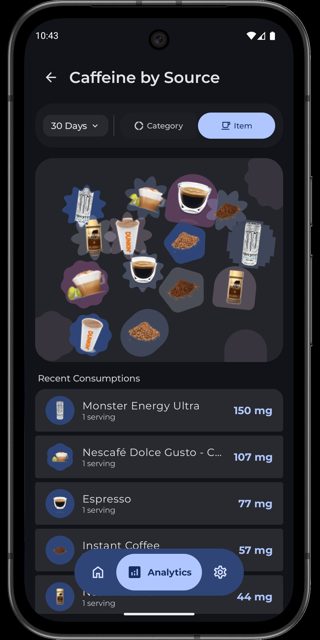
Caffeine Health is an Android app that tracks how much caffeine is still active in your body throughout the day, so you can see whether that afternoon coffee will keep you up tonight. It logs drinks from a built-in catalog and shows your caffeine level on a 24-hour chart along with a sleep forecast based on your own metabolism.
Developer: ohuc · License: GPL-3.0 (open source) · Price: Free
Before you start: this app needs Android 12 (API 31) or newer. If you want to automate drink logging with Tasker, MacroDroid, or an NFC tag, first turn on Settings → Connections & data → Automation inside the app.
Official file from the developer's release · Nov 4, 2026 · SHA-256 ccde93a8fcd201a9…
Screenshots
Key features
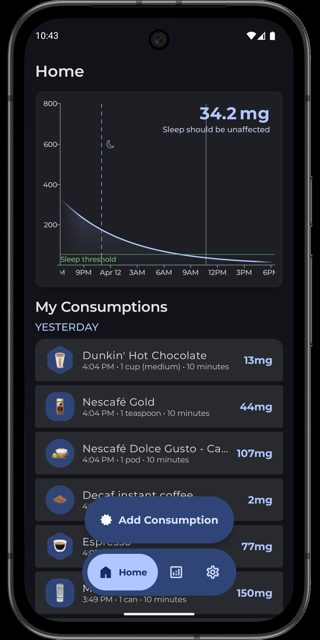
- Live 24-hour caffeine curve with emoji markers for each drink you log
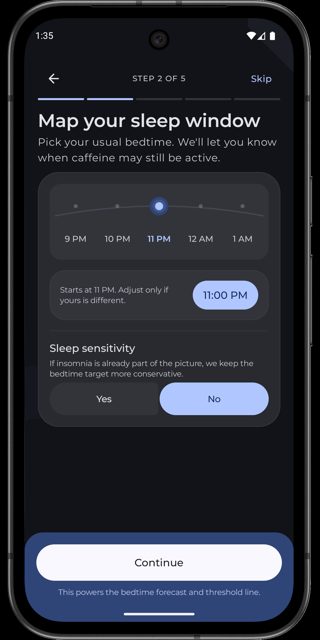
- Sleep forecast showing how much caffeine will still be active at your bedtime
- Curated drink catalog with search, category filters, and custom serving sizes
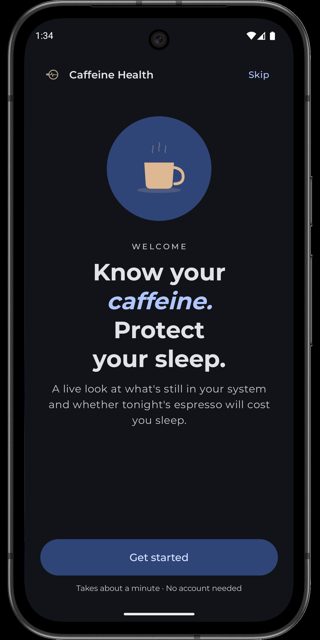
- Personalized onboarding that calculates your caffeine half-life from age, weight, smoking, alcohol, and medications
- Automation support so Tasker, MacroDroid or an NFC tag can log drinks for you
Why isn’t Caffeine Health on Google Play?
This build is the FOSS edition published by the developer on GitHub and F-Droid (also on IzzyOnDroid), with no billing SDK; a separate Play edition exists but is distributed through Google Play rather than here.
Is Caffeine Health safe?
Caffeine Health is open source under the GPL-3.0 license, and the APK on GitHub is the same unsigned fossRelease build that F-Droid and IzzyOnDroid verify for reproducibility. The app requires Android 12 (API 31) or higher, and no unusual permissions are mentioned beyond an opt-in broadcast feature for automation tools. Caffeine Health comes straight from its developer rather than through Google Play, so it hasn’t gone through Google’s app review. As with any app, check the permissions it asks for and install it if you’re comfortable with them.
How to install
- Tap the download button above: the APK file downloads straight to your phone.
- When Android asks, allow your browser to install unknown apps.
- Open the file and tap Install.
FAQ
Is Caffeine Health free
Yes. The FOSS edition distributed on GitHub and F-Droid has every feature free with no proprietary SDKs.
How do I log a drink automatically with Tasker or an NFC tag
Enable Settings → Connections & data → Automation in the app, then send a broadcast with action com.uc.caffeine.action.LOG_DRINK to package com.uc.caffeine, including extras like drink_name and quantity.
Is this the same app as the one on Google Play
It is built from the same source, but the GitHub and F-Droid version is the foss edition (no billing SDK), while Google Play distributes a separate play edition.
More free apps you won’t find on Google Play: Open Source Apps · Best Android apps not on the Google Play Store.





Frequently Asked Questions
Is Caffeine Health free
Yes. The FOSS edition distributed on GitHub and F-Droid has every feature free with no proprietary SDKs.
How do I log a drink automatically with Tasker or an NFC tag
Enable Settings → Connections & data → Automation in the app, then send a broadcast with action com.uc.caffeine.action.LOG_DRINK to package com.uc.caffeine, including extras like drink_name and quantity.
Is this the same app as the one on Google Play
It is built from the same source, but the GitHub and F-Droid version is the foss edition (no billing SDK), while Google Play distributes a separate play edition.













Leave a Comment