
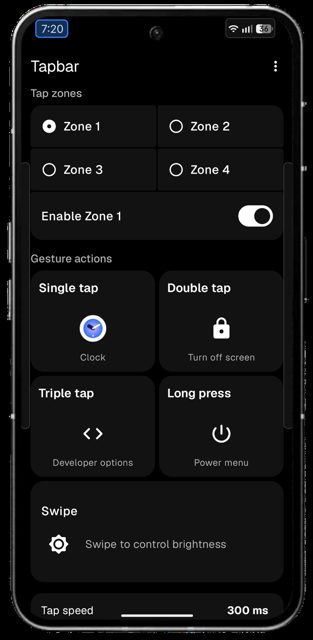
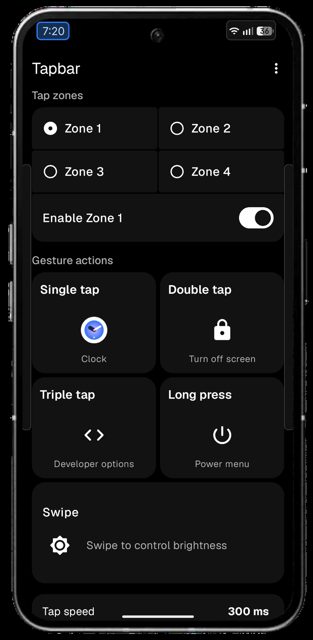
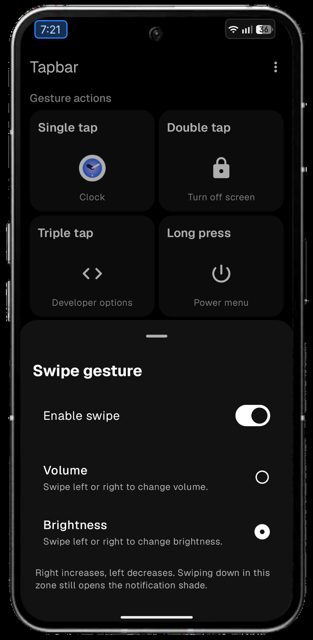
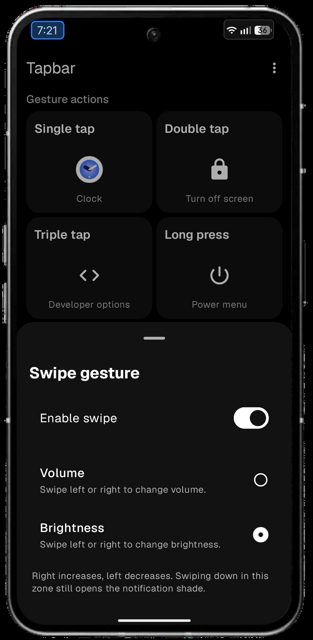
Tapbar lets you create tappable zones on your screen that open any app, trigger quick actions, or kick off automations with a tap, double tap, triple tap, long press, or swipe. People use it to get one-tap access to their favorite apps and shortcuts without hunting through home screens or the app drawer.
Developer: Earendel-lab · License: MIT (open source) · Price: Free
Before you start: since Tapbar is not on the Play Store, Android may block the install or flag it with a "restricted setting" warning. If Play Protect blocks the install, open the Play Store, tap your profile icon, go to Play Protect > Settings, and turn off "Scan apps with Play Protect" and "Improve harmful app detection" (you can turn these back on after installing). If you see a "restricted setting" message when enabling permissions, go to App info, tap the three-dot menu, select "Allow restricted settings," then enable the Accessibility and Overlay permissions from Tapbar's settings screen.
Official file from the developer's release · Oct 18, 2026 · SHA-256 b1677916be25a0c1…
Screenshots
Key features
- <
- i
- t
- e
- m
Why isn’t Tapbar on Google Play?
Tapbar is published by its developer on GitHub and is also available on F-Droid, but it is not on the Google Play Store.
Is Tapbar safe?
Tapbar is open source under the MIT license, and this page links to the official release from the developer's GitHub repo. The app uses Accessibility and Overlay permissions to create and detect taps on your screen zones, which is why Android or Play Protect may flag it during install even though the app works entirely offline with no ads, trackers, or analytics. Tapbar comes straight from its developer rather than through Google Play, so it hasn’t gone through Google’s app review. As with any app, check the permissions it asks for and install it if you’re comfortable with them.
How to install
- Tap the download button above: the APK file downloads straight to your phone.
- When Android asks, allow your browser to install unknown apps.
- Open the file and tap Install.
FAQ
Is Tapbar free
Yes. Tapbar is completely free and open source under the MIT license.
How do I set up a tap zone
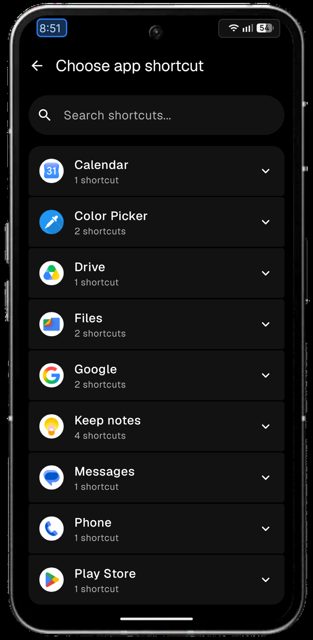
Open Tapbar, create a zone on your screen, and assign an app, action, or shortcut to each of the five gestures: single tap, double tap, triple tap, long press, or swipe.
Can Tapbar work with automation apps like Tasker
Yes. Tapbar can send a short notification for each gesture, such as 'Zone 1 – Double tap,' which automation apps like Automate, MacroDroid, and Tasker can use as a trigger.
More free apps you won’t find on Google Play: Open Source Apps · Best Android apps not on the Google Play Store.






Frequently Asked Questions
Is Tapbar free
Yes. Tapbar is completely free and open source under the MIT license.
How do I set up a tap zone
Open Tapbar, create a zone on your screen, and assign an app, action, or shortcut to each of the five gestures: single tap, double tap, triple tap, long press, or swipe.
Can Tapbar work with automation apps like Tasker
Yes. Tapbar can send a short notification for each gesture, such as 'Zone 1 - Double tap,' which automation apps like Automate, MacroDroid, and Tasker can use as a trigger.













Leave a Comment