
AutoPie turns shell commands and Python scripts into Android applets you can run by hand, from the share sheet, when files show up, on a schedule, or from another app. It runs everything inside an embedded Termux environment, so it works like a command hub for things you'd otherwise need a computer or Termux scripting for.
Developer: cryptrr · License: Apache-2.0 (open source) · Price: Free
Before you start: download the APK from the AutoPie GitHub Releases page (or get it from F-Droid). When installing, Google Play Protect may show "This app was built for an older version of Android" – expand the dialog and tap Install anyway. After opening the app, wait for the embedded Termux bootstrap to finish installing before running commands, and grant the storage and notification permissions it asks for. If you rely on scheduled or background workflows, also disable battery optimization for AutoPie in Android settings.
Official file from the developer's release · Nov 13, 2026 · SHA-256 cafcf2f3d33ae05d…
Screenshots
Key features
- Bash, shell scripts, inline Python, Python packages, and Termux packages as commands
- Multistage workflows with a persistent shell, per-step working directories, and automatic step-to-step values
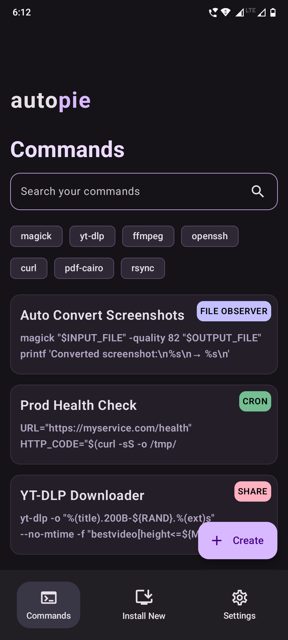
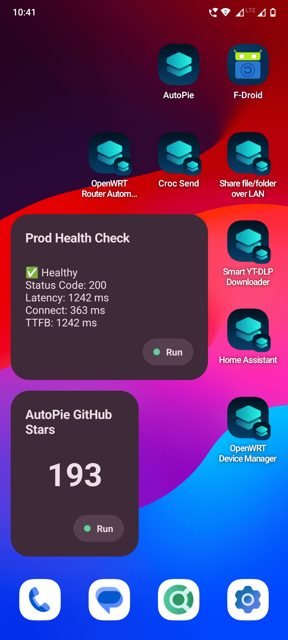
- Triggers: share sheet, file observers with regex filters, cron schedules, home-screen shortcuts and widgets, or calls from other apps
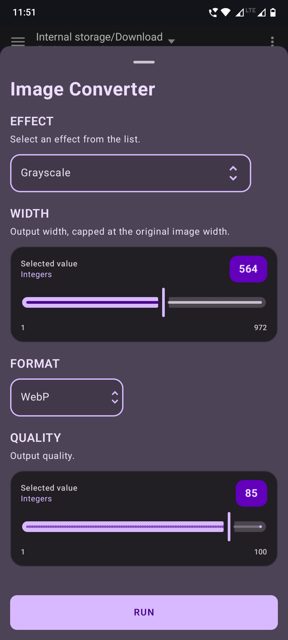
- Rich command inputs such as strings, booleans, select lists, flags, sliders, passwords, and file pickers
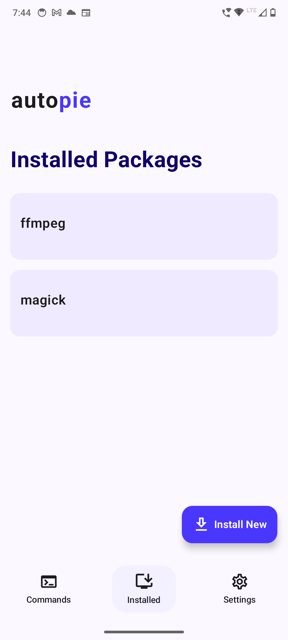
- Searchable command catalog, per-command history, process logs, success/failure notifications, and a full embedded Termux terminal
Why isn’t AutoPie on Google Play?
AutoPie is published by its developer on GitHub and is also available on F-Droid; it is not listed on Google Play.
Is AutoPie safe?
AutoPie is open source under the Apache-2.0 license, and the APK on GitHub Releases comes from the developer, matching the build also distributed on F-Droid. It currently only supports aarch64/arm64-v8a devices, asks for storage and notification permissions, and installing it may trigger a Google Play Protect warning about being built for an older Android version, which you'll need to dismiss manually. AutoPie comes straight from its developer rather than through Google Play, so it hasn’t gone through Google’s app review. As with any app, check the permissions it asks for and install it if you’re comfortable with them.
How to install
- Tap the download button above: the APK file downloads straight to your phone.
- When Android asks, allow your browser to install unknown apps.
- Open the file and tap Install.
FAQ
Is AutoPie free
Yes. It is open source under the Apache-2.0 license, downloadable from GitHub Releases or F-Droid.
How do I create my first automation
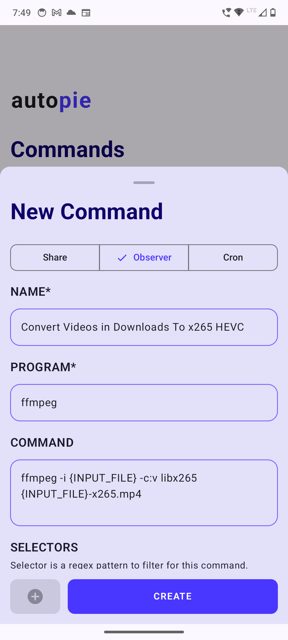
Open AutoPie, press the add button, choose Share, Observer, or Cron, give the command a name, enter Bash or Python code, optionally set a working directory and inputs under Extras, then save and run it from AutoPie or its configured trigger.
Does AutoPie work on all Android devices
It currently supports aarch64/arm64-v8a devices, which covers most newer Android phones. There is also a separate APK with support for running in secondary Android user spaces.
More free apps you won’t find on Google Play: Open Source Apps · Best Android apps not on the Google Play Store.




Frequently Asked Questions
Is AutoPie free
Yes. It is open source under the Apache-2.0 license, downloadable from GitHub Releases or F-Droid.
How do I create my first automation
Open AutoPie, press the add button, choose Share, Observer, or Cron, give the command a name, enter Bash or Python code, optionally set a working directory and inputs under Extras, then save and run it from AutoPie or its configured trigger.
Does AutoPie work on all Android devices
It currently supports aarch64/arm64-v8a devices, which covers most newer Android phones. There is also a separate APK with support for running in secondary Android user spaces.













Leave a Comment