
SmartScan turns the images and videos already on your phone into a searchable personal knowledge base. Instead of scrolling endlessly through your gallery, you can search by text, tag, or even by pasting an image, and let the app group similar media into collections and concepts automatically.
Developer: smartscanapp (d41dev) · License: GPL-3.0 (open source) · Price: Free
Official file from the developer's release · Aug 27, 2026 · SHA-256 278e30abe686fac5…
Screenshots
Key features
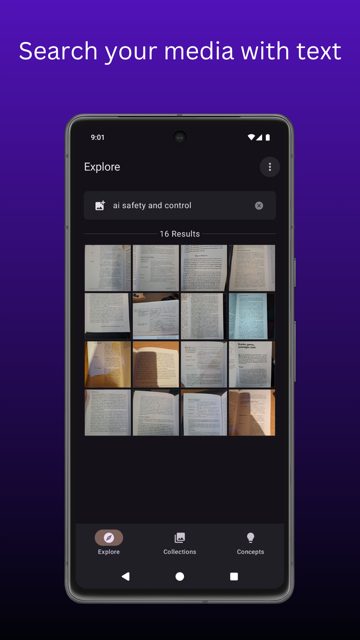
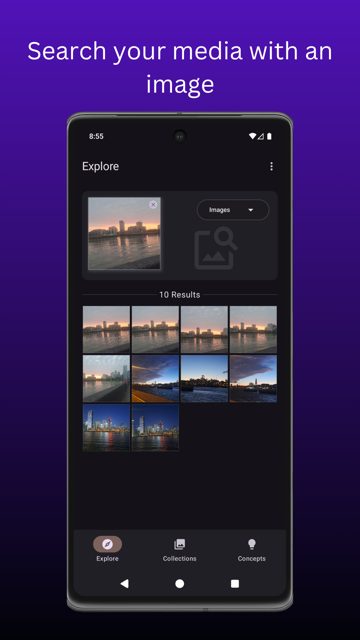
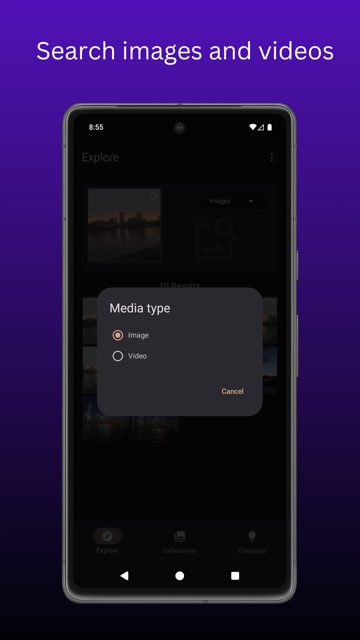
- Search images and videos by text, tag, or image, including search from other apps via share
- Add tags to media with autocomplete support while searching or tagging
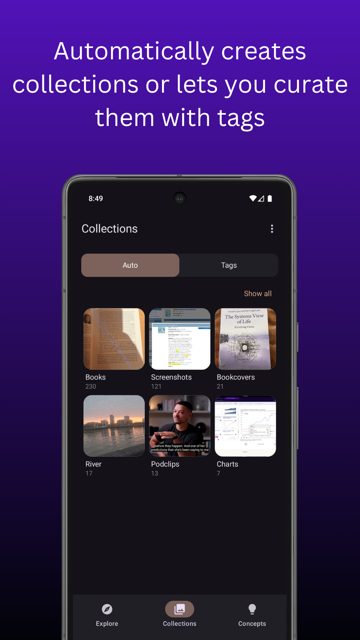
- Auto Collections group similar media automatically, Tag Collections let you curate manually, with merge, move, and delete tools
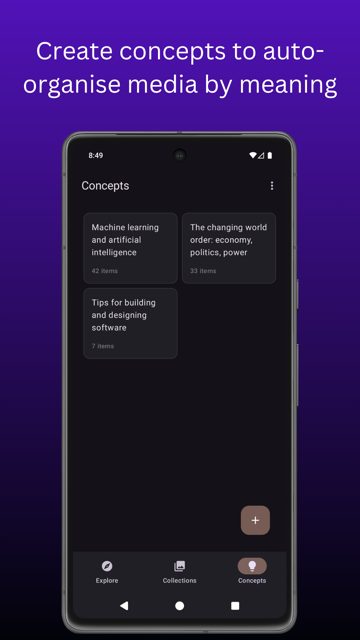
- Concepts group media by meaning using auto-generated or manually edited descriptions, so you can rediscover saved content
- Detect and filter duplicate media, with options to include, exclude, or detect duplicates
Why isn’t SmartScan on Google Play?
SmartScan is published by its developers on GitHub and is also available on F-Droid, rather than being distributed through the Google Play Store.
Is SmartScan safe?
SmartScan is open source under the GPL-3.0 license, and this page links to the official APK from the developer's GitHub releases. The README states all processing happens on-device for privacy and offline use, with an optional cloud processing feature specifically for generating image descriptions. SmartScan comes straight from its developer rather than through Google Play, so it hasn’t gone through Google’s app review. As with any app, check the permissions it asks for and install it if you’re comfortable with them.
How to install
- Tap the download button above: the APK file downloads straight to your phone.
- When Android asks, allow your browser to install unknown apps.
- Open the file and tap Install.
FAQ
Is SmartScan free
Yes, the app is free to use. The developer accepts optional donations through Ko-fi or crypto if you want to support the project.
Does SmartScan need an internet connection
No, all core processing is done on-device so it works offline. Cloud processing is only used as an optional feature for generating image descriptions.
Can I get SmartScan from an app store
SmartScan is not on Google Play. You can download the APK directly from the GitHub releases page or get it through F-Droid.
More free apps you won’t find on Google Play: Open Source Apps · Best Android apps not on the Google Play Store.






Frequently Asked Questions
Is SmartScan free
Yes, the app is free to use. The developer accepts optional donations through Ko-fi or crypto if you want to support the project.
Does SmartScan need an internet connection
No, all core processing is done on-device so it works offline. Cloud processing is only used as an optional feature for generating image descriptions.
Can I get SmartScan from an app store
SmartScan is not on Google Play. You can download the APK directly from the GitHub releases page or get it through F-Droid.













Leave a Comment