
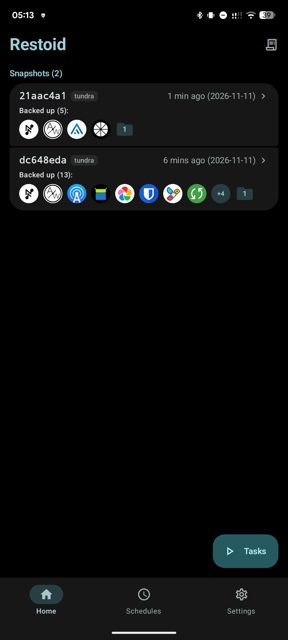
Restoid is a backup app for Android that uses the restic engine to store your apps, photos, contacts, and files as encrypted, deduplicated snapshots. It's built for people who want full control over where their backups go, whether that's a home NAS, a cloud bucket, or an SFTP server, without relying on a closed, proprietary backup format.
Developer: hddq · License: GPL-3.0 (open source) · Price: Free
Before you start: root access is optional and only needed if you want to back up installed apps and their private app data. Backing up custom folders, photos, documents, contacts, and call logs works without root. You'll need Android 10 (SDK 29) or higher, with Android 17 (SDK 37) recommended. If you plan to use cloud storage providers like Google Drive, Dropbox, or OneDrive, you'll need your own rclone.conf file set up with rclone.
Official file from the developer's release · Nov 24, 2026 · SHA-256 d4919460e06963ee…
Screenshots
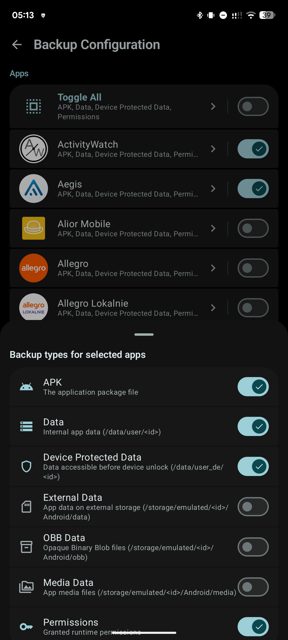
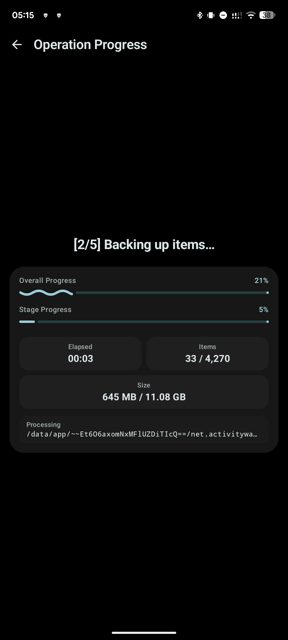
Key features
- Content-defined deduplication uploads only changed blocks, so repeat backups are fast and space-efficient compared to tar.gz archives
- Zero-knowledge encryption via restic, with encryption keys staying under your control
- Store backups locally (internal storage, SD card, USB OTG), over SFTP/SSH, REST server, S3-compatible storage, or dozens of cloud providers through built-in rclone support
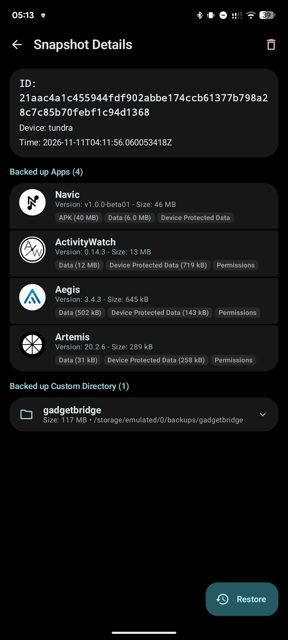
- Full app and data backup (APKs, app data, OBB) on rooted devices, plus no-root backup of custom folders, photos, contacts, and call logs
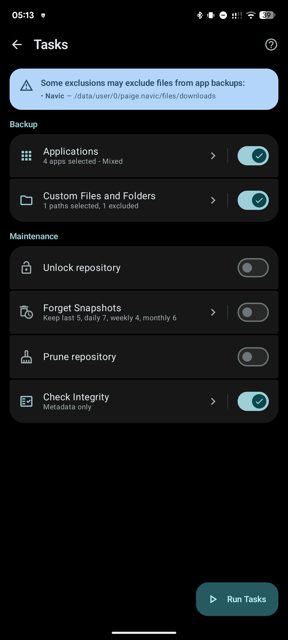
- Automated schedules with constraints like charging only or unmetered Wi-Fi, surgical restore options, and repository maintenance tools like pruning and integrity checks
Why isn’t Restoid on Google Play?
Restoid is published by its developer on GitHub and F-Droid rather than on Google Play.
Is Restoid safe?
Restoid is open source under the GPL-3.0 license, and this page links to the developer's own GitHub releases and F-Droid repo. The developer notes that official F-Droid updates may lag behind, and a custom CI repository is available for instant updates if you want the latest build sooner. Restoid comes straight from its developer rather than through Google Play, so it hasn’t gone through Google’s app review. As with any app, check the permissions it asks for and install it if you’re comfortable with them.
How to install
- Tap the download button above: the APK file downloads straight to your phone.
- When Android asks, allow your browser to install unknown apps.
- Open the file and tap Install.
FAQ
Is Restoid free
Yes. It is 100% free and open source under the GPLv3 license, with no analytics, telemetry, or third-party tracking.
Do I need root to use Restoid
No, root is optional. You only need root to back up installed apps along with their private app data. Backing up custom folders, photos, documents, contacts, and call logs does not require root.
How is Restoid different from a simple tar.gz backup tool
Restoid uses restic's content-defined deduplication, which only uploads unique changed blocks on each backup. This makes repeat backups faster and uses less storage space than traditional tar.gz archives, while keeping everything encrypted with keys you control.
More free apps you won’t find on Google Play: Open Source Apps · Best Android apps not on the Google Play Store.






Frequently Asked Questions
Is Restoid free
Yes. It is 100% free and open source under the GPLv3 license, with no analytics, telemetry, or third-party tracking.
Do I need root to use Restoid
No, root is optional. You only need root to back up installed apps along with their private app data. Backing up custom folders, photos, documents, contacts, and call logs does not require root.
How is Restoid different from a simple tar.gz backup tool
Restoid uses restic's content-defined deduplication, which only uploads unique changed blocks on each backup. This makes repeat backups faster and uses less storage space than traditional tar.gz archives, while keeping everything encrypted with keys you control.













Leave a Comment