
Seca is a set of three apps for Android – an address book, a phone dialer and a messaging app – built to work together with one shared design and one backup. People use it to get a full contacts, calls and texting setup that has no Google dependency and no account to sign up for.
Developer: arditore · License: GPL-3.0 (open source) · Price: Free
Before you start: after installing, go to Android's default-apps settings and set Seca Phone as your Phone app and Seca Messages as your SMS app. If you want Seca Link's encrypted messaging, turn it on inside Seca Messages (it is off by default and only then does the app use the internet). Requires Android 12 or newer; GrapheneOS is recommended but not required.
Official file from the developer's release · Nov 19, 2026 · SHA-256 8f8cd46ac5c907f4…
Screenshots
Key features
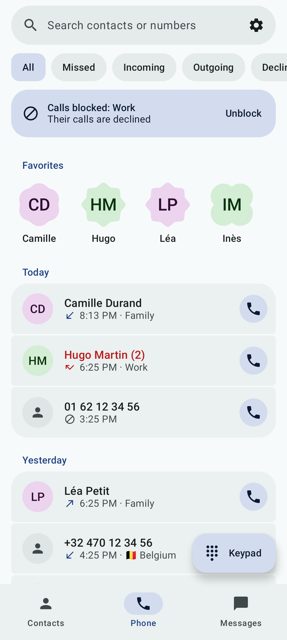
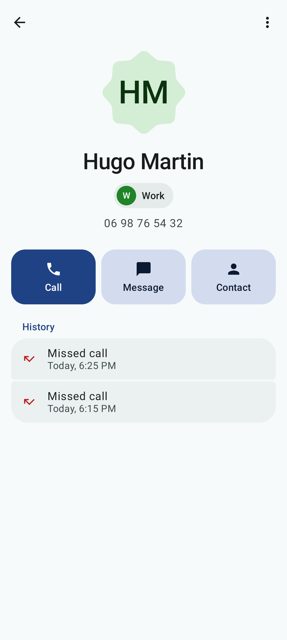
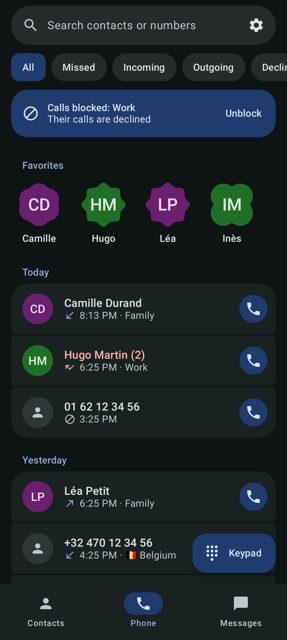
- Coloured profiles (Family, Work, etc.) shared across Contacts, Phone and Messages, with one encrypted suite backup
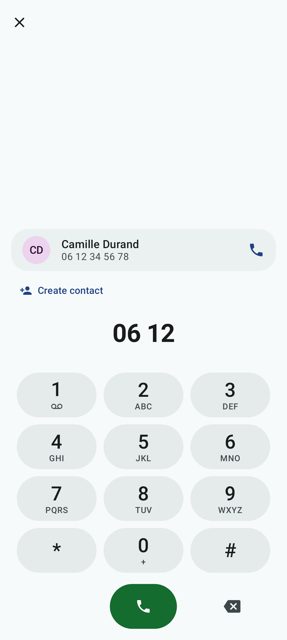
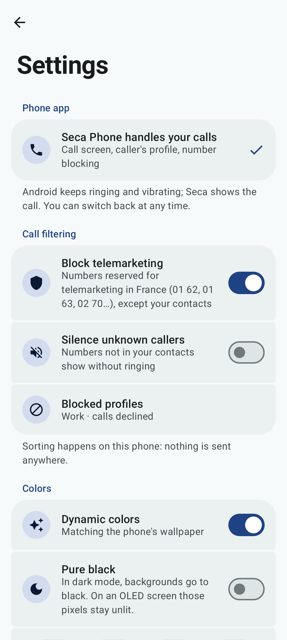
- Seca Phone blocks known telemarketing number ranges, silences unknown callers, and shows the caller's profile on the call screen
- Seca Messages supports picture messages, GIFs, scheduled messages and bulk archiving or deleting of conversations
- Seca Link: end-to-end encrypted messaging between Seca phones using Signal's libsignal encryption over public Nostr relays, off by default
- Material 3 Expressive design with four palettes or a custom colour, a Pure black OLED option, and support for 8 languages
Why isn’t Seca on Google Play?
Seca is published by its developer on GitHub and F-Droid; it is not distributed on Google Play.
Is Seca safe?
Seca is open source under GPL-3.0-or-later. Seca Contacts and Seca Phone have no INTERNET permission at all, which is enforced by Android itself, and the build process checks that no Google (GMS/Firebase/Play) code reaches the release. F-Droid rebuilds each release from source and matches it byte for byte against the developer's APK, so the F-Droid copy is confirmed to be the developer's own build; the app is currently in beta. Seca comes straight from its developer rather than through Google Play, so it hasn’t gone through Google’s app review. As with any app, check the permissions it asks for and install it if you’re comfortable with them.
How to install
- Tap the download button above: the APK file downloads straight to your phone.
- When Android asks, allow your browser to install unknown apps.
- Open the file and tap Install.
FAQ
Is Seca free?
Yes, Seca is free and open source software released under the GPL-3.0-or-later license.
How do I install all three apps and keep them updated?
You can get them from F-Droid, download the APKs from the GitHub releases page, or add the repository three times in Obtainium (one per app) with the APK selection filter set to the app's signing certificate string so it picks the right file.
How is Seca different from Google's Contacts, Phone and Messages apps?
Seca Contacts and Seca Phone have no INTERNET permission at all, so they cannot send data anywhere, and none of the three apps use Google Play services, Firebase or any Google code. Seca also adds a shared profile system, encrypted backups, and optional end-to-end encrypted messaging between Seca phones called Seca Link.
Does Seca support RCS or MMS group chats?
No. RCS is not supported because Google restricts its RCS API to a closed list of apps, and group conversations over MMS currently work but are not yet handled as a proper group thread.
More free apps you won’t find on Google Play: Open Source Apps · Best Android apps not on the Google Play Store.






Frequently Asked Questions
Is Seca free?
Yes, Seca is free and open source software released under the GPL-3.0-or-later license.
How do I install all three apps and keep them updated?
You can get them from F-Droid, download the APKs from the GitHub releases page, or add the repository three times in Obtainium (one per app) with the APK selection filter set to the app's signing certificate string so it picks the right file.
How is Seca different from Google's Contacts, Phone and Messages apps?
Seca Contacts and Seca Phone have no INTERNET permission at all, so they cannot send data anywhere, and none of the three apps use Google Play services, Firebase or any Google code. Seca also adds a shared profile system, encrypted backups, and optional end-to-end encrypted messaging between Seca phones called Seca Link.
Does Seca support RCS or MMS group chats?
No. RCS is not supported because Google restricts its RCS API to a closed list of apps, and group conversations over MMS currently work but are not yet handled as a proper group thread.













Leave a Comment