

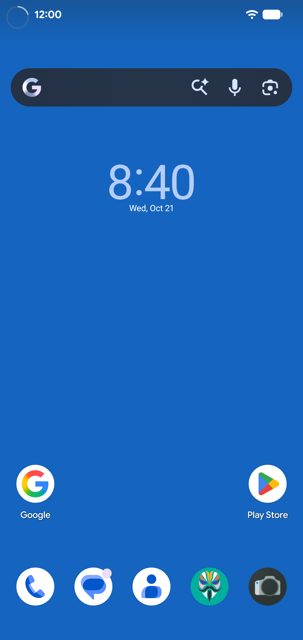
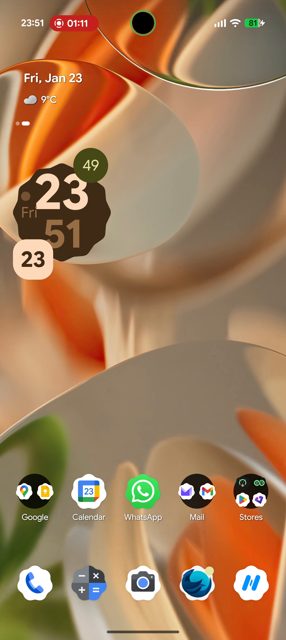
Punch-hole Download Progress is an Xposed module that turns your phone's camera cutout into an animated progress ring whenever a download is active. It is aimed at people who use an Xposed manager like Vector and want a visual cue for downloads without a separate widget or notification check.
Developer: hxreborn (rafareborn) · License: GPL-3.0 (open source) · Price: Free
Before you start: install an Xposed manager that supports libxposed API 101, such as Vector 2.1 or newer (Vector 2.2+ adds hot reload support via API 102). Your device needs Android 9 (API 28) or later. Root is optional and only needed if you want to use the app's built-in Restart SystemUI option; otherwise a manual SystemUI restart or reboot is enough after enabling the module.
Official file from the developer's release · Oct 21, 2026 · SHA-256 ec827f092a5239cb…
Screenshots
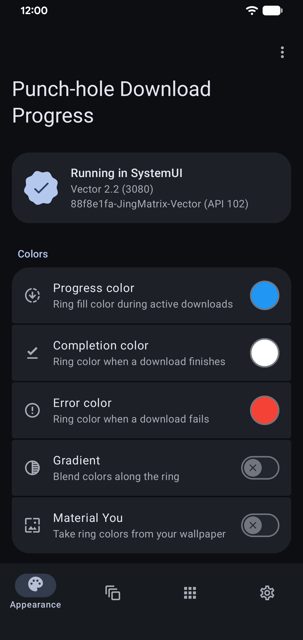
Key features
- Progress ring around the camera cutout with per-state color, thickness, opacity, and direction for active, completed, and failed downloads
- Completion animations with optional haptic feedback and a download counter badge
- Duo Status Bar integration so download progress can be drawn on the Duo ring instead (needs Duo 1.4.3-beta.1 or newer)
- Download speed label showing bits or bytes per second, read from the interface's whole-device traffic counters
- Per-rotation calibration, foldable support with separate calibration per posture, hot reload on supported frameworks, test mode, battery saver rendering, and pill-cutout support
Why isn’t Punch-hole Download Progress on Google Play?
This is an Xposed module, which requires system-level hooking that Google Play does not allow, so it is distributed by its developer on GitHub and F-Droid instead.
Is Punch-hole Download Progress safe?
The project is open source under the GPL-3.0 license and the APK on this page is the developer's own release, also distributed on F-Droid and IzzyOnDroid. It only works inside an Xposed manager and needs to be scoped to com.android.systemui, root is optional and only used for the built-in Restart SystemUI option. Punch-hole Download Progress comes straight from its developer rather than through Google Play, so it hasn’t gone through Google’s app review. As with any app, check the permissions it asks for and install it if you’re comfortable with them.
How to install
- Tap the download button above: the APK file downloads straight to your phone.
- When Android asks, allow your browser to install unknown apps.
- Open the file and tap Install.
FAQ
Is Punch-hole Download Progress free
Yes, it is open source under the GPL-3.0 license and free to download from GitHub, F-Droid, or IzzyOnDroid.
How do I set it up after installing
Install and enable the module in your Xposed manager, scope it to com.android.systemui, then restart SystemUI or reboot the device. The app has a built-in Restart SystemUI option in its overflow menu, though Magisk will prompt for permission and KernelSU or APatch users need to add the app manually.
Do I need root to use it
No, root is optional. It is only needed if you want to use the in-app Restart SystemUI shortcut; otherwise you can restart SystemUI manually or reboot your device.
More free apps you won’t find on Google Play: Open Source Apps · Best Android apps not on the Google Play Store.






Frequently Asked Questions
Is Punch-hole Download Progress free
Yes, it is open source under the GPL-3.0 license and free to download from GitHub, F-Droid, or IzzyOnDroid.
How do I set it up after installing
Install and enable the module in your Xposed manager, scope it to com.android.systemui, then restart SystemUI or reboot the device. The app has a built-in Restart SystemUI option in its overflow menu, though Magisk will prompt for permission and KernelSU or APatch users need to add the app manually.
Do I need root to use it
No, root is optional. It is only needed if you want to use the in-app Restart SystemUI shortcut; otherwise you can restart SystemUI manually or reboot your device.













Leave a Comment