

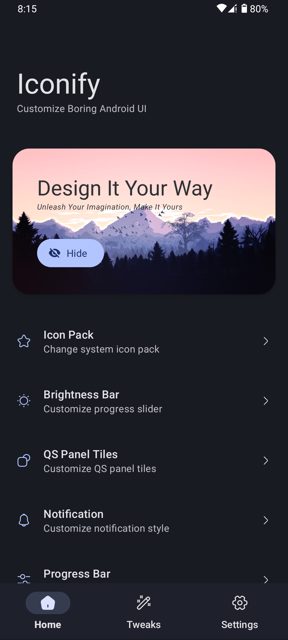
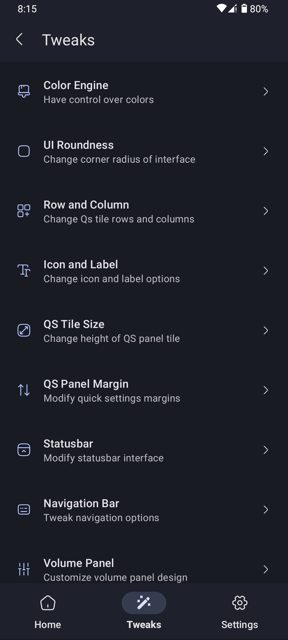
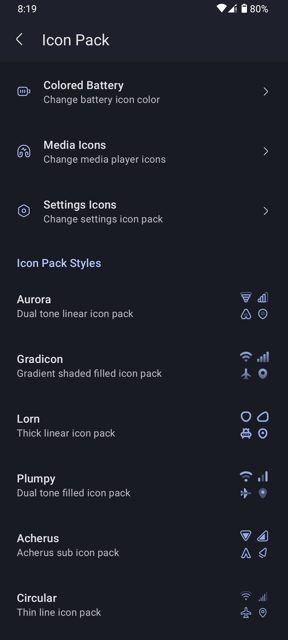
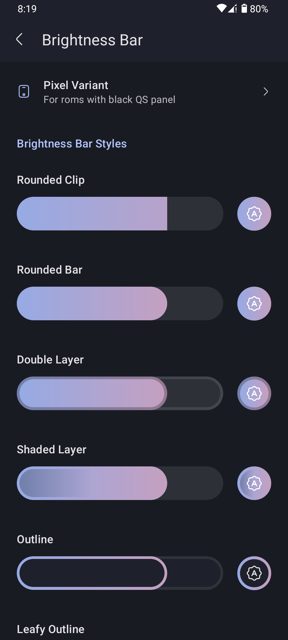
Iconify is an open-source app for customizing Android 12 and newer devices, letting you change icons, colors, shapes, and the notification panel to get the look you want. It works through root and Xposed modules rather than replacing system files directly, and it is built for stock Pixel or AOSP-based custom ROMs.
Developer: Mahmud0808 (DrDisagree) · License: GPL-3.0 (open source) · Price: Free
Before you start: Iconify requires a rooted device with Magisk, KernelSU, or APatch installed. If you use KernelSU v3.0 or newer, you also need to install Mountify (or another metamodule) first, then configure it as described in the app's installation guide, and reboot before installing Iconify. LSPosed or a similar Xposed framework (Vector) is optional but needed for some extra features like header clocks and battery styles. Check which version to download: use v7.3.0 for Android 12 through Android 16 non-QPR, or v8.0.0 and later for Android 16 QPR1 and later.
Official file from the developer's release · May 23, 2026 · SHA-256 7cd95ac2355b1565…
Screenshots
Key features
- Change icons, colors, and shapes on Android 12+
- Customize the notification panel
- Works with Magisk, KernelSU, or APatch for root access
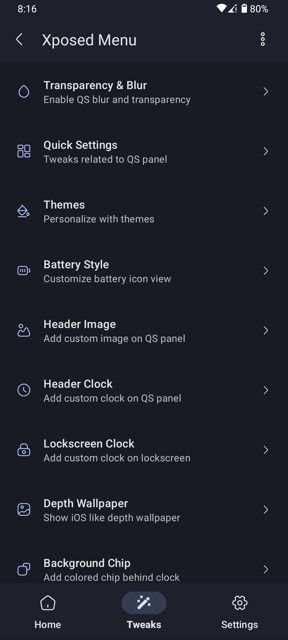
- Optional LSPosed/Vector support unlocks extras like header clocks, lockscreen clocks, header image, and battery styles
- FOSS build available without ML Kit for those who don't need AI wallpaper subject extraction
Why isn’t Iconify on Google Play?
Iconify is published by its developer on GitHub rather than the Play Store. It requires root access through Magisk, KernelSU, or APatch, which Google Play does not allow for apps distributed through its store.
Is Iconify safe?
Iconify is open source under the GPL-3.0 license, and the APK is built and released by the developer directly on GitHub. Keep in mind it requires root access and system-level changes, so there is some risk involved, and a custom recovery is recommended in case you need to undo changes. Iconify comes straight from its developer rather than through Google Play, so it hasn’t gone through Google’s app review. As with any app, check the permissions it asks for and install it if you’re comfortable with them.
How to install
- Tap the download button above: the APK file downloads straight to your phone.
- When Android asks, allow your browser to install unknown apps.
- Open the file and tap Install.
FAQ
Is Iconify free?
Yes, Iconify is free and open source under the GPL-3.0 license. The developer accepts optional donations through Buy Me a Coffee.
Do I need root access for Iconify to work?
Yes, root access through Magisk, KernelSU, or APatch is required. Magisk is recommended for the best compatibility, though KernelSU and APatch are supported.
Which devices and Android versions does Iconify support?
Iconify works on stock Pixel devices or AOSP-based custom ROMs running Android 12 or later. It does not support other OEM skins like MIUI, OneUI, ColorOS, NothingOS, or MotoUI. Use v7.3.0 for Android 12 through Android 16 non-QPR, and v8.0.0 or later for Android 16 QPR1 and later, since earlier versions have reached end of life.
More free apps you won’t find on Google Play: Open Source Apps · Best Android apps not on the Google Play Store.






Frequently Asked Questions
Is Iconify free?
Yes, Iconify is free and open source under the GPL-3.0 license. The developer accepts optional donations through Buy Me a Coffee.
Do I need root access for Iconify to work?
Yes, root access through Magisk, KernelSU, or APatch is required. Magisk is recommended for the best compatibility, though KernelSU and APatch are supported.
Which devices and Android versions does Iconify support?
Iconify works on stock Pixel devices or AOSP-based custom ROMs running Android 12 or later. It does not support other OEM skins like MIUI, OneUI, ColorOS, NothingOS, or MotoUI. Use v7.3.0 for Android 12 through Android 16 non-QPR, and v8.0.0 or later for Android 16 QPR1 and later, since earlier versions have reached end of life.













Leave a Comment