
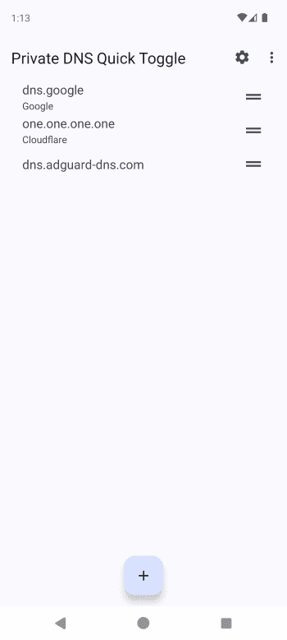
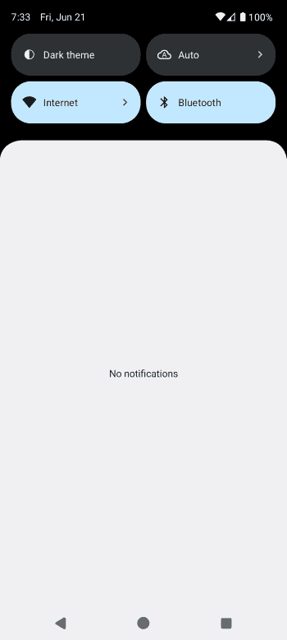
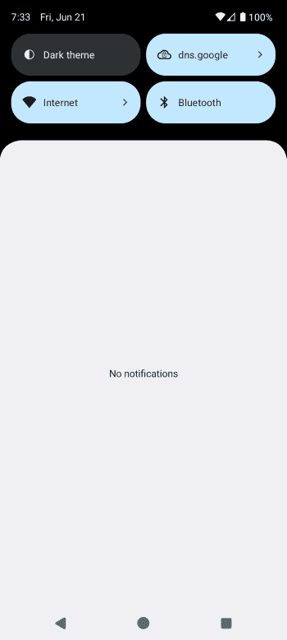
Private DNS Quick Toggle adds a quick settings tile that lets you switch your active private DNS server with a single tap. It is handy if you use different DNS providers for things like ad blocking and want to turn them on or off without digging through system settings.
Developer: karasevm · License: MIT (open source) · Price: Free
Before you start: the app needs the android.permission.WRITE_SECURE_SETTINGS permission to change your system's private DNS. You can grant this automatically by installing and starting Shizuku, then allowing Shizuku access when the app asks. Or you can grant it manually over ADB: install platform tools on your PC, enable USB Debugging on your phone, connect it, and run "adb shell pm grant ru.karasevm.privatednstoggle android.permission.WRITE_SECURE_SETTINGS" in a terminal.
Official file from the developer's release · Aug 5, 2025 · SHA-256 7d42277188f9eeb2…
Screenshots
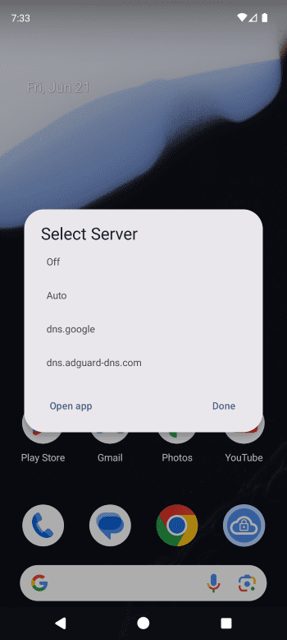
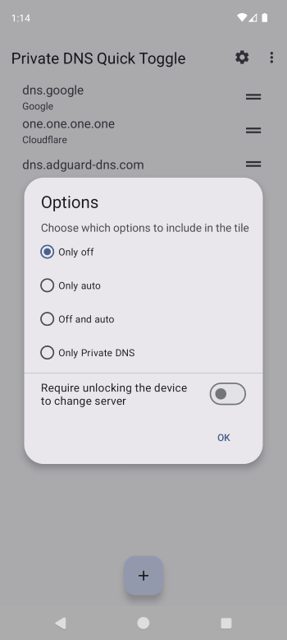
Key features
- Quick settings tile to switch private DNS provider
- Supports any number of DNS providers
- One tap to turn adblocking DNS servers on or off
- Works via Shizuku or ADB permission grant
- Open source under the MIT license
Why isn’t Private DNS Quick Toggle on Google Play?
This app is not distributed on Google Play. It is published by its developer on GitHub, and is also available on IzzyOnDroid (an F-Droid repository).
Is Private DNS Quick Toggle safe?
This is an open-source project (MIT license) and the APK on this page is the developer's official GitHub release. The app needs the WRITE_SECURE_SETTINGS permission to change system DNS settings, which it gets either through Shizuku or by granting it manually over ADB, so there is a short setup step before it works. Private DNS Quick Toggle comes straight from its developer rather than through Google Play, so it hasn’t gone through Google’s app review. As with any app, check the permissions it asks for and install it if you’re comfortable with them.
How to install
- Tap the download button above: the APK file downloads straight to your phone.
- When Android asks, allow your browser to install unknown apps.
- Open the file and tap Install.
FAQ
Is Private DNS Quick Toggle free
Yes. It is open source under the MIT license and free to download from GitHub releases or IzzyOnDroid.
How do I get the app working after installing it
You need to grant it the WRITE_SECURE_SETTINGS permission, either automatically through Shizuku or manually with an ADB command from your PC. See the setup steps above.
Is this app on F-Droid
It is not on the main F-Droid repo, but it is listed on IzzyOnDroid, an F-Droid style repository, which also enables auto-updates on Android 12 and newer.
More free apps you won’t find on Google Play: Open Source Apps · Best Android apps not on the Google Play Store.






Frequently Asked Questions
Is Private DNS Quick Toggle free
Yes. It is open source under the MIT license and free to download from GitHub releases or IzzyOnDroid.
How do I get the app working after installing it
You need to grant it the WRITE_SECURE_SETTINGS permission, either automatically through Shizuku or manually with an ADB command from your PC. See the setup steps above.
Is this app on F-Droid
It is not on the main F-Droid repo, but it is listed on IzzyOnDroid, an F-Droid style repository, which also enables auto-updates on Android 12 and newer.













Leave a Comment