

PlayTube is a free YouTube client for Android that lets you stream and download videos without ads or tracking. It is built with NewPipeExtractor so it works without a Google account, and the whole app is a lightweight download at around 8MB.
Developer: arslandaim-hub · License: GPL-3.0 (open source) · Price: Free
Before you start: no special setup is needed to install the APK. If you want automatic updates straight from GitHub releases, you can optionally install Obtainium and add PlayTube's repository there.
Official file from the developer's release · Nov 9, 2026 · SHA-256 3e92d081631e3002…
Screenshots
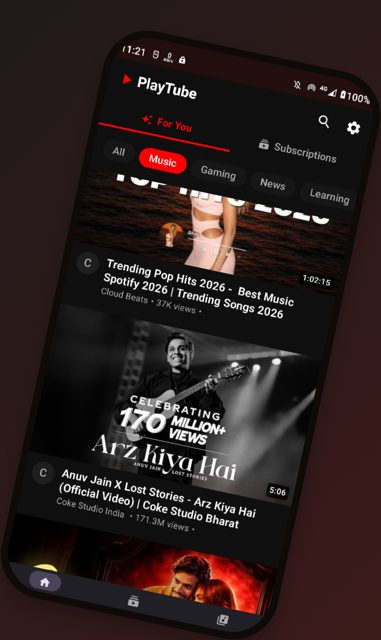
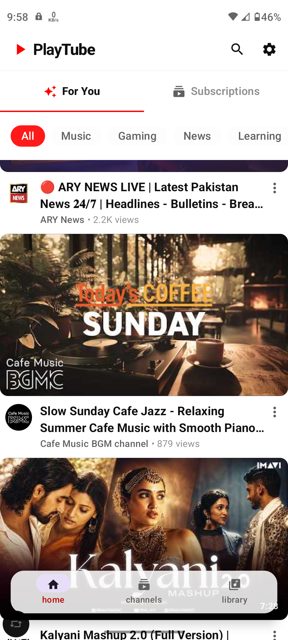
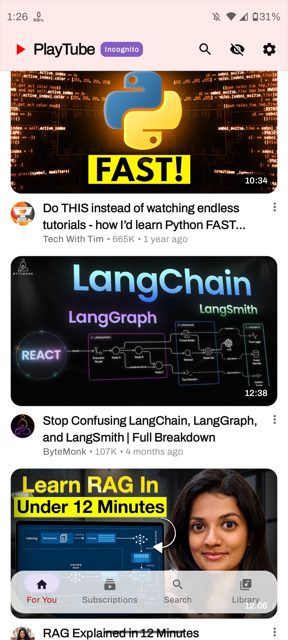
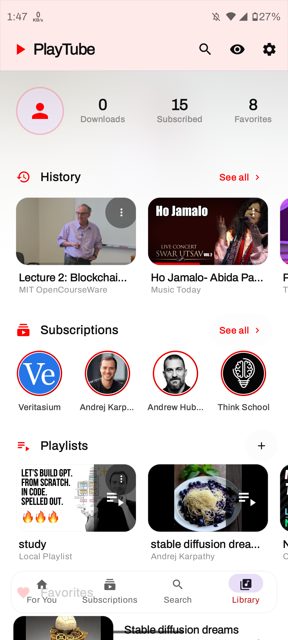
Key features
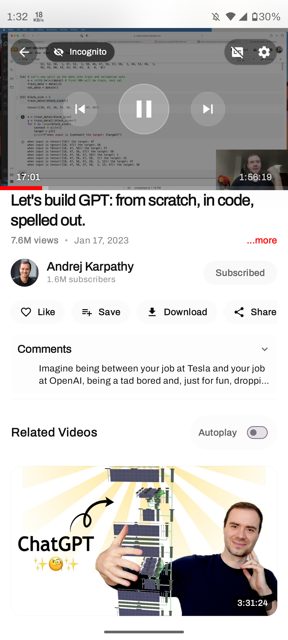
- Background playback with full media controls and Picture-in-Picture support
- Comments and replies, multi-language subtitles, and gesture controls for brightness, volume, and playback
- Incognito mode for browsing without affecting your recommendations
- High-quality downloads of supported content
- Subscription management without needing a Google account
- A lightweight recommendation system that learns from activity, with the option to pause learning or clear data in settings
Why isn’t PlayTube on Google Play?
The README notes that publishing PlayTube on the Google Play Store may violate Google's policies and terms of service, so it is distributed by its developer on GitHub and F-Droid instead.
Is PlayTube safe?
PlayTube is open source under the GPL-3.0 license, and the APK on this page is the official release built by the developer, also available on F-Droid. As with any YouTube client that uses stream extraction, functionality can occasionally break if YouTube changes its backend, so keep the app updated. PlayTube comes straight from its developer rather than through Google Play, so it hasn’t gone through Google’s app review. As with any app, check the permissions it asks for and install it if you’re comfortable with them.
How to install
- Tap the download button above: the APK file downloads straight to your phone.
- When Android asks, allow your browser to install unknown apps.
- Open the file and tap Install.
FAQ
Is PlayTube free?
Yes. PlayTube is free and open source under the GPL-3.0 license. There is an optional Patreon for people who want to support development, but it is not required to use the app.
How do I get updates since it is not on Google Play?
You can download new versions directly from the GitHub releases page, install it through F-Droid, or use Obtainium to get notified and update automatically from PlayTube's GitHub releases.
How is PlayTube different from the official YouTube app?
PlayTube does not show ads and does not track or collect your data. It also lets you manage subscriptions and browse without a Google account, and it includes features like background playback, Picture-in-Picture, and downloads.
More free apps you won’t find on Google Play: Open Source Apps · Best Android apps not on the Google Play Store.






Frequently Asked Questions
Is PlayTube free?
Yes. PlayTube is free and open source under the GPL-3.0 license. There is an optional Patreon for people who want to support development, but it is not required to use the app.
How do I get updates since it is not on Google Play?
You can download new versions directly from the GitHub releases page, install it through F-Droid, or use Obtainium to get notified and update automatically from PlayTube's GitHub releases.
How is PlayTube different from the official YouTube app?
PlayTube does not show ads and does not track or collect your data. It also lets you manage subscriptions and browse without a Google account, and it includes features like background playback, Picture-in-Picture, and downloads.













Leave a Comment