

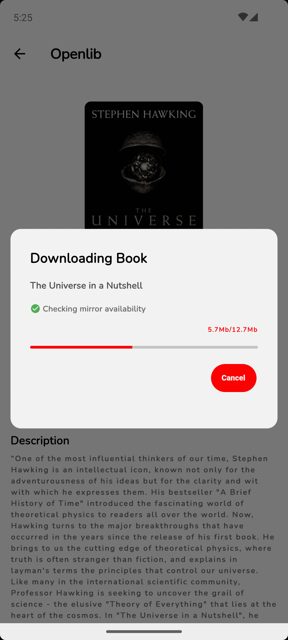
Openlib is an open-source app that lets you search, download, and read books from Anna's Archive, a shadow library. It works by sending requests to Anna's Archive, parsing the response, and pulling the download mirrors for the book you want, all with a built-in reader so you don't need a separate app.
Developer: dstark5 · License: GPL-3.0 (open source) · Price: Free
Official file from the developer's release · Jan 18, 2026 · SHA-256 d72e3b2bb8154b3b…
Screenshots
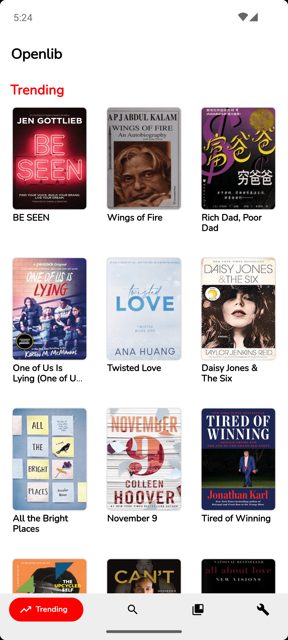
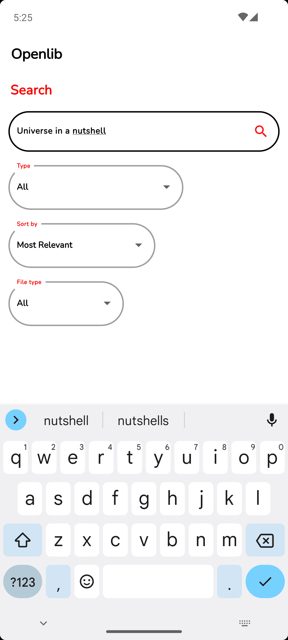
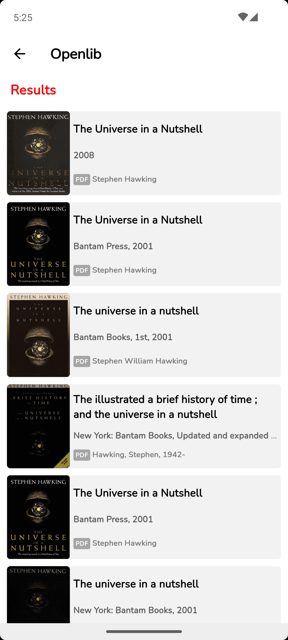
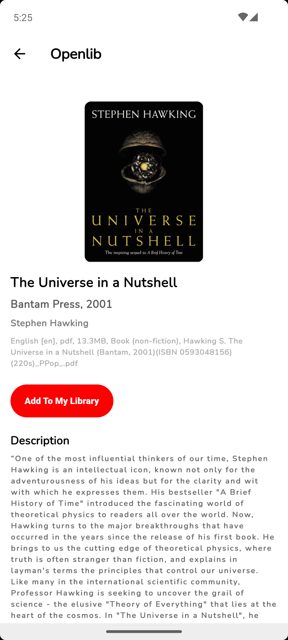
Key features
- Browse trending books
- Download and read books with the built-in viewer
- Supports Epub and Pdf formats
- Open books in your favourite ebook reader instead
- Filter and sort books
Why isn’t Openlib on Google Play?
The README states that publishing Openlib, or any fork of it, on the Google Play Store violates Google's terms and conditions, so it's distributed by its developer on GitHub, IzzyOnDroid, F-Droid, and OpenAPK instead.
Is Openlib safe?
Openlib is free software licensed under GPL-3.0, and the APK is available straight from the developer's GitHub releases page. Note that the app is in beta, so you may run into bugs, and since it has no official API it relies on parsing Anna's Archive's website to find download mirrors. Openlib comes straight from its developer rather than through Google Play, so it hasn’t gone through Google’s app review. As with any app, check the permissions it asks for and install it if you’re comfortable with them.
How to install
- Tap the download button above: the APK file downloads straight to your phone.
- When Android asks, allow your browser to install unknown apps.
- Open the file and tap Install.
FAQ
Is Openlib free?
Yes, it is free and open source software licensed under GPL-3.0.
Why isn't Openlib on the Google Play Store?
The developer notes that publishing Openlib or any fork of it on Google Play violates Google's terms and conditions. You can get it from GitHub releases, IzzyOnDroid, F-Droid, or OpenAPK instead.
What book formats does Openlib support?
It currently supports Epub and Pdf formats. The developer's roadmap mentions adding support for more formats like cbz, cbr, and azw3 in the future.
More free apps you won’t find on Google Play: Open Source Apps · Best Android apps not on the Google Play Store.





Frequently Asked Questions
Is Openlib free?
Yes, it is free and open source software licensed under GPL-3.0.
Why isn't Openlib on the Google Play Store?
The developer notes that publishing Openlib or any fork of it on Google Play violates Google's terms and conditions. You can get it from GitHub releases, IzzyOnDroid, F-Droid, or OpenAPK instead.
What book formats does Openlib support?
It currently supports Epub and Pdf formats. The developer's roadmap mentions adding support for more formats like cbz, cbr, and azw3 in the future.













Leave a Comment