
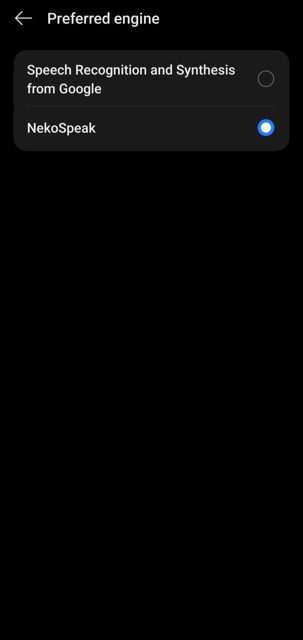
NekoSpeak is an Android app that turns text into speech using on-device AI models, so it works without an internet connection and nothing you type is sent anywhere. It's meant for people who want natural-sounding voices for things like reading ebooks or system-wide text-to-speech, without relying on a cloud service.
Developer: siva-sub · License: MIT (open source) · Price: Free
Before you start: pick the right APK for your device. Use the arm64-v8a build for most modern phones (Pixel, Samsung S-series and similar), armeabi-v7a for older or low-end devices, or the universal build if you are not sure which one applies to your device.
Official file from the developer's release · Mar 7, 2026 · SHA-256 1b7b1d66bef7d558…
Screenshots
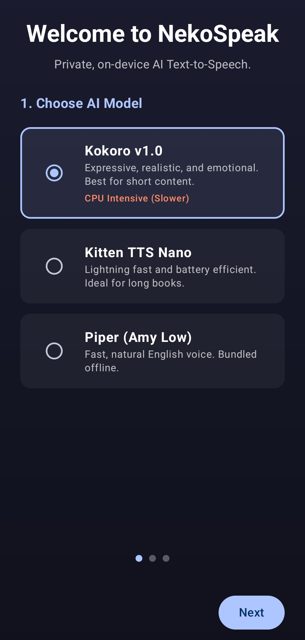
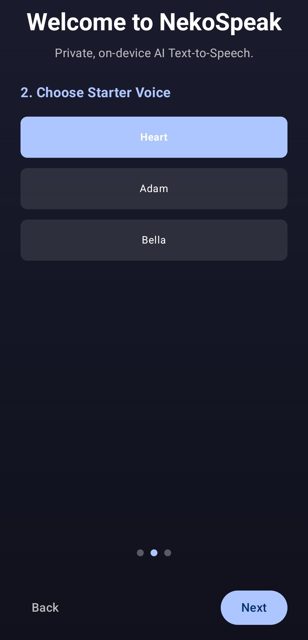
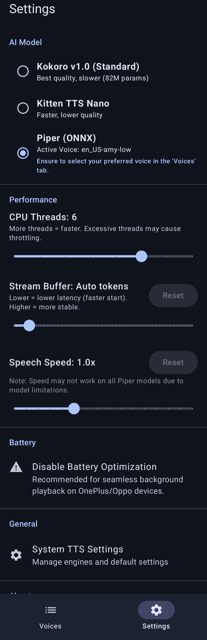
Key features
- M
- u
- l
- t
- i
- p
Why isn’t NekoSpeak on Google Play?
NekoSpeak is not on Google Play. It's published by its developer on GitHub as an open-source project, and is not listed on F-Droid either.
Is NekoSpeak safe?
NekoSpeak is open source under the MIT license, and the APK on this page comes from the developer's official GitHub releases. The app is a large download because it bundles the Piper engine and a voice model for offline use on first install; there is no listed Google Play safety report since it isn't distributed there. NekoSpeak comes straight from its developer rather than through Google Play, so it hasn’t gone through Google’s app review. As with any app, check the permissions it asks for and install it if you’re comfortable with them.
How to install
- Tap the download button above: the APK file downloads straight to your phone.
- When Android asks, allow your browser to install unknown apps.
- Open the file and tap Install.
FAQ
Is NekoSpeak free
Yes. It's an open-source app released under the MIT license, downloadable for free from its GitHub releases page.
Does NekoSpeak need an internet connection
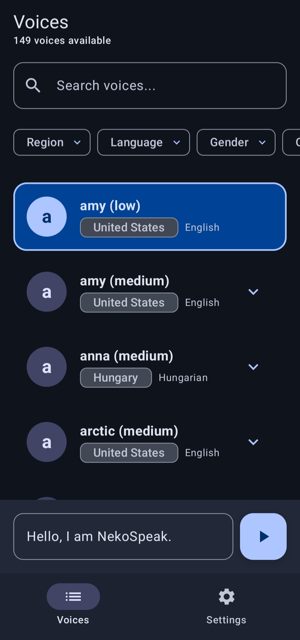
No. It is designed to run fully offline once installed. The Piper Amy Low voice is bundled in the app for instant offline use. Other voice models such as Pocket-TTS, Kokoro, and KittenTTS are downloaded on demand the first time you select them, which does require an internet connection for that one-time download.
Which engine should I use, Pocket-TTS or Piper
According to the developer, Pocket-TTS gives the best and most natural-sounding quality and supports voice cloning, so it's the recommended option. Piper is faster and lighter, supports many languages, and has hundreds of downloadable community voices, making it a good choice if you want quick setup or a specific language voice.
More free apps you won’t find on Google Play: Open Source Apps · Best Android apps not on the Google Play Store.






Frequently Asked Questions
Is NekoSpeak free
Yes. It's an open-source app released under the MIT license, downloadable for free from its GitHub releases page.
Does NekoSpeak need an internet connection
No. It is designed to run fully offline once installed. The Piper Amy Low voice is bundled in the app for instant offline use. Other voice models such as Pocket-TTS, Kokoro, and KittenTTS are downloaded on demand the first time you select them, which does require an internet connection for that one-time download.
Which engine should I use, Pocket-TTS or Piper
According to the developer, Pocket-TTS gives the best and most natural-sounding quality and supports voice cloning, so it's the recommended option. Piper is faster and lighter, supports many languages, and has hundreds of downloadable community voices, making it a good choice if you want quick setup or a specific language voice.













Leave a Comment