
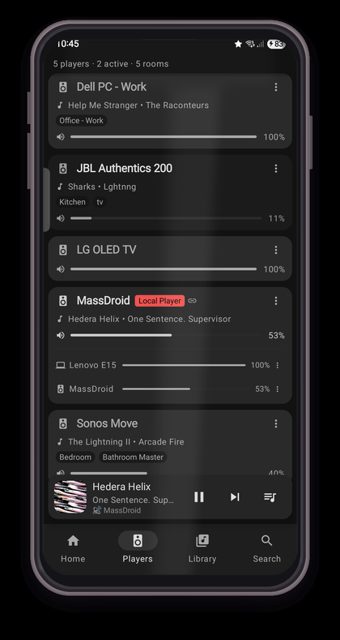
MassDroid is a native Android client for Music Assistant, the open-source music server that brings together your music sources and players in one place. People use it to control playback across rooms, discover new music from their own library through on-device recommendations, and turn a phone into an extra speaker.
Developer: sfortis · License: MIT (open source) · Price: Free
Before you start: you need a Music Assistant server already running on your network (or reachable remotely) since MassDroid is a client app, not a music server itself. For Party mode, you also need the Party plugin enabled in Music Assistant's Settings → Plugins.
Official file from the developer's release · Nov 10, 2026 · SHA-256 f69ebdd6ffa1490c…
Screenshots
Key features
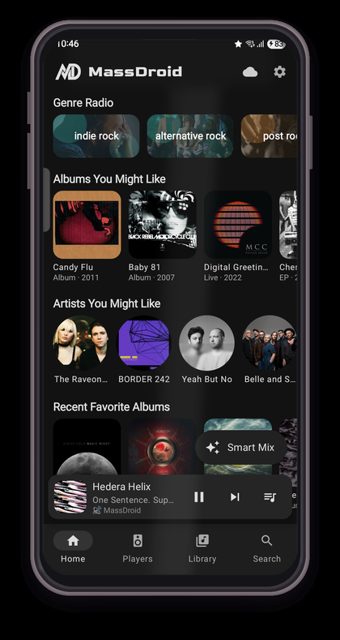
- Discover Home with Smart Mix, Genre Radio and similar artists built from your own listening history, on-device
- Follow Me room detection using BLE fingerprinting (with optional Wi-Fi BSSID/SSID hints) to move playback as you walk between rooms
- Sendspin turns your phone into a synced Music Assistant speaker, with acoustic calibration for Bluetooth latency
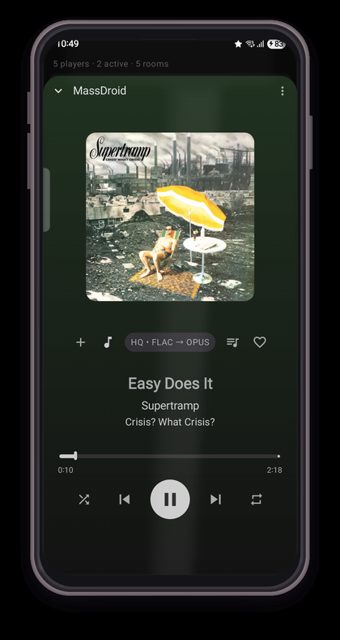
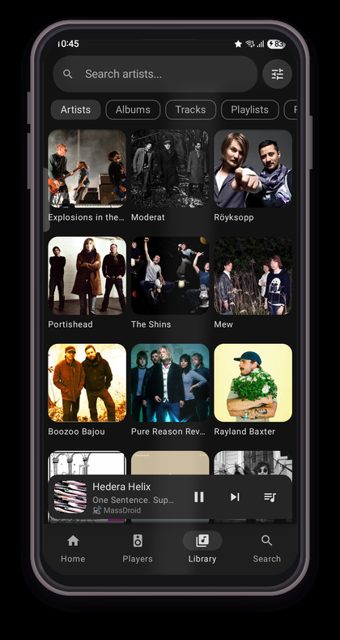
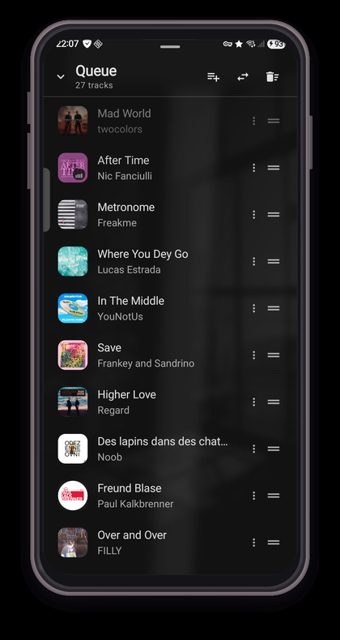
- Full player control, queue management, favorites, NFC tags, a home screen widget, and Party mode for guest-added songs
- Dedicated Android Auto and Android TV clients, plus mTLS support for secure remote connections
Why isn’t MassDroid on Google Play?
MassDroid is published by its developer on GitHub and is also available on F-Droid; it is not listed on Google Play.
Is MassDroid safe?
MassDroid is open source under the MIT license, and the APK on the GitHub releases page is built by the developer. It is also available through F-Droid, which builds from the same source. The app needs a running Music Assistant server to work, and some features like Follow Me and NFC tags ask for extra Bluetooth/location or NFC permissions. MassDroid comes straight from its developer rather than through Google Play, so it hasn’t gone through Google’s app review. As with any app, check the permissions it asks for and install it if you’re comfortable with them.
How to install
- Tap the download button above: the APK file downloads straight to your phone.
- When Android asks, allow your browser to install unknown apps.
- Open the file and tap Install.
FAQ
Is MassDroid free
Yes. It is open source under the MIT license, with no ads and no trackers mentioned in the project.
Do I need a Music Assistant server to use it
Yes. MassDroid is a client app for Music Assistant, so you need a Music Assistant server running on your network or accessible remotely before the app can play anything.
How is MassDroid different from the official Music Assistant web interface
MassDroid is a native Android app built specifically for phones, Android Auto and Android TV, and adds extra features like on-device recommendations (Smart Mix, Genre Radio), Follow Me room detection, Sendspin phone-as-speaker, NFC tags, and a home screen widget.
More free apps you won’t find on Google Play: Open Source Apps · Best Android apps not on the Google Play Store.




Frequently Asked Questions
Is MassDroid free
Yes. It is open source under the MIT license, with no ads and no trackers mentioned in the project.
Do I need a Music Assistant server to use it
Yes. MassDroid is a client app for Music Assistant, so you need a Music Assistant server running on your network or accessible remotely before the app can play anything.
How is MassDroid different from the official Music Assistant web interface
MassDroid is a native Android app built specifically for phones, Android Auto and Android TV, and adds extra features like on-device recommendations (Smart Mix, Genre Radio), Follow Me room detection, Sendspin phone-as-speaker, NFC tags, and a home screen widget.













Leave a Comment