

Paperize is a wallpaper changer app for Android that automatically rotates your wallpapers at set time intervals. It works fully offline, storing all your wallpapers and settings locally on your device, and supports both static and live wallpaper transitions.
Developer: Anthonyy232 · License: GPL-3.0 (open source) · Price: Free
Official file from the developer's release · Nov 16, 2026 · SHA-256 773c2e72cbb17fd7…
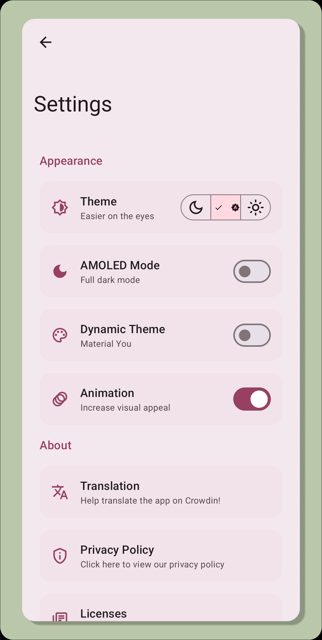
Screenshots
Key features
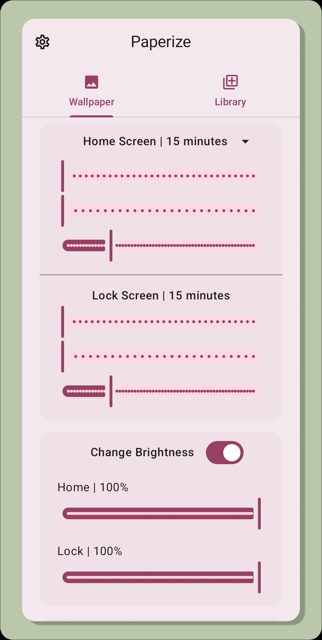
- Set wallpapers to change automatically at specific time intervals
- Choose between static wallpapers or smooth live wallpaper transitions
- Supports JPG, PNG, WEBP, AVIF, HEIC/HEIF, BMP, GIF, and TIFF image formats
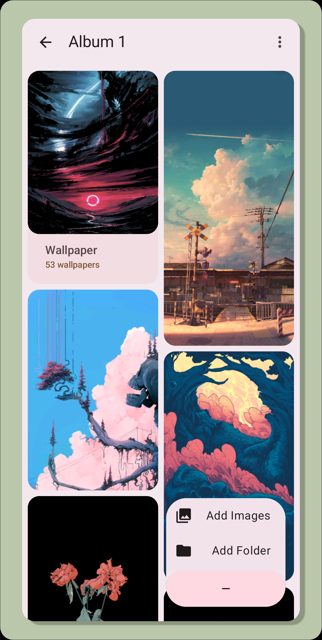
- Organize wallpapers into folders that auto-update
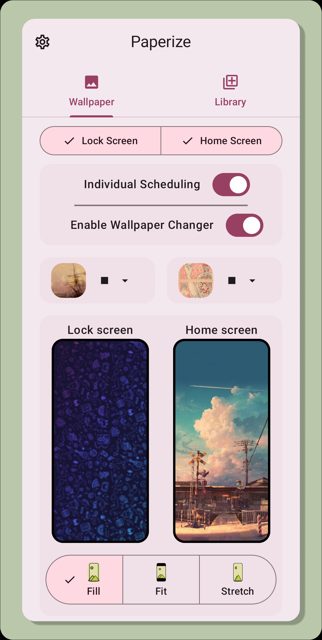
- Set separate or matching albums for home screen and lock screen
- Apply effects like brightness, blur, scaling, and vignette
Why isn’t Paperize on Google Play?
Paperize is published by its developer on GitHub and F-Droid rather than Google Play.
Is Paperize safe?
Paperize is open source under the GPL-3.0 license, and the APK is distributed directly by the developer through GitHub releases, F-Droid, and IzzyOnDroid. It is built with Kotlin and Jetpack Compose, and since it stores wallpapers and settings only on your device, it does not require an internet connection or account to function. Paperize comes straight from its developer rather than through Google Play, so it hasn’t gone through Google’s app review. As with any app, check the permissions it asks for and install it if you’re comfortable with them.
How to install
- Tap the download button above: the APK file downloads straight to your phone.
- When Android asks, allow your browser to install unknown apps.
- Open the file and tap Install.
FAQ
Is Paperize free?
Yes. It is a free, open-source app. The developer accepts optional support through GitHub Sponsors, but this is not required to use the app.
Does Paperize need an internet connection?
No. Paperize is built to work fully offline. All wallpapers and settings are stored locally on your device.
Can I use different wallpapers for my home screen and lock screen?
Yes. Paperize supports dual screen setups, so you can choose the same album or separate albums for your home screen and lock screen.
Where can I download Paperize?
Paperize is available directly from GitHub releases, as well as through F-Droid and IzzyOnDroid. It is not listed on Google Play.
More free apps you won’t find on Google Play: Open Source Apps · Best Android apps not on the Google Play Store.





Frequently Asked Questions
Is Paperize free?
Yes. It is a free, open-source app. The developer accepts optional support through GitHub Sponsors, but this is not required to use the app.
Does Paperize need an internet connection?
No. Paperize is built to work fully offline. All wallpapers and settings are stored locally on your device.
Can I use different wallpapers for my home screen and lock screen?
Yes. Paperize supports dual screen setups, so you can choose the same album or separate albums for your home screen and lock screen.
Where can I download Paperize?
Paperize is available directly from GitHub releases, as well as through F-Droid and IzzyOnDroid. It is not listed on Google Play.













Leave a Comment