

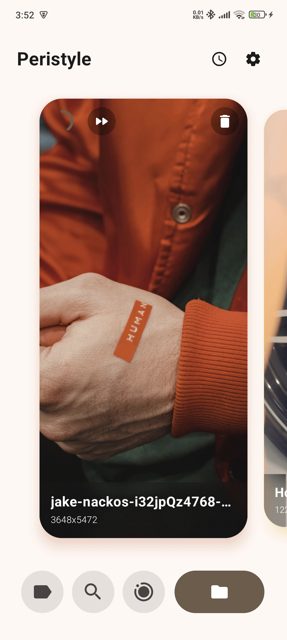
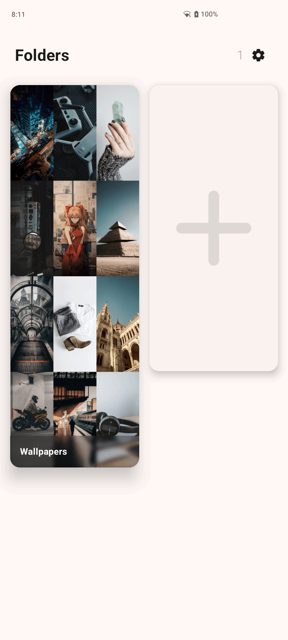
Peristyle is a wallpaper manager app for Android built for people who just want to browse, organize, and set their own locally stored wallpapers without extra bloat. It adds a glassmorphic interface, tagging, auto wallpaper changing, and a built-in live wallpaper picker, all without ads, tracking, or internet permissions for its core features.
Developer: Hamza417 (Hamza Rizwan) · License: Apache-2.0 (open source) · Price: Free
Before you start: when you first open Peristyle, grant the "All files access" (MANAGE_EXTERNAL_STORAGE) and photos/media permission when prompted so the app can find and display your locally stored wallpapers. If you want to use auto wallpaper changing reliably, also allow Peristyle to ignore battery optimizations when asked.
Official file from the developer's release · Nov 6, 2026 · SHA-256 dbc3ca903be311d9…
Screenshots
Key features
- Browse and manage wallpapers from multiple folders, including .nomedia directories to keep them out of your gallery
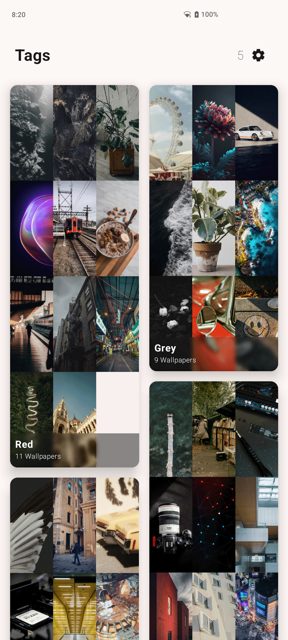
- Tag wallpapers and assign auto wallpaper changes per folder or tag for each screen
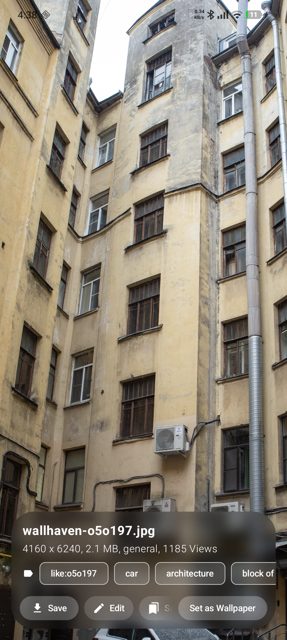
- Apply blur, color filters, and lossless real-time edits before setting a wallpaper
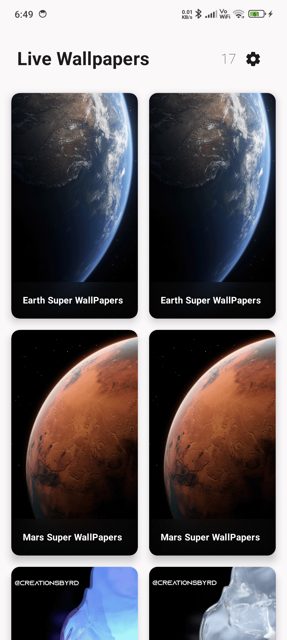
- Built-in native live wallpaper picker and a Wallhaven client for browsing and downloading wallpapers online
- Dark mode, Material You theming, and a glassmorphic UI with real-time blur and caustic shadow effects
Why isn’t Peristyle on Google Play?
Peristyle is published by its developer on GitHub and is also available on F-Droid; the README does not give a reason for its Google Play absence.
Is Peristyle safe?
Peristyle is open source under the Apache-2.0 license, and the APK on this page matches the official GitHub release and the F-Droid listing. The README notes it needs MANAGE_EXTERNAL_STORAGE and READ_MEDIA_IMAGES to show wallpapers in the app, plus battery optimization exemption to keep the auto wallpaper service running, but states the app itself has no ads, tracking, analytics, or internet permissions beyond the optional Wallhaven browsing feature. Peristyle comes straight from its developer rather than through Google Play, so it hasn’t gone through Google’s app review. As with any app, check the permissions it asks for and install it if you’re comfortable with them.
How to install
- Tap the download button above: the APK file downloads straight to your phone.
- When Android asks, allow your browser to install unknown apps.
- Open the file and tap Install.
FAQ
Is Peristyle free
Yes. It is open source under the Apache-2.0 license and has no ads, tracking, or analytics according to the README.
How do I set up auto wallpaper changing
In Peristyle, assign tags or folders to a screen and enable the AutoWallpaperService. The app also supports triggering this service externally via the app.peristyle.START_AUTO_WALLPAPER_SERVICE intent, so you can use automation or scheduling tools to change wallpapers on events like locking or unlocking your device.
How is Peristyle different from other wallpaper apps
The README describes it as a simple, sophisticated wallpaper manager focused on locally stored wallpapers, avoiding the bloat of apps with too many unrelated features, while still including tags, multiple folder support, a live wallpaper picker, and a Wallhaven client for online wallpapers.
More free apps you won’t find on Google Play: Open Source Apps · Best Android apps not on the Google Play Store.






Frequently Asked Questions
Is Peristyle free
Yes. It is open source under the Apache-2.0 license and has no ads, tracking, or analytics according to the README.
How do I set up auto wallpaper changing
In Peristyle, assign tags or folders to a screen and enable the AutoWallpaperService. The app also supports triggering this service externally via the app.peristyle.START_AUTO_WALLPAPER_SERVICE intent, so you can use automation or scheduling tools to change wallpapers on events like locking or unlocking your device.
How is Peristyle different from other wallpaper apps
The README describes it as a simple, sophisticated wallpaper manager focused on locally stored wallpapers, avoiding the bloat of apps with too many unrelated features, while still including tags, multiple folder support, a live wallpaper picker, and a Wallhaven client for online wallpapers.













Leave a Comment