
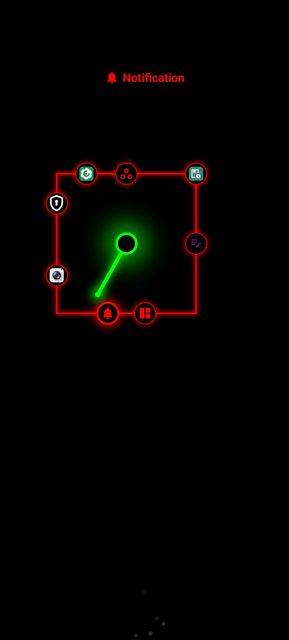
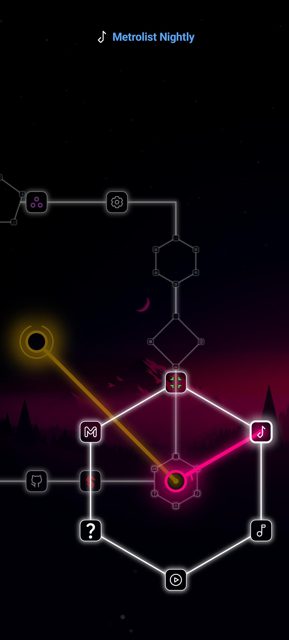
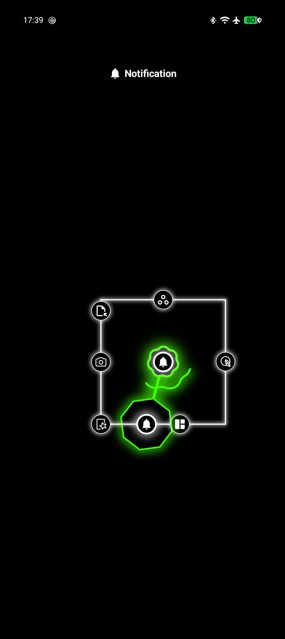
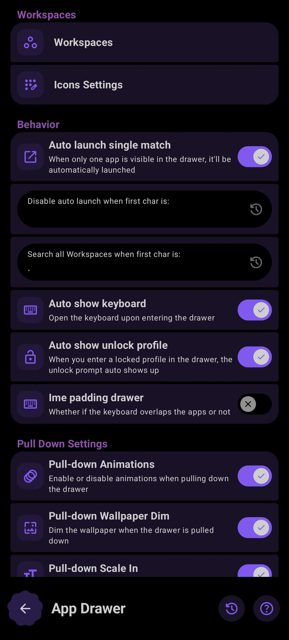
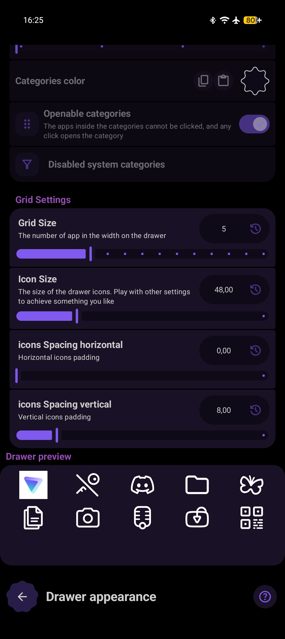
Dragon Launcher is an Android home screen replacement built around launching apps with gestures instead of tapping icons on a grid. You pick a set of fast access apps and swipe to open them, or use the app drawer to browse everything installed on your phone.
Developer: Elnix90 · License: GPL-3.0 (open source) · Price: Free
Before you start: because Dragon Launcher requests sensitive permissions that are normal for a launcher (such as listing installed apps), Google Play Protect may try to block it during installation. You need to disable Play Protect during installation to let it install, then you can turn it back on afterward.
Official file from the developer's release · Nov 2, 2026 · SHA-256 f3dbc8efdea851f7…
Screenshots
Key features
- <
- i
- t
- e
- m
Why isn’t Dragon Launcher on Google Play?
Dragon Launcher is published by its developer on GitHub and is also available on F-Droid.
Is Dragon Launcher safe?
Dragon Launcher is open source under the GPL-3.0 license, and this page links to the official release from the developer's GitHub repository. The app declares several sensitive-sounding permissions (like listing all installed packages) because that is normal for a launcher, and the README states it has no internet access and does not even declare the INTERNET permission. Dragon Launcher comes straight from its developer rather than through Google Play, so it hasn’t gone through Google’s app review. As with any app, check the permissions it asks for and install it if you’re comfortable with them.
How to install
- Tap the download button above: the APK file downloads straight to your phone.
- When Android asks, allow your browser to install unknown apps.
- Open the file and tap Install.
FAQ
Is Dragon Launcher free
Yes, it is open source under the GPL-3.0 license and distributed through GitHub, F-Droid, IzzyOnDroid, OpenAPK and Obtainium.
How do I set up gesture-based app launching
After installing and setting Dragon as your default launcher, go into its settings to customize the list of fast access apps that you launch with gestures, or open the app drawer to browse and pick from every app installed on your phone.
Why does Google Play Protect flag the app during install
The README explains this is because a launcher needs sensitive permissions, such as listing all installed packages to build the app drawer, which can trigger Play Protect warnings even though the app has no internet access.
More free apps you won’t find on Google Play: Open Source Apps · Best Android apps not on the Google Play Store.




Frequently Asked Questions
Is Dragon Launcher free
Yes, it is open source under the GPL-3.0 license and distributed through GitHub, F-Droid, IzzyOnDroid, OpenAPK and Obtainium.
How do I set up gesture-based app launching
After installing and setting Dragon as your default launcher, go into its settings to customize the list of fast access apps that you launch with gestures, or open the app drawer to browse and pick from every app installed on your phone.
Why does Google Play Protect flag the app during install
The README explains this is because a launcher needs sensitive permissions, such as listing all installed packages to build the app drawer, which can trigger Play Protect warnings even though the app has no internet access.













Leave a Comment