

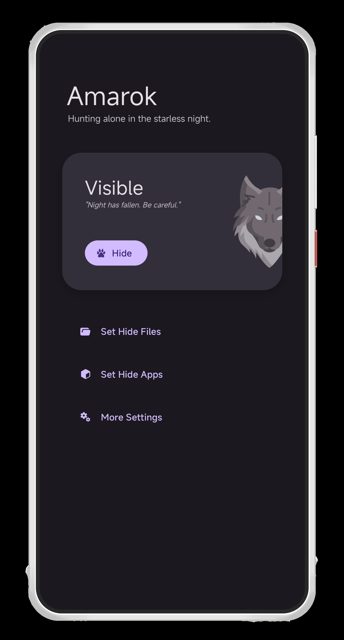
Amarok is a lightweight Android app that hides your private files and apps with one click, without encrypting them. It is meant for quickly keeping things out of casual view, not for protecting high-value secrets.
Developer: deltazefiro · License: Apache-2.0 (open source) · Price: Free
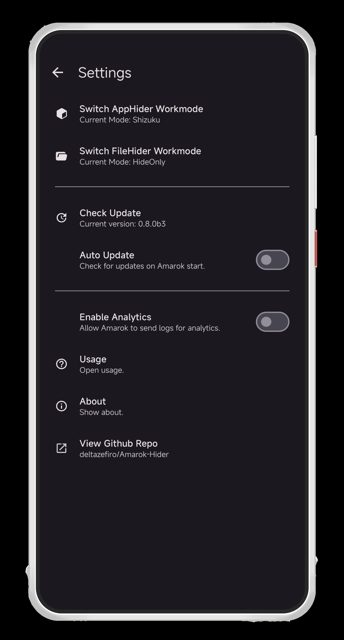
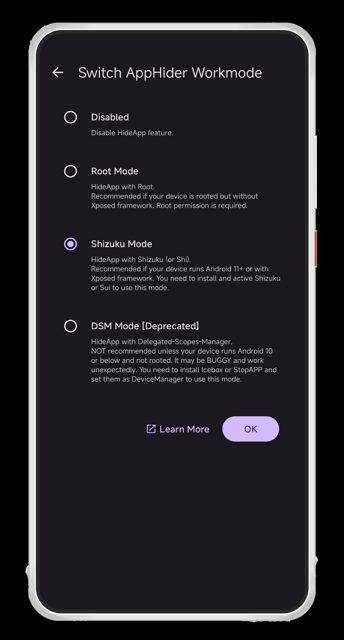
Before you start: for root-free app hiding you will need Shizuku or Dhizuku set up and granted permission to Amarok. For deeper app hiding (hiding apps from system menus and third-party detection), a rooted device with Xposed is required. Check the official documentation at https://deltazefiro.github.io/Amarok-doc/en-US/ for setup guides matching your device.
Official file from the developer's release · Feb 25, 2026 · SHA-256 821c71eda949d062…
Screenshots
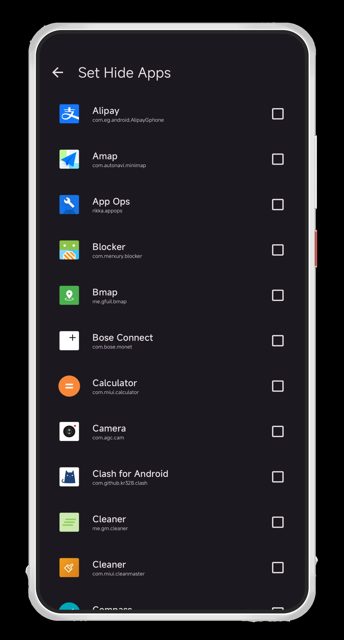
Key features
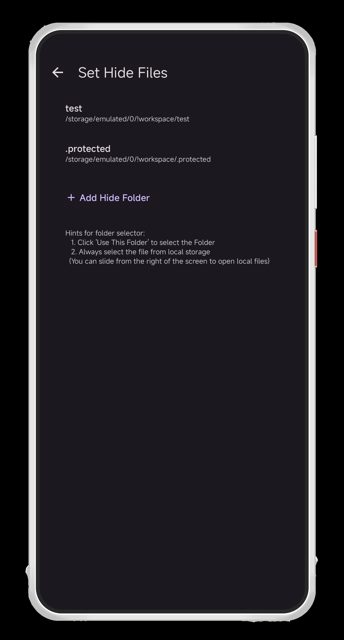
- One-click hiding and unhiding of selected files and apps
- Hides large files instantly by altering signatures (no root) or adjusting file permissions (root)
- App hiding via launcher concealment (Shizuku, Dhizuku, DSM modes) or Xposed for thorough scrubbing on root
- Panic button to instantly hide everything, plus a Quick Settings tile to toggle visibility
- Password or fingerprint lock on the app, with a Camouflage Mode to disguise Amarok as a Calendar app
Why isn’t Amarok-Hider on Google Play?
Amarok is published by its developer on GitHub and is also available on F-Droid, rather than through the Google Play Store.
Is Amarok-Hider safe?
Amarok-Hider is open source under the Apache-2.0 license, and the APK on this page matches the official GitHub release from the developer. Note that Amarok hides data but does not encrypt it, so it should not be relied on for high-value secrets, and you should back up important data before using it. Amarok-Hider comes straight from its developer rather than through Google Play, so it hasn’t gone through Google’s app review. As with any app, check the permissions it asks for and install it if you’re comfortable with them.
How to install
- Tap the download button above: the APK file downloads straight to your phone.
- When Android asks, allow your browser to install unknown apps.
- Open the file and tap Install.
FAQ
Is Amarok free to use
Yes. It is open source under the Apache-2.0 license and is also distributed through F-Droid.
Does Amarok encrypt my files
No. Amarok hides files and apps by obfuscating signatures or adjusting permissions, it does not cryptographically encrypt them. It is not meant for protecting high-value secrets.
Do I need root to use Amarok
No. Amarok supports root-free app hiding through Shizuku, Dhizuku, or DSM modes. Root with Xposed is only needed if you want apps thoroughly scrubbed from system menus and third-party detection.
More free apps you won’t find on Google Play: Open Source Apps · Best Android apps not on the Google Play Store.






Frequently Asked Questions
Is Amarok free to use
Yes. It is open source under the Apache-2.0 license and is also distributed through F-Droid.
Does Amarok encrypt my files
No. Amarok hides files and apps by obfuscating signatures or adjusting permissions, it does not cryptographically encrypt them. It is not meant for protecting high-value secrets.
Do I need root to use Amarok
No. Amarok supports root-free app hiding through Shizuku, Dhizuku, or DSM modes. Root with Xposed is only needed if you want apps thoroughly scrubbed from system menus and third-party detection.













Leave a Comment