

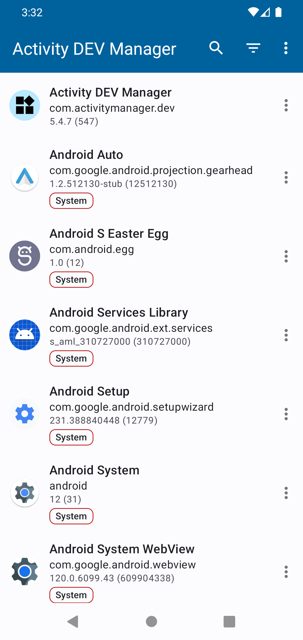
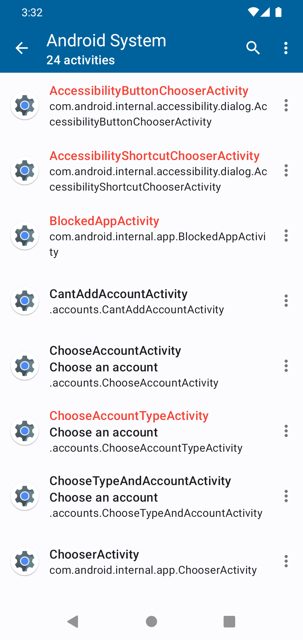
Activity Manager is a tool that lists the activities inside apps installed on your phone and lets you launch them directly, even ones that are not normally exposed in a launcher. It is handy for developers, testers, or curious users who want quick access to a specific screen of an app without digging through menus.
Developer: sdex · License: Apache-2.0 (open source) · Price: Free
Before you start: if you want to launch non-exported activities, set up either root access or install Shizuku and grant it permission first. This is only needed for that one feature, everything else works without it.
Official file from the developer's release · Nov 11, 2026 · SHA-256 8d31afcfe667f360…
Screenshots
Key features
- Launch exported activities from any installed app
- Launch non-exported activities with root or rootless using Shizuku
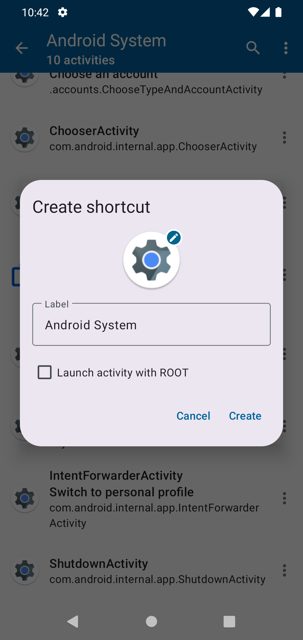
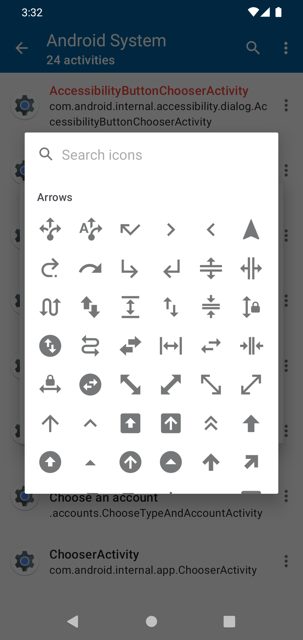
- Create custom shortcuts for activities, with a custom icon from storage or built-in Material icons
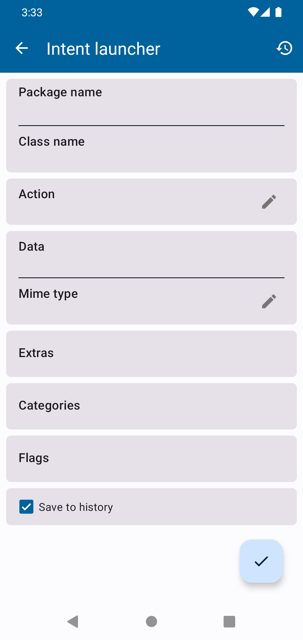
- Build and run custom intents using the Intent Builder
- Explore an app's details with the Manifest Viewer
Why isn’t Activity Manager on Google Play?
Activity Manager is published by its developer on GitHub and is also available on F-Droid, not on Google Play.
Is Activity Manager safe?
Activity Manager is open source under the Apache-2.0 license, and the download here is the official release asset from the developer's GitHub repository. Launching non-exported activities requires root or Shizuku, which are optional and only needed for that specific feature. Activity Manager comes straight from its developer rather than through Google Play, so it hasn’t gone through Google’s app review. As with any app, check the permissions it asks for and install it if you’re comfortable with them.
How to install
- Tap the download button above: the APK file downloads straight to your phone.
- When Android asks, allow your browser to install unknown apps.
- Open the file and tap Install.
FAQ
Is Activity Manager free
Yes. It is open source under the Apache-2.0 license and free to download from GitHub releases or F-Droid.
How do I launch a non-exported activity
You need either root access or Shizuku installed and granted permission. Once that is set up, you can open non-exported activities from the activities list.
How is this different from a regular app launcher
A regular launcher only shows an app's main icon, while Activity Manager lists all the individual activities inside an app so you can jump straight to a specific screen or create a shortcut for it.
More free apps you won’t find on Google Play: Open Source Apps · Best Android apps not on the Google Play Store.






Frequently Asked Questions
Is Activity Manager free
Yes. It is open source under the Apache-2.0 license and free to download from GitHub releases or F-Droid.
How do I launch a non-exported activity
You need either root access or Shizuku installed and granted permission. Once that is set up, you can open non-exported activities from the activities list.
How is this different from a regular app launcher
A regular launcher only shows an app's main icon, while Activity Manager lists all the individual activities inside an app so you can jump straight to a specific screen or create a shortcut for it.













Leave a Comment