

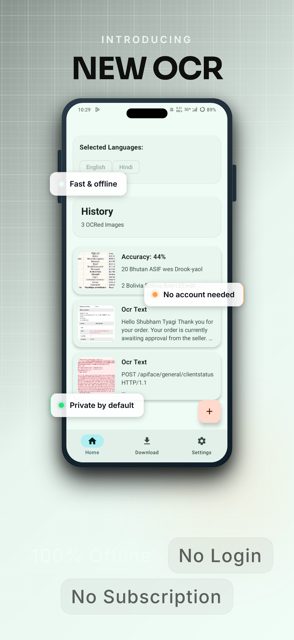
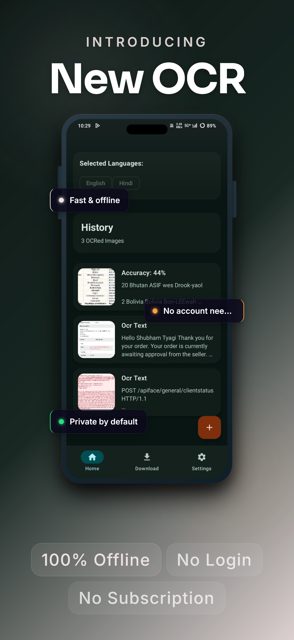
OCR – Character Recognizer is an Android app that pulls text out of photos using the Tesseract 5 engine, running entirely on your device. It is built for people who want to scan documents, signs, or screenshots without sending images to a cloud service.
Developer: SubhamTyagi (Shubham Tyagi) · License: Apache-2.0 (open source) · Price: Free
Official file from the developer's release · Aug 6, 2026 · SHA-256 483a76ae8a94a8b2…
Screenshots
Key features
- Offline recognition – images are processed entirely on-device for privacy
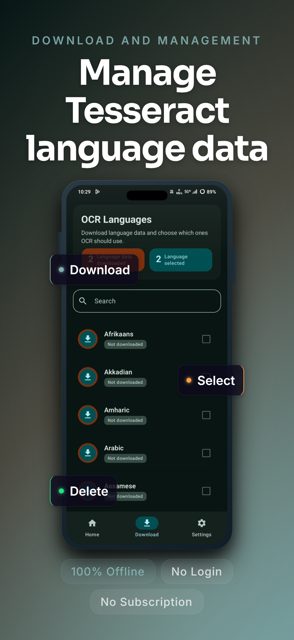
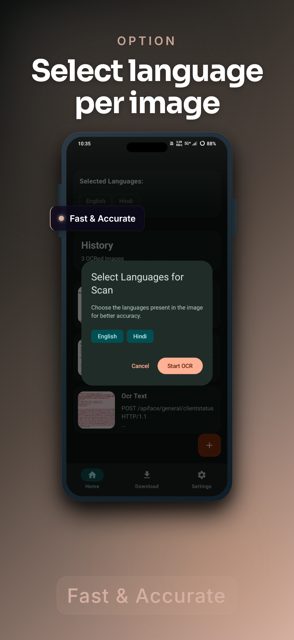
- Multi-language support for 120+ languages, including multiple languages in one image
- Specialized extraction for math equations
- Share images directly from your gallery into the app
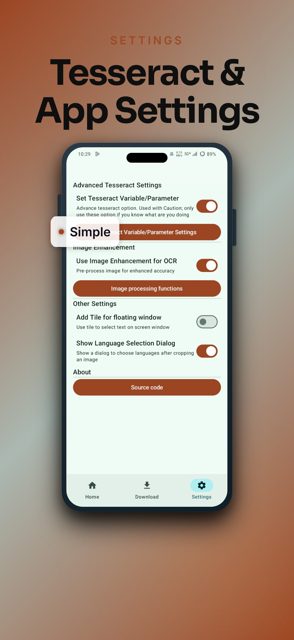
- Crop and select tool to pick exactly which part of the image to recognize
- One-tap clipboard copy of recognized text
Why isn’t OCR – Character Recognizer on Google Play?
It's published by its developer on GitHub and is also available on F-Droid.
Is OCR – Character Recognizer safe?
The app is open source under the Apache-2.0 license, and the engine (Tesseract) and the Tesseract4Android library it depends on are also Apache-2.0 licensed. It is available on F-Droid as well as directly from GitHub releases, which is a reasonable sign the APK matches the public source code. OCR – Character Recognizer comes straight from its developer rather than through Google Play, so it hasn’t gone through Google’s app review. As with any app, check the permissions it asks for and install it if you’re comfortable with them.
How to install
- Tap the download button above: the APK file downloads straight to your phone.
- When Android asks, allow your browser to install unknown apps.
- Open the file and tap Install.
FAQ
Is OCR – Character Recognizer free?
Yes. It is open source under the Apache-2.0 license and does not require payment.
Does it need an internet connection to recognize text?
No. Recognition happens offline on your device using the Tesseract 5 engine, which also keeps your images private.
How do I recognize text from a photo?
Share an image to the app from your gallery, or open it directly, then use the crop and select tool to choose the area you want, and the app will extract the text using the Tesseract engine.
More free apps you won’t find on Google Play: Open Source Apps · Best Android apps not on the Google Play Store.





Frequently Asked Questions
Is OCR - Character Recognizer free?
Yes. It is open source under the Apache-2.0 license and does not require payment.
Does it need an internet connection to recognize text?
No. Recognition happens offline on your device using the Tesseract 5 engine, which also keeps your images private.
How do I recognize text from a photo?
Share an image to the app from your gallery, or open it directly, then use the crop and select tool to choose the area you want, and the app will extract the text using the Tesseract engine.













Leave a Comment