

Neo Backup is an open-source tool for backing up your Android apps and their data, formerly known as OAndBackupX. It is built for people who want full control over their app backups, including scheduling and encryption, without relying on Google's cloud.
Developer: NeoApplications (Antonios Hazim and contributors) · License: AGPL-3.0-only (open source) · Price: Free
Before you start: your device needs to be rooted, since Neo Backup requires root access to back up and restore apps and their data.
Official file from the developer's release · Nov 27, 2026 · SHA-256 f60f2c37ecbb9218…
Screenshots
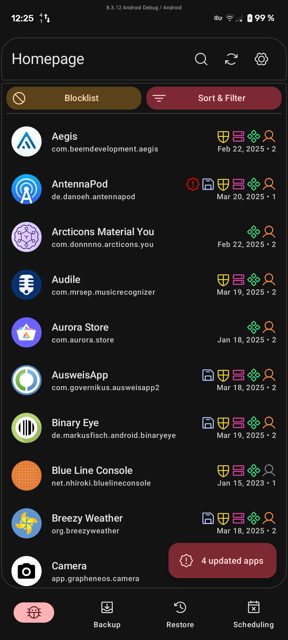
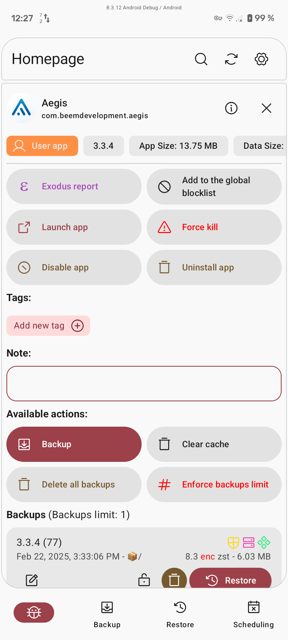
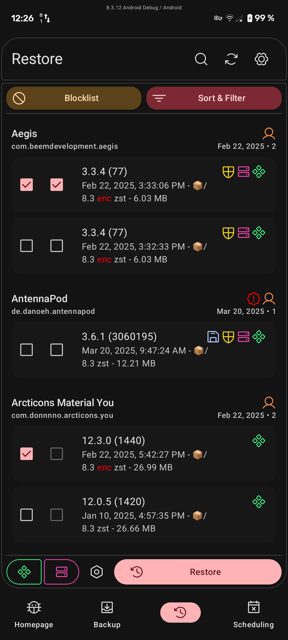
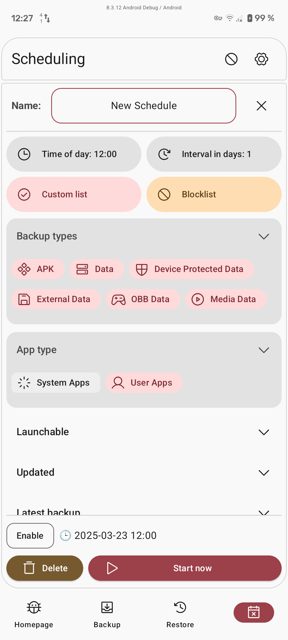
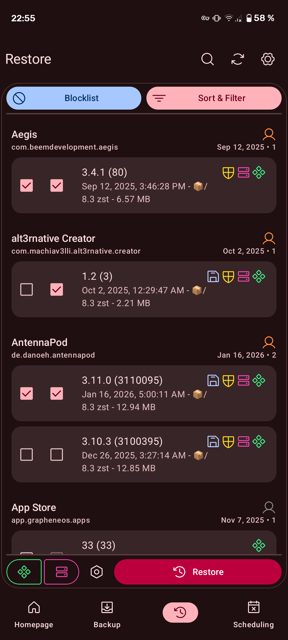
Key features
- Backup and restore individual apps and their data, one at a time or in batches
- Restore system apps without needing to reboot the device
- Unlimited custom backup schedules
- Create custom lists from your installed apps
- Optional AES256 encryption of backups using a password you set
Why isn’t Neo Backup on Google Play?
Neo Backup is published by its developers on GitHub, F-Droid, IzzyOnDroid, and Codeberg rather than on Google Play.
Is Neo Backup safe?
Neo Backup is open source under the AGPL-3.0 license and is available directly from the developer on GitHub, as well as on F-Droid and IzzyOnDroid. Since it needs root access to work, only grant that permission if you understand and accept what root access means for your device. Neo Backup comes straight from its developer rather than through Google Play, so it hasn’t gone through Google’s app review. As with any app, check the permissions it asks for and install it if you’re comfortable with them.
How to install
- Tap the download button above: the APK file downloads straight to your phone.
- When Android asks, allow your browser to install unknown apps.
- Open the file and tap Install.
FAQ
Is Neo Backup free?
Yes. It is free and open source under the AGPL-3.0 license, with no in-app purchases mentioned.
Do I need root access to use Neo Backup?
Yes, the app requires root to back up and restore individual apps and their data.
Are backups from older versions compatible with the latest release?
Not always. Version 5.0.0 introduced new encryption and databases that are incompatible with older versions, and version 4.0.0 also broke compatibility with earlier backups due to a full app overhaul.
More free apps you won’t find on Google Play: Open Source Apps · Best Android apps not on the Google Play Store.






Frequently Asked Questions
Is Neo Backup free?
Yes. It is free and open source under the AGPL-3.0 license, with no in-app purchases mentioned.
Do I need root access to use Neo Backup?
Yes, the app requires root to back up and restore individual apps and their data.
Are backups from older versions compatible with the latest release?
Not always. Version 5.0.0 introduced new encryption and databases that are incompatible with older versions, and version 4.0.0 also broke compatibility with earlier backups due to a full app overhaul.













Leave a Comment