
DroidPad lets you build your own control interface on your phone and hook it up to a project over Bluetooth Low Energy, Bluetooth, WebSocket, MQTT, TCP, or UDP. You drag and drop buttons, sliders, joysticks and other components onto a pad, then connect it to a server or device to send and receive real-time commands.
Developer: umer0586 · License: GPL-3.0 (open source) · Price: Free
Before you start: decide which protocol your project will use (BLE, Bluetooth, WebSocket, MQTT, TCP, or UDP) and have your server or device address and port ready, since you will enter these in DroidPad's connection settings after building your control pad.
Official file from the developer's release · Feb 15, 2026 · SHA-256 ec0fe54a64e71aa7…
Screenshots
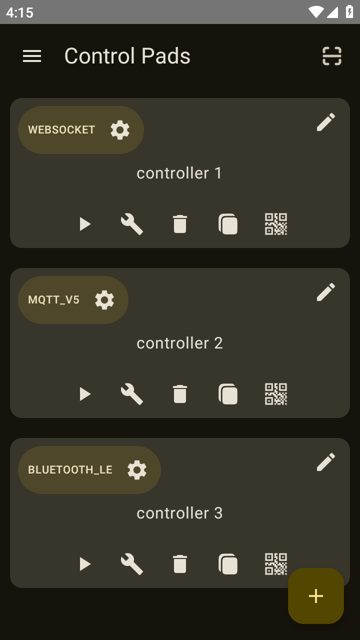
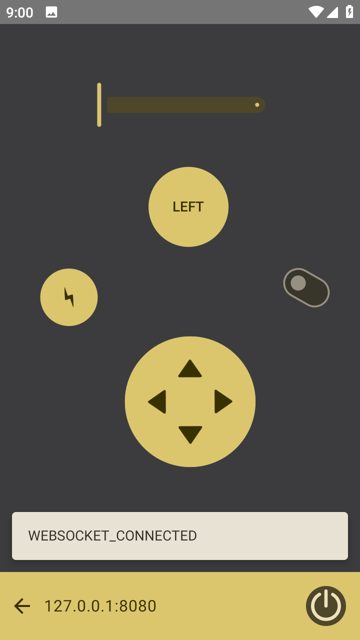
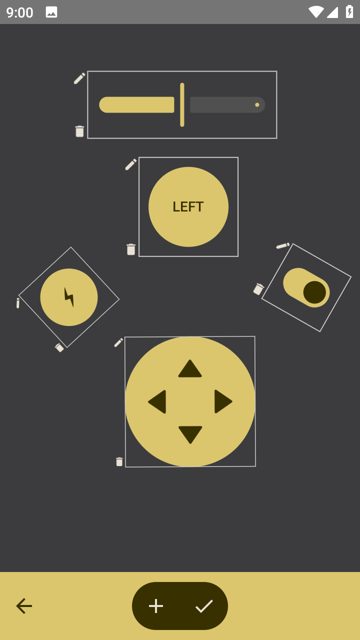
Key features
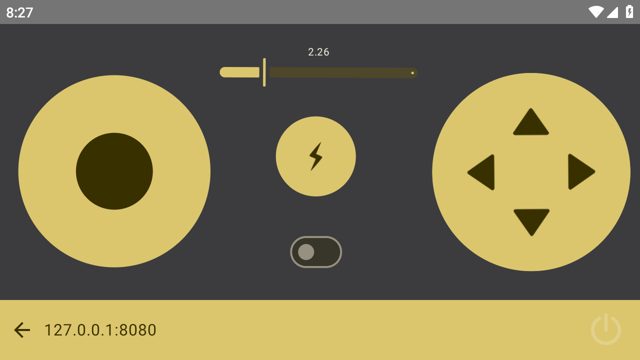
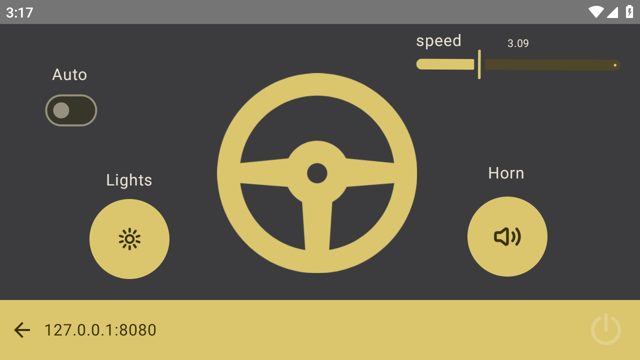
- Drag-and-drop builder for buttons, sliders, switches, joystick, D-PAD, steering wheel, LED, gauge and a log terminal
- Connect using Bluetooth LE, Bluetooth, WebSocket (client or server), MQTT, TCP, or UDP
- Switch a control pad's connection type anytime without rebuilding it
- Update SWITCH, SLIDER, LED and GAUGE states from your own script by sending JSON messages
- Reads accelerometer and gyroscope data from the device when supported, sent as JSON or CSV
Why isn’t DroidPad on Google Play?
DroidPad is published by its developer on GitHub, and is also available on F-Droid and IzzyOnDroid.
Is DroidPad safe?
DroidPad is open source under the GPL-3.0 license, and this page links to the official release from the developer's GitHub repo. It is also distributed on F-Droid and IzzyOnDroid if you prefer installing from those sources. DroidPad comes straight from its developer rather than through Google Play, so it hasn’t gone through Google’s app review. As with any app, check the permissions it asks for and install it if you’re comfortable with them.
How to install
- Tap the download button above: the APK file downloads straight to your phone.
- When Android asks, allow your browser to install unknown apps.
- Open the file and tap Install.
FAQ
Is DroidPad free
Yes. It is open source under the GPL-3.0 license and the APK is distributed from GitHub, F-Droid, and IzzyOnDroid.
How do I send data from my project back to DroidPad
Send a JSON message formatted for a SWITCH, SLIDER, LED, or GAUGE component over any supported connection except BLE. For Bluetooth Classic and TCP, send each JSON message on its own line separated by a line feed. For MQTT, publish to the DroidPad/feed topic.
Can I change the connection type after building a control pad
Yes. You can switch between TCP, Bluetooth LE, UDP, WebSocket, and MQTT at any time from the control pad's settings without creating a duplicate.
What format does DroidPad use to send component interactions
It sends JSON messages for most connections, for example id, type and state fields for a switch. For Bluetooth and Bluetooth LE connections it sends CSV messages instead, such as id,SWITCH,state.
More free apps you won’t find on Google Play: Open Source Apps · Best Android apps not on the Google Play Store.



Frequently Asked Questions
Is DroidPad free
Yes. It is open source under the GPL-3.0 license and the APK is distributed from GitHub, F-Droid, and IzzyOnDroid.
How do I send data from my project back to DroidPad
Send a JSON message formatted for a SWITCH, SLIDER, LED, or GAUGE component over any supported connection except BLE. For Bluetooth Classic and TCP, send each JSON message on its own line separated by a line feed. For MQTT, publish to the DroidPad/feed topic.
Can I change the connection type after building a control pad
Yes. You can switch between TCP, Bluetooth LE, UDP, WebSocket, and MQTT at any time from the control pad's settings without creating a duplicate.
What format does DroidPad use to send component interactions
It sends JSON messages for most connections, for example id, type and state fields for a switch. For Bluetooth and Bluetooth LE connections it sends CSV messages instead, such as id,SWITCH,state.













Leave a Comment