
Are you the developer of Custom Cars Online Drive (CCO)? Claim this page · free

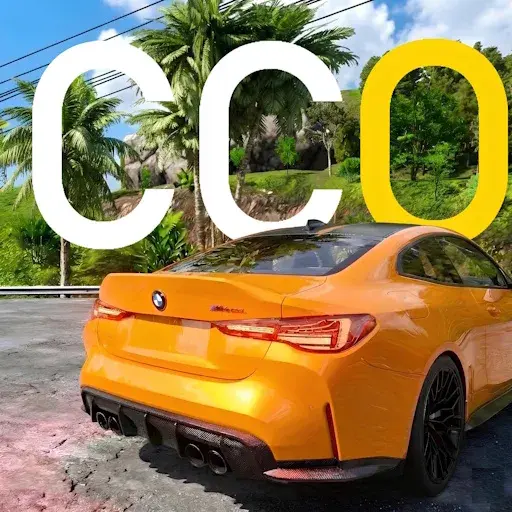
Custom Cars Online Drive (CCO) is a simulation game from PPD Games. Customize your cars, drive through forest and mountain roads, players online. It currently holds a 4.3-star rating on Google Play, based on 47,490 user reviews.
App Details
| Developer | PPD Games |
|---|---|
| Content Rating | Rated for 3+ |
| Installs | 5M+ |
| Rating | 4.3 / 5 (47,490 reviews) |
| Updated | Oct 18, 2026 |
Screenshots


About Custom Cars Online Drive (CCO)
Custom Cars Online Drive is a simulation game by PPD Games where players customize vehicles and drive through forest and mountain roads in an online multiplayer environment. With over 5 million installs and a 4.27-star rating from nearly 48,000 reviews, it offers engaging driving gameplay with car customization options. The game is free to play and rated suitable for ages 3 and up, making it accessible to a broad audience.
Custom Cars Online Drive (CCO) pros and cons
Pros
- Strong 4.27-star rating with 47,490 user reviews
- 5M+ installs indicating popular player base
- Free-to-play with no upfront cost
- Online multiplayer driving experience
- Car customization features included
Cons
- Minimum Android version not specified
- File size information unavailable
- Single-purpose driving simulation focus
Custom Cars Online Drive (CCO) specifications and compatibility
The build on this page was last refreshed on Oct 18, 2026. Google Play classifies the content as Rated for 3+.
How to install the Custom Cars Online Drive (CCO) APK
- Allow installs from unknown sources. On your Android device, open Settings, then Security (or Apps > Special app access > Install unknown apps), and allow installs from the browser or file manager you will use to open the APK file.
- Download the APK. Tap the Download Now button on this page to fetch the Custom Cars Online Drive (CCO) APK file to your device.
- Open the downloaded file. Open your Downloads folder, or tap the download notification, then tap the .apk file to start the installer.
- Install and open Custom Cars Online Drive (CCO). Tap Install, wait for the installation to finish, then tap Open to launch Custom Cars Online Drive (CCO).
Browse more Simulation apps, similar to Mystical Mixing.
Frequently asked questions
Is Custom Cars Online Drive (CCO) free to download?
Yes, Custom Cars Online Drive (CCO) is available as a free download on Google Play and as a free APK on this page.
How many people have downloaded Custom Cars Online Drive (CCO)?
Custom Cars Online Drive (CCO) has been downloaded 5M+ times from Google Play, putting it among the more widely adopted simulation games in its category.
Is the Custom Cars Online Drive (CCO) APK safe to install?
We check every APK we host: we verify its digital signature and scan it on VirusTotal with 70+ antivirus engines, and we withhold files flagged as harmful. The result and scan date for this file are in the safety box at the top of this page. It carries the Rated for 3+ content rating Google assigns on Play.






Are you the developer of Custom Cars Online Drive (CCO)? Claim this page · free
Top 10 Simulation games this week See all ›
 Floating Sandbox
 Joshi ji - Open World Car Game
 Bird Village : Kuşcu Oyunu
 Slime Rancher
 Supermarket Tycoon Empire
 Projeto Grau 2
 Clean Perfect OCD
 Real Aliens Omnitrix
 Bid Master : auction tycoon
 Viral Streamer: Idle Clicker
On sale today All deals ›
 Jewels Charm: Match 3 Game Pro
 Neo Monsters
 Traffix: Traffic Simulator
 Word Arcadia: Word Search Game
 Words Search - Word Puzzles
 Defense Zone 3 Ultra HD
 Water Sort - Color Puzzle Pro
 Epic Heroes War Premium
 Pixel Blade M VIP
 Stickman Legends Offline Games













Leave a Comment