
TailSocks is an unofficial Tailscale client for Android that runs a full Tailscale node on your phone. You can use it as a SOCKS5/HTTP proxy, a system-wide VPN, or, on rooted devices, as a real kernel network interface with policy routing.
Developer: Bropines (bropines) · License: NOASSERTION (open source) · Price: Free
Before you start: if you want Root Mode, your device needs to be rooted (see the project's Root guide linked from the GitHub repo). For the SOCKS5/HTTP proxy or TUN VPN modes, no root is required; the VPN mode will ask for the standard Android VPN permission. If you plan to connect to a self-hosted network, you will also need a Tailscale or Headscale account to sign in.
Official file from the developer's release · Nov 19, 2026 · SHA-256 8ff9bb491fb1270e…
Screenshots
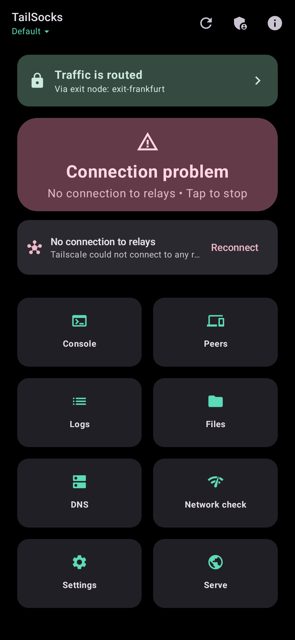
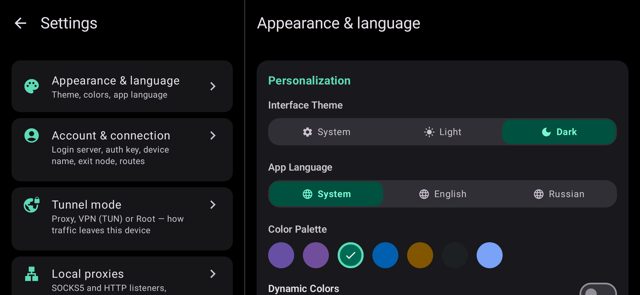
Key features
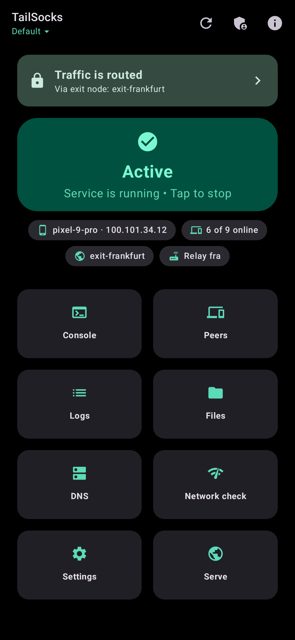
- Three connection modes: local SOCKS5/HTTP proxy with no VPN permission needed, system-wide TUN VPN, or Root Mode on a real tailscale0 interface (experimental)
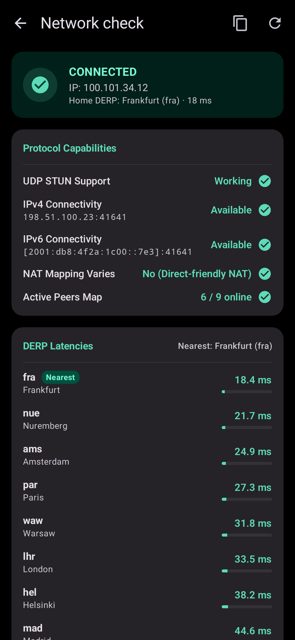
- Exit nodes, MagicDNS, split DNS, accepted subnet routes, and a built-in DPI bypass (ByeDPI) plus control plane proxy for blocked networks
- Taildrop for sending/receiving files, Taildrive for browsing and downloading other devices' shared folders, Serve & Funnel with TLS certificate export
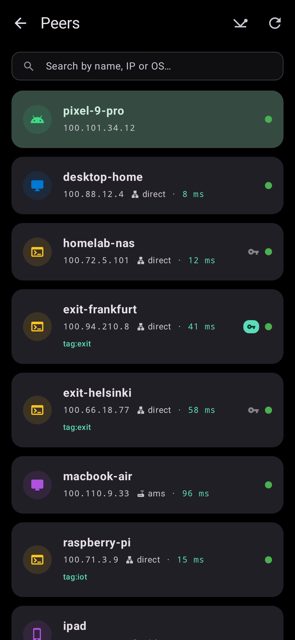
- Multiple accounts, Headscale support, an admin console behind biometric lock, and remote management of another device's TailSocks
- Automation via Tasker broadcasts, AppFunctions on Android 16+, tailsocks:// links, full encrypted backups, Material 3 UI with widgets and a Quick Settings tile
Why isn’t TailSocks on Google Play?
It's published by its developer on GitHub and is also available on F-Droid, built from source with the same signing key so the two can update each other.
Is TailSocks safe?
TailSocks is open source under the BSD-3-Clause license. The APK on GitHub Releases is the official build from the developer, and the F-Droid build is compiled from the same source with a matching signature; note that the app is unofficial and not affiliated with Tailscale Inc., and some features like Root Mode and remote management are marked experimental. TailSocks comes straight from its developer rather than through Google Play, so it hasn’t gone through Google’s app review. As with any app, check the permissions it asks for and install it if you’re comfortable with them.
How to install
- Tap the download button above: the APK file downloads straight to your phone.
- When Android asks, allow your browser to install unknown apps.
- Open the file and tap Install.
FAQ
Is TailSocks free?
Yes. It is open source under the BSD-3-Clause license and distributed for free on GitHub Releases and F-Droid.
Do I need root to use it?
No. Root is only needed for the optional Root Mode, which creates a real tailscale0 kernel interface with policy routing. The SOCKS5/HTTP proxy mode needs no VPN permission at all, and the TUN VPN mode works like a normal Android VPN app.
How is this different from the official Tailscale app?
TailSocks is an unofficial, independent client built on Tailscale's open-source tsnet engine. It adds a proxy-only mode, root-based routing, multiple accounts, Headscale support, a built-in DPI bypass, and an admin console, none of which are in the official app.
More free apps you won’t find on Google Play: Open Source Apps · Best Android apps not on the Google Play Store.






Frequently Asked Questions
Is TailSocks free?
Yes. It is open source under the BSD-3-Clause license and distributed for free on GitHub Releases and F-Droid.
Do I need root to use it?
No. Root is only needed for the optional Root Mode, which creates a real tailscale0 kernel interface with policy routing. The SOCKS5/HTTP proxy mode needs no VPN permission at all, and the TUN VPN mode works like a normal Android VPN app.
How is this different from the official Tailscale app?
TailSocks is an unofficial, independent client built on Tailscale's open-source tsnet engine. It adds a proxy-only mode, root-based routing, multiple accounts, Headscale support, a built-in DPI bypass, and an admin console, none of which are in the official app.













Leave a Comment