

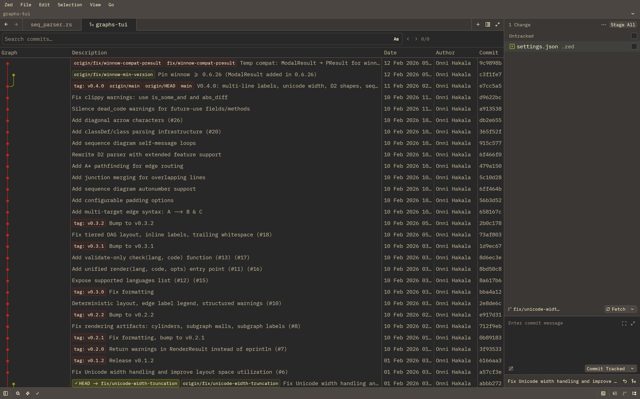
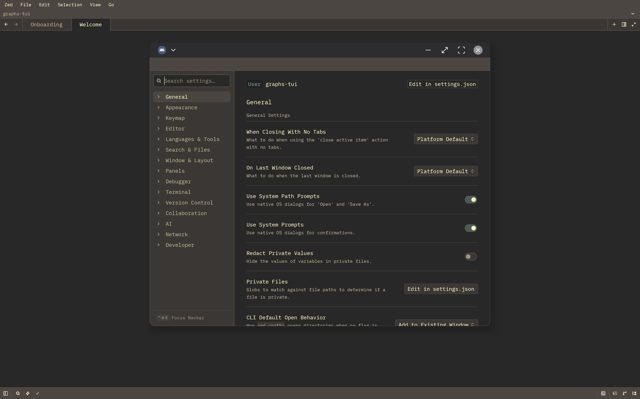
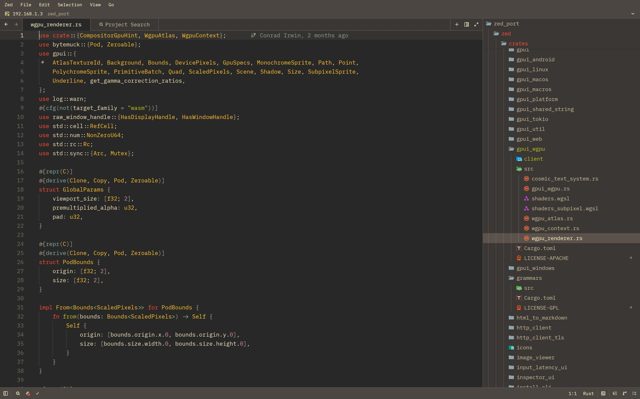
Zdroid is an independent port of the Zed code editor to Android, built to run as a native APK rather than a wrapped web view. It bundles a real Ubuntu environment so you can install compilers, language servers and run a proper terminal right on your tablet or Android desktop mode, no root required.
Developer: Dylanmurzello · License: NOASSERTION (open source) · Price: Free
Before you start: Android will block the install until you allow "install from unknown sources" for your file manager, since this APK is not from Google Play. On first launch, grant "All files access" when prompted if you want to work with files under /sdcard, and allow notifications and background activity so language servers and terminals keep running when the app is not in the foreground.
Official file from the developer's release · Nov 7, 2026 · SHA-256 45817dd3a60e17fd…
Screenshots
Key features
- Zed's native editing, workspace, search, Git, extension and terminal components, adapted for Android with Vulkan rendering via wgpu
- Integrated Ubuntu 26.04 rootfs bundled in the APK so apt, bash, git, ssh, node, go, rust-analyzer and gdb all run without root
- Remote SSH support for working on other machines from the device
- Mouse, trackpad and S Pen support through Android's own pointer system, plus multi-window support for DeX and other freeform desktop modes
- In-app updater that pulls signed APKs directly from GitHub Releases
Why isn’t Zdroid on Google Play?
Zdroid is published by its developer on GitHub only and is not on Google Play or F-Droid. The project describes itself as alpha status.
Is Zdroid safe?
The code is hosted publicly on GitHub, but the license field in the repo metadata is marked NOASSERTION, meaning no explicit license is declared, so check the repo before reusing the code. Download the APK only from the official GitHub releases page; the app needs "All files access" to edit files on /sdcard and runs a background foreground service to keep terminals and language servers alive, which Android will prompt you to allow. Zdroid comes straight from its developer rather than through Google Play, so it hasn’t gone through Google’s app review. As with any app, check the permissions it asks for and install it if you’re comfortable with them.
How to install
- Tap the download button above: the APK file downloads straight to your phone.
- When Android asks, allow your browser to install unknown apps.
- Open the file and tap Install.
FAQ
Is Zdroid free?
The README does not list a price; it is distributed as a free APK download from GitHub Releases.
How do I install language servers and build tools?
Open the integrated terminal, where you are root in a stock Ubuntu 26.04 environment. Use apt to install packages, for example apt update && apt install -y build-essential curl python3 gdb, and curl the official rustup script for Rust.
Can I run builds and programs from anywhere on my device?
No. The app's private files directory (reached in the terminal as ~/projects) is exec-mounted so builds and binaries run there. /sdcard is mounted noexec, so you can edit files there but cannot execute binaries; the app offers a one-tap option to copy an /sdcard project into ~/projects to make it runnable.
More free apps you won’t find on Google Play: Open Source Apps · Best Android apps not on the Google Play Store.





Frequently Asked Questions
Is Zdroid free?
The README does not list a price; it is distributed as a free APK download from GitHub Releases.
How do I install language servers and build tools?
Open the integrated terminal, where you are root in a stock Ubuntu 26.04 environment. Use apt to install packages, for example apt update && apt install -y build-essential curl python3 gdb, and curl the official rustup script for Rust.
Can I run builds and programs from anywhere on my device?
No. The app's private files directory (reached in the terminal as ~/projects) is exec-mounted so builds and binaries run there. /sdcard is mounted noexec, so you can edit files there but cannot execute binaries; the app offers a one-tap option to copy an /sdcard project into ~/projects to make it runnable.













Leave a Comment