

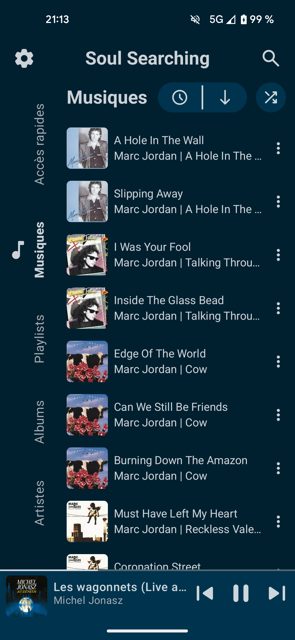
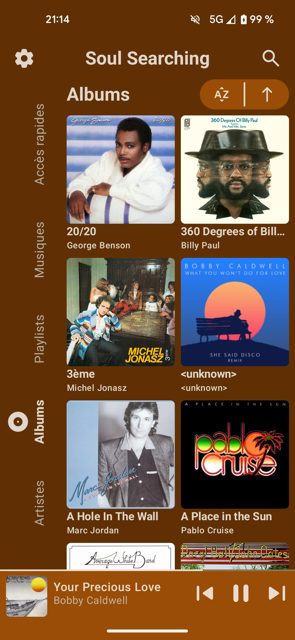
Soul Searching is a music player for Android, Desktop and Web that plays your local music files and can also connect to a self-hosted cloud system. It is built for people who want a feature-rich, customizable player instead of a basic one, with support for playlists, stats, and synced lyrics.
Developer: enteraname74 · License: GPL-3.0 (open source) · Price: Free
Before you start: this app works fine on its own for local music. If you want cloud sync across devices, you will need to set up Cloudy, a separate self-hosted server project from the same developer, before you can connect to it from Soul Searching.
Official file from the developer's release · Nov 21, 2026 · SHA-256 7218d2cb46e9a211…
Screenshots
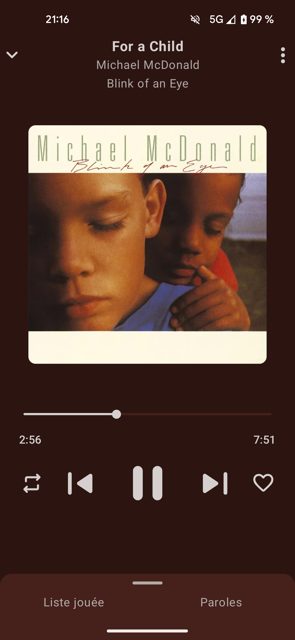
Key features
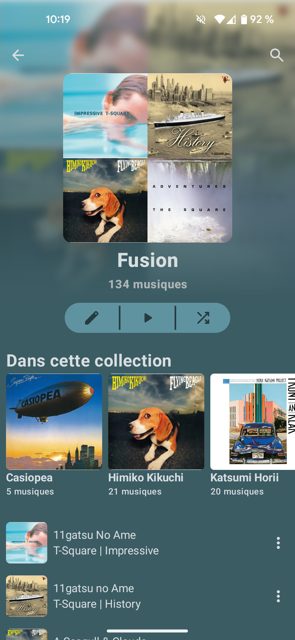
- Playlist creation and management, with support for multiple playlists and a quick access system
- Listening statistics by month, year, or all-time, plus synchronized lyrics from the audio file or an external source
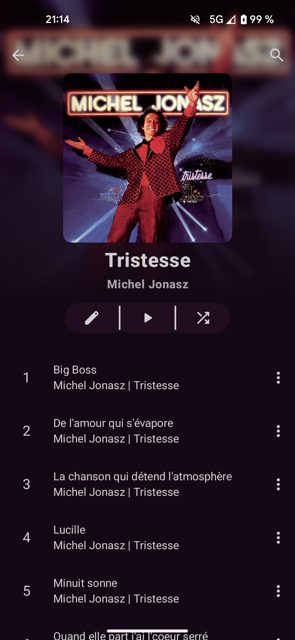
- Editing album, artist, and song metadata directly, including support for multiple artists on one song
- Several color themes, dark or light mode, and a dynamic theme based on the album art of the playing song
- Cloud support through Cloudy, a self-hosted system for storing songs and accessing them across Android, Desktop, and Web (currently in alpha)
Why isn’t Soul Searching on Google Play?
Soul Searching is published by its developer on GitHub and is also available on F-Droid and IzzyOnDroid.
Is Soul Searching safe?
Soul Searching is open source under the GPL-3.0 license, and the APK on GitHub Releases comes straight from the developer, the same source used by F-Droid and IzzyOnDroid. The cloud feature (Cloudy) is noted by the developer as still in alpha, and web support is described as experimental and can be laggy on some devices. Soul Searching comes straight from its developer rather than through Google Play, so it hasn’t gone through Google’s app review. As with any app, check the permissions it asks for and install it if you’re comfortable with them.
How to install
- Tap the download button above: the APK file downloads straight to your phone.
- When Android asks, allow your browser to install unknown apps.
- Open the file and tap Install.
FAQ
Is Soul Searching free
Yes. It is open source under the GPL-3.0 license and available for free download from GitHub, F-Droid, and IzzyOnDroid.
Can I use it without a cloud server
Yes. You can use Soul Searching just to play your local music files on your Android device without setting up Cloudy.
What is Cloudy and do I need it
Cloudy is a self-hosted cloud system made specifically for Soul Searching. It lets you store songs remotely and access them from Android, Desktop, and Web, and supports multiple users and shared playlists, but it is optional and currently in alpha.
More free apps you won’t find on Google Play: Open Source Apps · Best Android apps not on the Google Play Store.






Frequently Asked Questions
Is Soul Searching free
Yes. It is open source under the GPL-3.0 license and available for free download from GitHub, F-Droid, and IzzyOnDroid.
Can I use it without a cloud server
Yes. You can use Soul Searching just to play your local music files on your Android device without setting up Cloudy.
What is Cloudy and do I need it
Cloudy is a self-hosted cloud system made specifically for Soul Searching. It lets you store songs remotely and access them from Android, Desktop, and Web, and supports multiple users and shared playlists, but it is optional and currently in alpha.













Leave a Comment