
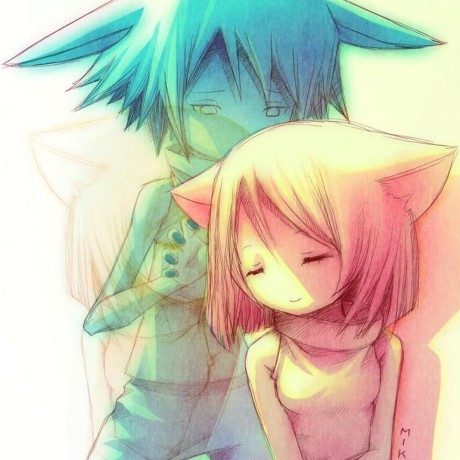
OtakuWorld is a set of three separate Android apps (and desktop apps) for watching anime, reading manga, and reading novels, all sharing the same look and feel. The apps don't come with any content built in; you add extensions yourself to pull in sources, and the project is open source and free on GitHub rather than Google Play.
Developer: jakepurple13 · License: Apache-2.0 (open source) · Price: Free
Before you start: these are three separate apps (MangaWorld, AnimeWorld, NovelWorld) with no built-in content sources. After installing one, open its Extensions screen and install a Mihon/Aniyomi/CloudStream extension or a JS/TS extension to get sources to browse. If you want cloud sync, set up your own Supabase project first and sign in from the app (see docs/supabase/SETUP.md in the repo).
Official file from the developer's release · Nov 12, 2026 · SHA-256 30287267aae15e7c…
Key features
- Install Mihon/Tachiyomi extensions in MangaWorld, and Aniyomi extensions or CloudStream plugins in AnimeWorld, directly with no bridge app needed
- Sync favorites, history, lists, and read/watched progress across devices using your own Supabase project
- Built-in video player for AnimeWorld with Classic, Floating, and Theater modes, subtitle styling, and offline downloads including HLS streams
- Built-in reader for MangaWorld and NovelWorld with bookmarks, downloads, and a personal dictionary/glossary
- Update notifications, custom lists, notes, history grouped by day, and a daily recap of your reading or watching
Why isn’t OtakuWorld on Google Play?
This is published by its developer on GitHub, not on Google Play or F-Droid.
Is OtakuWorld safe?
The project is open source under the Apache-2.0 license, and you download the APKs straight from the developer's GitHub releases. Note that MangaWorld, AnimeWorld, and NovelWorld are three separate apps you install individually, and cloud sync requires setting up your own free Supabase project if you want to use it. OtakuWorld comes straight from its developer rather than through Google Play, so it hasn’t gone through Google’s app review. As with any app, check the permissions it asks for and install it if you’re comfortable with them.
How to install
- Tap the download button above: the APK file downloads straight to your phone.
- When Android asks, allow your browser to install unknown apps.
- Open the file and tap Install.
FAQ
Is OtakuWorld free?
Yes. It is open source under the Apache-2.0 license and downloaded for free from GitHub releases.
How do I get manga, anime, or novel sources into the app?
The apps don't include any sources themselves. Go to the in-app Extensions screen and install Mihon/Tachiyomi extensions (for manga), Aniyomi extensions or CloudStream plugins (for anime), or JS/TS extensions, from a trusted repo.
Does OtakuWorld sync across my devices?
Yes, but only if you set up your own Supabase project and sign in. MangaWorld, AnimeWorld, and NovelWorld each keep their data separate, even under the same account. Firebase sync and the old custom server sync are no longer used.
Is there a desktop version?
Yes. MangaWorld, AnimeWorld, and NovelWorld all have JVM/Desktop Compose builds for Windows, macOS, and Linux, available in the nightly and stable releases. Desktop builds are currently unsigned.
More free apps you won’t find on Google Play: Open Source Apps · Best Android apps not on the Google Play Store.




Frequently Asked Questions
Is OtakuWorld free?
Yes. It is open source under the Apache-2.0 license and downloaded for free from GitHub releases.
How do I get manga, anime, or novel sources into the app?
The apps don't include any sources themselves. Go to the in-app Extensions screen and install Mihon/Tachiyomi extensions (for manga), Aniyomi extensions or CloudStream plugins (for anime), or JS/TS extensions, from a trusted repo.
Does OtakuWorld sync across my devices?
Yes, but only if you set up your own Supabase project and sign in. MangaWorld, AnimeWorld, and NovelWorld each keep their data separate, even under the same account. Firebase sync and the old custom server sync are no longer used.
Is there a desktop version?
Yes. MangaWorld, AnimeWorld, and NovelWorld all have JVM/Desktop Compose builds for Windows, macOS, and Linux, available in the nightly and stable releases. Desktop builds are currently unsigned.













Leave a Comment