

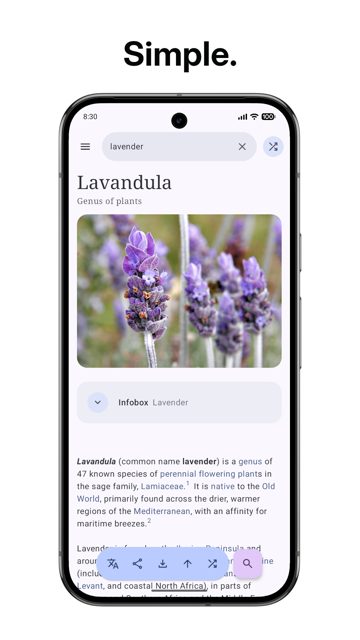
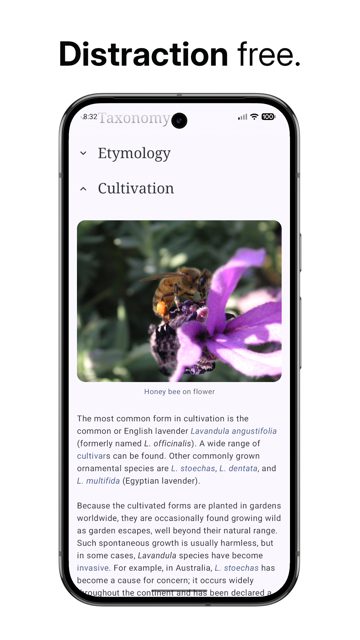
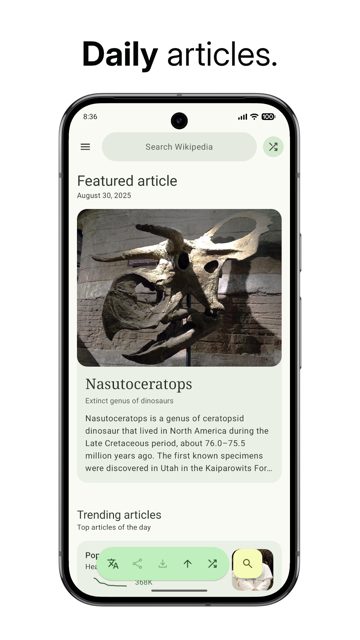
WikiReader is a lightweight Android app for reading Wikipedia articles without the clutter of a web browser. It supports light and dark mode, Material You dynamic colors, and more than 300 Wikipedia languages.
Developer: nsh07 · License: GPL-3.0 (open source) · Price: Free
Before you start: no special setup is needed to install the APK, but if you want automatic updates from GitHub releases instead of manually downloading new versions, install Obtainium first and add the WikiReader GitHub repo to it.
Official file from the developer's release · Oct 9, 2025 · SHA-256 0c06e5fc45eabccb…
Screenshots
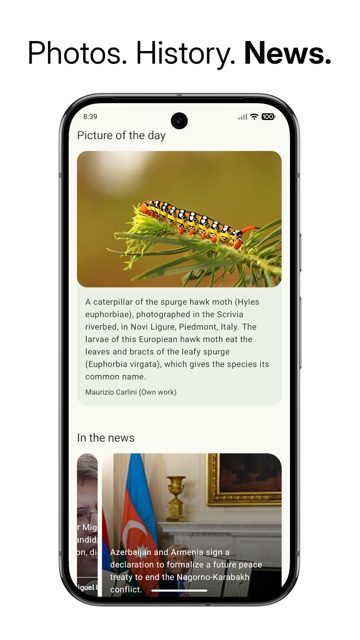
Key features
- <
- i
- t
- e
- m
Why isn’t WikiReader on Google Play?
WikiReader is published by its developer on GitHub and is also available on F-Droid, rather than on Google Play.
Is WikiReader safe?
WikiReader is open source under the GPL-3.0 license, and the APK on this page matches the official GitHub release from developer nsh07. If you want to verify the APK yourself, the developer publishes the signing certificate's SHA1 and SHA256 fingerprints, plus per-file checksums, alongside each release. WikiReader comes straight from its developer rather than through Google Play, so it hasn’t gone through Google’s app review. As with any app, check the permissions it asks for and install it if you’re comfortable with them.
How to install
- Tap the download button above: the APK file downloads straight to your phone.
- When Android asks, allow your browser to install unknown apps.
- Open the file and tap Install.
FAQ
Is WikiReader free
Yes. It is free and open source under the GPL-3.0 license. The developer accepts optional donations through GitHub Sponsors or Buy Me a Coffee, but the app itself is free.
How do I get the fastest updates
Add the WikiReader GitHub repository to Obtainium, which the developer says is the fastest way to install and update the app. F-Droid updates are usually about a week behind, while the IzzyOnDroid repository is quicker than F-Droid.
What Android version does WikiReader need
WikiReader requires Android API 26 or higher, which corresponds to Android 8.0 and up.
More free apps you won’t find on Google Play: Open Source Apps · Best Android apps not on the Google Play Store.






Frequently Asked Questions
Is WikiReader free
Yes. It is free and open source under the GPL-3.0 license. The developer accepts optional donations through GitHub Sponsors or Buy Me a Coffee, but the app itself is free.
How do I get the fastest updates
Add the WikiReader GitHub repository to Obtainium, which the developer says is the fastest way to install and update the app. F-Droid updates are usually about a week behind, while the IzzyOnDroid repository is quicker than F-Droid.
What Android version does WikiReader need
WikiReader requires Android API 26 or higher, which corresponds to Android 8.0 and up.













Leave a Comment