

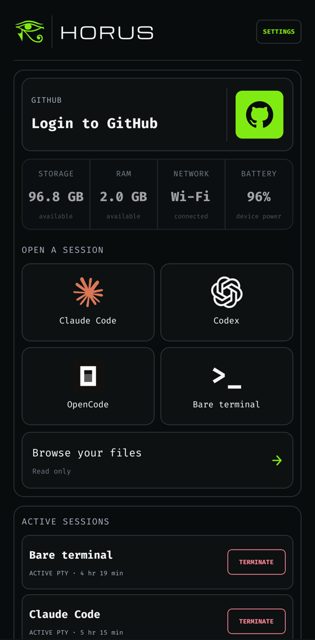
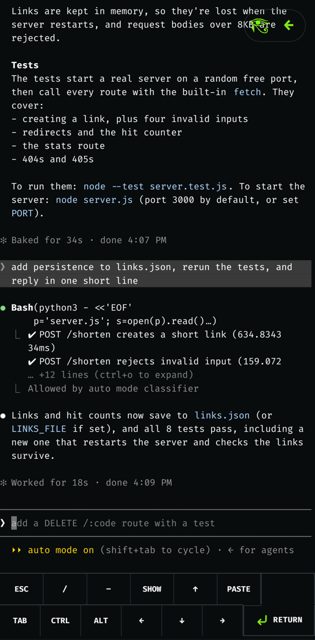
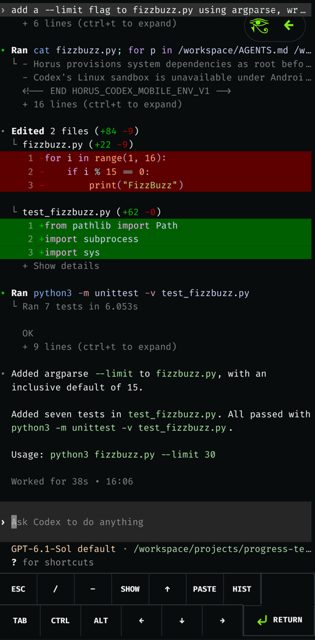
Horus is an open-source Android app that gives your phone a real Alpine Linux workspace, so you can run coding agents like Claude Code, Codex, and OpenCode in a proper terminal. It is aimed at developers who want to code or run AI agents on their phone without rooting the device or setting up Termux.
Developer: scarif-labs (Scarif Labs) · License: MIT (open source) · Price: Free
Before you start: you need an ARM64 phone running Android 7.0 or newer. When you first open Horus, set a password, it will then download Alpine Linux (a few MB) and set up the workspace automatically. Signing into Claude Code, Codex, or OpenCode happens inside each agent itself, not in Horus.
Official file from the developer's release · Nov 12, 2026 · SHA-256 dc640d819b29b56c…
Screenshots
Key features
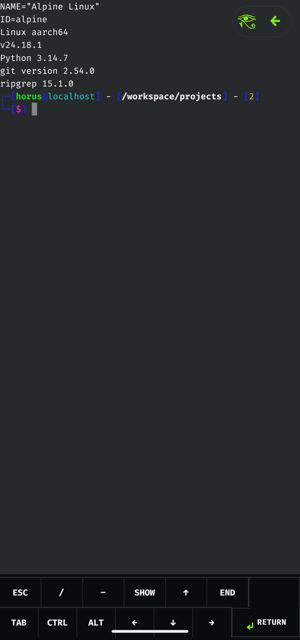
- A real Linux box: Alpine Linux runs in app storage, checked against a pinned SHA-256 before it's unpacked, with git, curl, jq, rg, python3, and Node available and apk add for the rest
- Agents in one tap: Claude Code, Codex, and OpenCode each install into their own home the first time you open them
- A terminal that behaves: native PTY and renderer with resize, Ctrl-C, and job control, plus a key bar for Esc, Tab, arrows, and sticky Ctrl/Alt
- Sessions that outlive the app: terminals run in a foreground service in their own process, so agents keep going when you switch apps or lock the phone
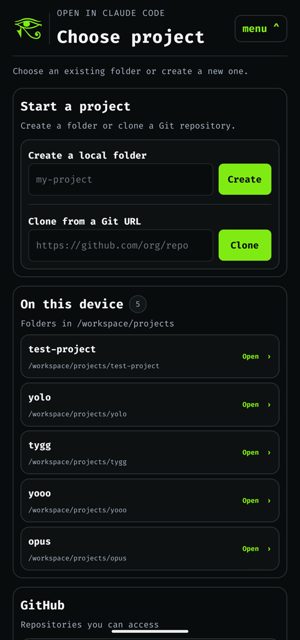
- Projects and GitHub: clone any HTTPS or SSH URL or pick from your GitHub repos, with a read-only file browser to preview and copy folders to Downloads
- Private by default: no analytics, ads, crash reporting, or Google services, with a password lock after 15 minutes in the background
Why isn’t Horus on Google Play?
Horus is published by its developers on GitHub and is also available on F-Droid; it is not listed on Google Play.
Is Horus safe?
Horus is open source under the MIT license, and the APK on GitHub Releases is the same F-Droid-signed file, so you can switch between the two stores and keep your data. The app does download Alpine Linux and coding agent software from upstream servers at runtime, and it asks you to disable battery optimization during setup so long agent sessions are not paused; Claude Code itself is proprietary software that Horus offers to install, though Horus never handles your agent sign-in credentials. Horus comes straight from its developer rather than through Google Play, so it hasn’t gone through Google’s app review. As with any app, check the permissions it asks for and install it if you’re comfortable with them.
How to install
- Tap the download button above: the APK file downloads straight to your phone.
- When Android asks, allow your browser to install unknown apps.
- Open the file and tap Install.
FAQ
Is Horus free
Yes, Horus itself is free and open source under the MIT license. Claude Code is proprietary and needs its own provider account; Codex, OpenCode, and the plain shell are free software.
Do I need root or Termux to use Horus
No. Horus sets up its own Alpine Linux ARM64 workspace inside app storage and does not require root access or a separate Termux installation.
Can I use Horus from my computer
Yes, that part is optional. Plug your phone in over USB and use the horus CLI (npm install -g horus-cli) for SSH, file sync, and port forwarding. The SSH server only listens on the phone's loopback and is reached through adb forward, so nothing is exposed on Wi-Fi, and pairing needs your Horus password.
More free apps you won’t find on Google Play: Open Source Apps · Best Android apps not on the Google Play Store.






Frequently Asked Questions
Is Horus free
Yes, Horus itself is free and open source under the MIT license. Claude Code is proprietary and needs its own provider account; Codex, OpenCode, and the plain shell are free software.
Do I need root or Termux to use Horus
No. Horus sets up its own Alpine Linux ARM64 workspace inside app storage and does not require root access or a separate Termux installation.
Can I use Horus from my computer
Yes, that part is optional. Plug your phone in over USB and use the horus CLI (npm install -g horus-cli) for SSH, file sync, and port forwarding. The SSH server only listens on the phone's loopback and is reached through adb forward, so nothing is exposed on Wi-Fi, and pairing needs your Horus password.













Leave a Comment