

CleverKeys is an open-source Android keyboard built for people who want more control over how they type. It does swipe typing, autocorrect, clipboard management, and cursor navigation entirely on your device, with no internet permission at all.
Developer: tribixbite · License: GPL-3.0 (open source) · Price: Free
Before you start: as with any Android keyboard app, after installing you need to go to Settings > System > Languages & input > On-screen keyboard and enable CleverKeys, then switch to it from the keyboard switcher. If installing the APK directly from GitHub rather than F-Droid, allow installs from unknown sources for your browser or file manager.
Official file from the developer's release · Jul 15, 2026 · SHA-256 cd826750ba58dacb…
Screenshots
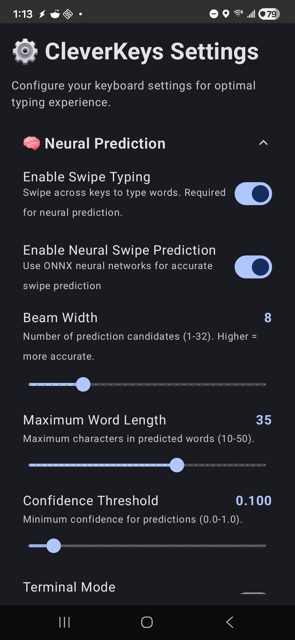
Key features
- Unlimited clipboard history with pinning, todos, tags, regex search, and inline editing
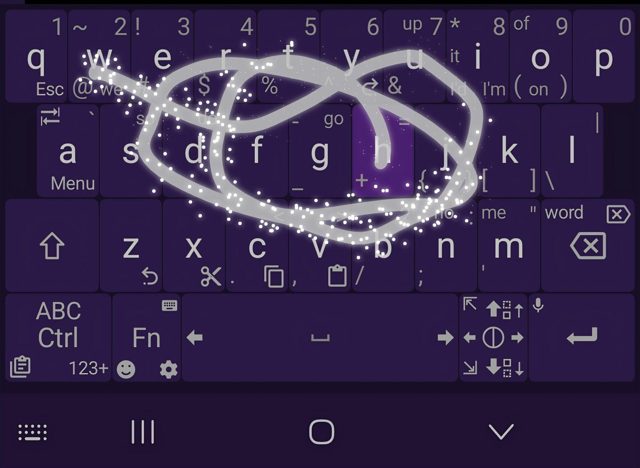
- On-device swipe typing with a CTC decoder and configurable autocorrect, with multi-language dictionaries you can hot-swap
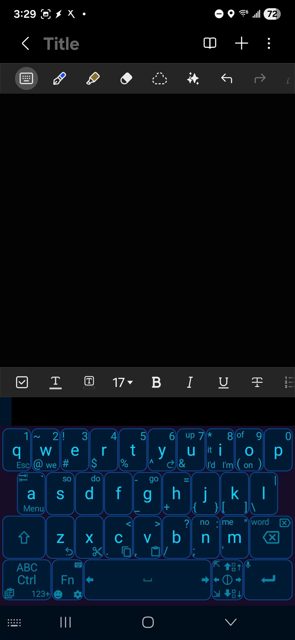
- 245 customizable short-swipe commands across 8 subkeys per key for navigation, editing, and function keys
- TrackPoint-style cursor control and other power-user text editing tools
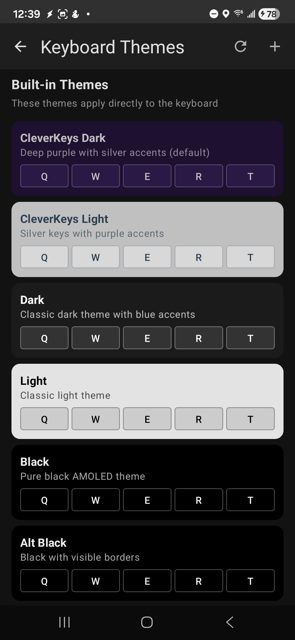
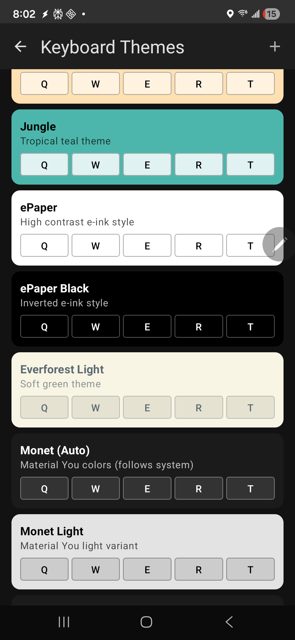
- 35+ built-in themes plus a DIY theme creator, and offline GIF pack support
Why isn’t CleverKeys on Google Play?
CleverKeys is published by its developer on GitHub and is also available on F-Droid, rather than being distributed through Google Play.
Is CleverKeys safe?
CleverKeys is open source under the GPL-3.0 license, and the APK on GitHub Releases comes directly from the developer. The README notes the app runs 100% on-device with zero internet permissions, and the project also publishes its ML model, training code, and datasets separately for anyone who wants to audit the swipe-typing engine. CleverKeys comes straight from its developer rather than through Google Play, so it hasn’t gone through Google’s app review. As with any app, check the permissions it asks for and install it if you’re comfortable with them.
How to install
- Tap the download button above: the APK file downloads straight to your phone.
- When Android asks, allow your browser to install unknown apps.
- Open the file and tap Install.
FAQ
Is CleverKeys free to use?
Yes. It is open source under the GPL-3.0 license, with no mention of paid features or in-app purchases in the project materials.
How do I install CleverKeys since it is not on Google Play?
You can get it from F-Droid, download the APK directly from the GitHub Releases page, or use Obtainium to track and install updates straight from GitHub, which the developer notes avoids F-Droid's typical update delay.
How is CleverKeys different from other open-source keyboards like HeliBoard or FlorisBoard?
According to the project's own comparison, CleverKeys keeps its gesture typing engine fully open source (unlike some competitors that rely on proprietary libraries), supports swipe typing in Termux, and offers unlimited clipboard history and 245 per-key short-swipe commands, areas where it says other keyboards are more limited.
More free apps you won’t find on Google Play: Open Source Apps · Best Android apps not on the Google Play Store.






Frequently Asked Questions
Is CleverKeys free to use?
Yes. It is open source under the GPL-3.0 license, with no mention of paid features or in-app purchases in the project materials.
How do I install CleverKeys since it is not on Google Play?
You can get it from F-Droid, download the APK directly from the GitHub Releases page, or use Obtainium to track and install updates straight from GitHub, which the developer notes avoids F-Droid's typical update delay.
How is CleverKeys different from other open-source keyboards like HeliBoard or FlorisBoard?
According to the project's own comparison, CleverKeys keeps its gesture typing engine fully open source (unlike some competitors that rely on proprietary libraries), supports swipe typing in Termux, and offers unlimited clipboard history and 245 per-key short-swipe commands, areas where it says other keyboards are more limited.













Leave a Comment