

Orpheon is a native Android, Android TV and Wear OS app that plays your own Spotify account, so you get Spotify's library and your playlists in a Jetpack Compose interface instead of the official app. It is a community continuation of the app formerly called Myspoti, built for people who want more control over playback, lyrics and downloads than the official Spotify app offers.
Developer: kota-zo · License: GPL-3.0 (open source) · Price: Free
Before you start: pick the right APK for your device from the release page. Most phones from the last ten years should use the ARMv8 build; older 32-bit phones need ARMv7 (check with an app like CPU-Z or Device Info); Android TV and Google TV users should get the TV build. Android will ask once to allow installs from your browser or file manager, since the app is not from Google Play.
Official file from the developer's release · Nov 12, 2026 · SHA-256 767eb648c0a8290d…
Screenshots
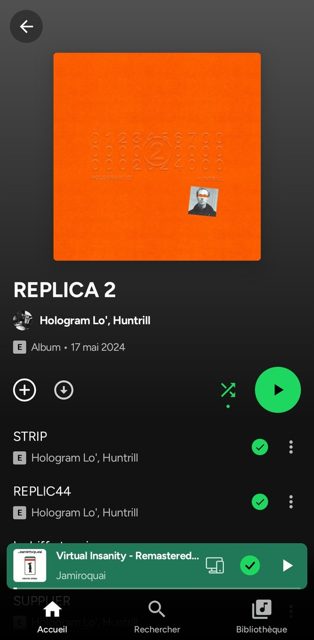
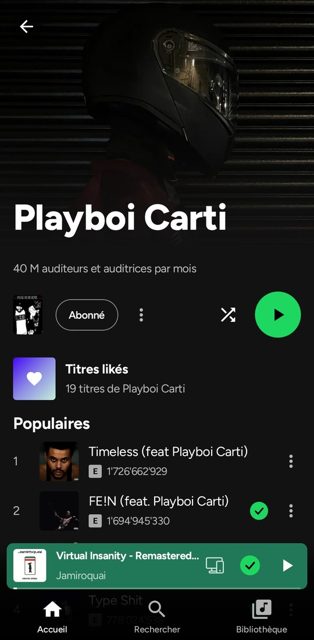
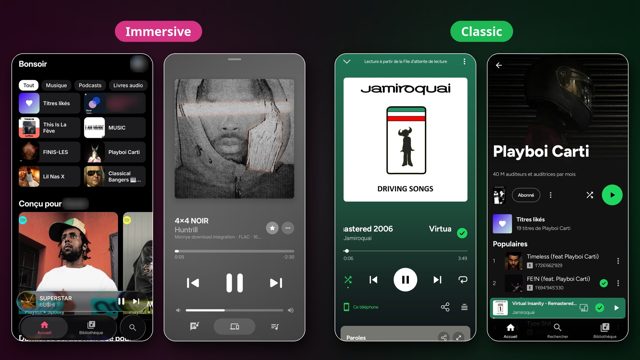
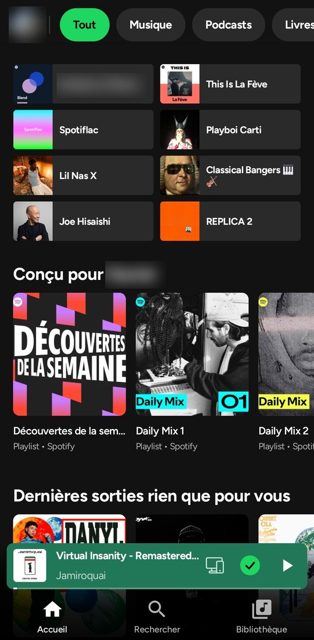
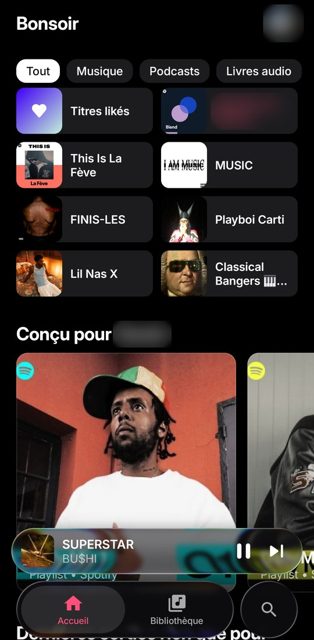
Key features
- Word-by-word synced lyrics with translation and song meanings pulled from Genius
- Offline downloads of songs, albums, playlists and Liked Songs through extensions you install yourself
- 10-band equalizer, playback speed, skip silence and a Stats for nerds view of codec and bitrate
- Collaborative playlists, an Add songs screen, Spotify Codes for sharing, and full playlist editing
- Spotify Connect, Jam, Android Auto, podcasts and audiobooks with their own player, and optional Live Radio
Why isn’t Orpheon on Google Play?
Orpheon is a third-party client that plays music through Spotify's own web player hidden inside the app, which is not something Google Play allows, so it is published by its developer on GitHub instead.
Is Orpheon safe?
Orpheon is open source under the GPL-3.0 license and the APKs come straight from the developer's GitHub releases page. You sign in on Spotify's own login page so Orpheon never sees your password, but note that downloads and extensions are third-party scripts you install at your own discretion, and using the app to block ads goes against Spotify's Terms of Use. Orpheon comes straight from its developer rather than through Google Play, so it hasn’t gone through Google’s app review. As with any app, check the permissions it asks for and install it if you’re comfortable with them.
How to install
- Tap the download button above: the APK file downloads straight to your phone.
- When Android asks, allow your browser to install unknown apps.
- Open the file and tap Install.
FAQ
Is Orpheon free?
Yes. The README says Orpheon is free, has no ads, and is made in the developer's spare time. A free Spotify account is enough to sign in, though Premium gives the usual Spotify perks.
How do I get offline downloads?
Orpheon has no download source built in. You install a download-source extension from Settings > Extensions, and then you can download songs, albums, playlists or your Liked Songs. Downloads are kept encrypted on your phone.
What happened to Myspoti?
Orpheon is the new name the community chose for Myspoti, starting at version 1.0.0. If you have Myspoti 2.4 or earlier, its update button will send you to install Orpheon as a separate app, and you can uninstall Myspoti once you no longer need it.
Does Orpheon see my Spotify password?
No. You log in on Spotify's own login page, and Orpheon talks to Spotify the same way its web player does. Your plays are reported to Spotify normally, so they count toward your history and Wrapped.
More free apps you won’t find on Google Play: Open Source Apps · Best Android apps not on the Google Play Store.






Frequently Asked Questions
Is Orpheon free?
Yes. The README says Orpheon is free, has no ads, and is made in the developer's spare time. A free Spotify account is enough to sign in, though Premium gives the usual Spotify perks.
How do I get offline downloads?
Orpheon has no download source built in. You install a download-source extension from Settings > Extensions, and then you can download songs, albums, playlists or your Liked Songs. Downloads are kept encrypted on your phone.
What happened to Myspoti?
Orpheon is the new name the community chose for Myspoti, starting at version 1.0.0. If you have Myspoti 2.4 or earlier, its update button will send you to install Orpheon as a separate app, and you can uninstall Myspoti once you no longer need it.
Does Orpheon see my Spotify password?
No. You log in on Spotify's own login page, and Orpheon talks to Spotify the same way its web player does. Your plays are reported to Spotify normally, so they count toward your history and Wrapped.













Leave a Comment