
Prism File Explorer is a file manager for Android built with Kotlin and Jetpack Compose, using a Material Design 3 interface. People use it to browse, manage, and view files on their phone without a bloated or ad-heavy app, since it covers file operations, archives, and built-in media viewers in one lightweight tool.
Developer: Raival-e · License: GPL-3.0 (open source) · Price: Free
Before you start: this app is not maintained by its original author anymore. If you want the latest updates and fixes, you may prefer the actively maintained fork at github.com/techflyers/Prism-File-Explorer instead of this repository.
Official file from the developer's release · Sep 12, 2025 · SHA-256 49ffa960bb52876d…
Screenshots
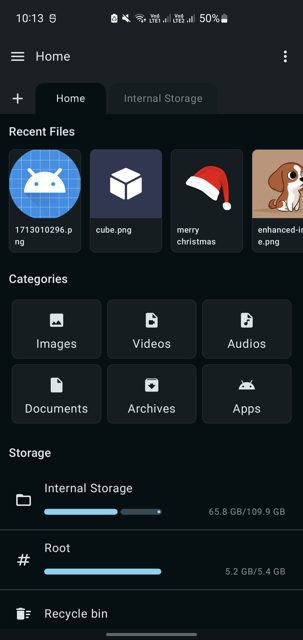
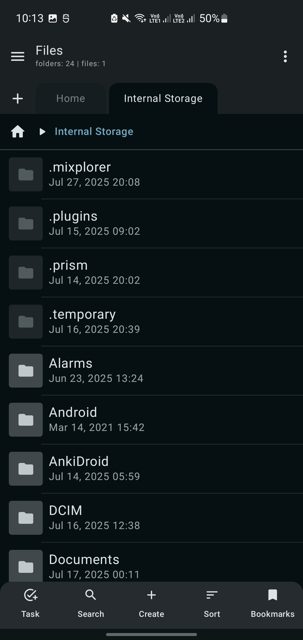
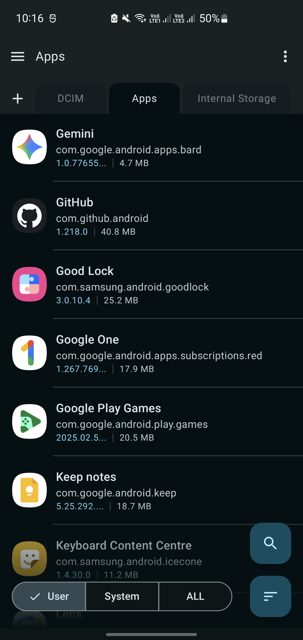
Key features
- Complete file operations: create, copy, move, rename, delete, with multi-select and batch actions
- Multi-tab interface with breadcrumb navigation, search, and sorting by name, size, date or type
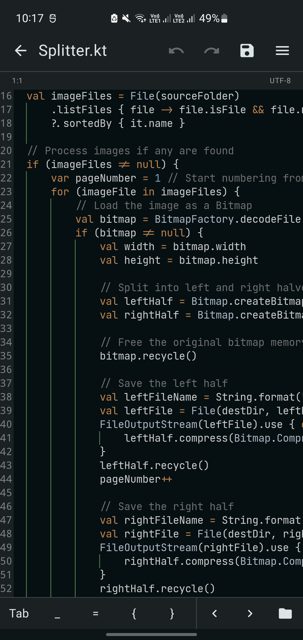
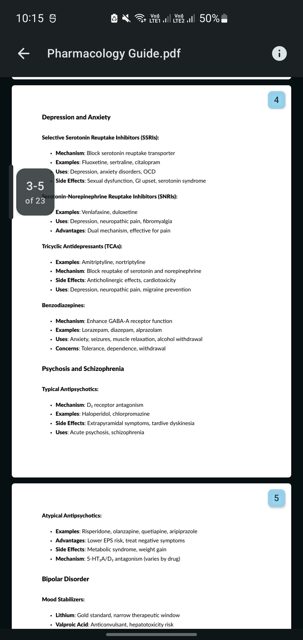
- Built-in viewers for images, video, audio, PDF, and a text editor with syntax highlighting
- Extract and create ZIP archives, with archive preview without extracting
- Dark and light theme support with smooth Jetpack Compose animations
Why isn’t Prism File Explorer on Google Play?
Prism File Explorer is published by its developer on GitHub, and distributed through IzzyOnDroid and OpenApk, rather than Google Play. Note that this repository is no longer actively maintained, and the README points to a fork at techflyers/Prism-File-Explorer for ongoing updates.
Is Prism File Explorer safe?
This app is open source under the GPL-3.0 license, so its code is publicly viewable on GitHub. The APK on this page comes from the developer's official GitHub Releases, and the app requires storage access permission to manage your files. Prism File Explorer comes straight from its developer rather than through Google Play, so it hasn’t gone through Google’s app review. As with any app, check the permissions it asks for and install it if you’re comfortable with them.
How to install
- Tap the download button above: the APK file downloads straight to your phone.
- When Android asks, allow your browser to install unknown apps.
- Open the file and tap Install.
FAQ
Is Prism File Explorer free to use?
Yes, it is free and open source under the GPL-3.0 license. There is an optional Buy Me A Coffee link if you want to support the developer.
What Android version do I need?
You need Android 6.0 (API 23) or higher, and the app needs storage access permission to manage files on your device.
Is this app still being updated?
This original repository is no longer actively maintained. The README recommends the fork at techflyers/Prism-File-Explorer for new features and bug fixes.
More free apps you won’t find on Google Play: Open Source Apps · Best Android apps not on the Google Play Store.






Frequently Asked Questions
Is Prism File Explorer free to use?
Yes, it is free and open source under the GPL-3.0 license. There is an optional Buy Me A Coffee link if you want to support the developer.
What Android version do I need?
You need Android 6.0 (API 23) or higher, and the app needs storage access permission to manage files on your device.
Is this app still being updated?
This original repository is no longer actively maintained. The README recommends the fork at techflyers/Prism-File-Explorer for new features and bug fixes.













Leave a Comment