

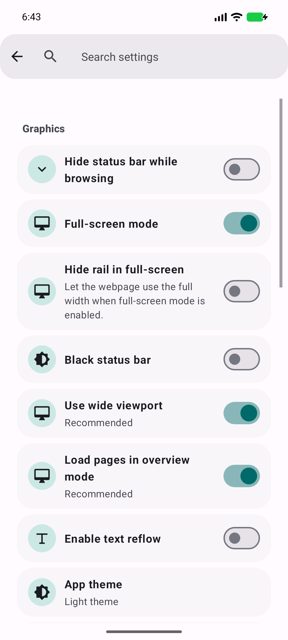
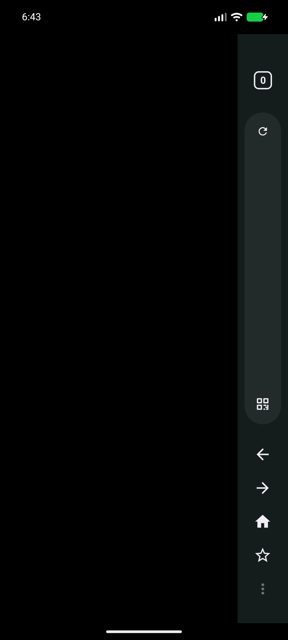
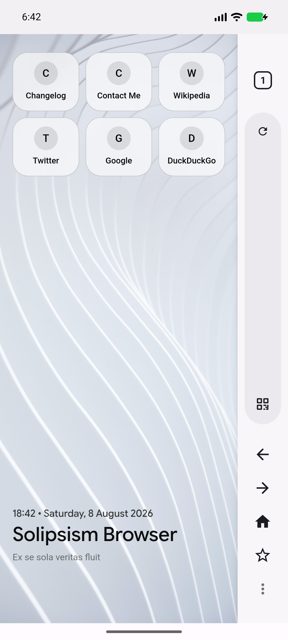
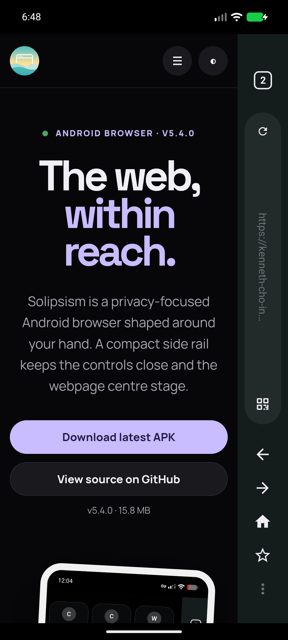
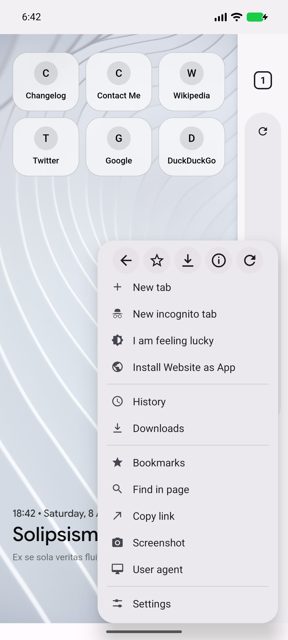
Solipsism Browser is a privacy-focused Android browser built around a one-handed, rail-first interface, with navigation, tabs, search, and tools kept in a compact side rail instead of spread across the screen. It bundles ad and tracker blocking, a layered malware scanner for downloads, and an optional experimental Servo-derived rendering engine called Antares alongside the standard Android WebView core.
Developer: Kenneth-Cho-InfoSec · License: MPL-2.0 (open source) · Price: Free
Before you start: to use the optional Antares engine, first install the signed Solipsism APK from the Solipsism releases page. Optionally, also download and install the matching ARM64 Antares Engine APK from the official Antares releases page (https://github.com/Kenneth-Cho-InfoSec/Antares/releases). Then open Solipsism and select Antares in the browser-core chooser or Debug Settings; if a site does not work well, switch back to Android WebView.
Official file from the developer's release · Nov 14, 2026 · SHA-256 9e6317452481e5b4…
Screenshots
Key features
- Rail-first interface with movable, resizable navigation rail and a customizable overflow menu (Rail & Menu Studio)
- Built-in Adblocker with host-based blocking, cosmetic filtering, custom filter rules, and an element picker
- Malware Scanner for downloads, working offline with local definitions or with your own VirusTotal API key
- Tampermonkey/Greasemonkey-compatible userscript manager with HTTPS or local .js import
- Privacy controls including Incognito mode, per-site cookie management, Decoy Mode for history, and extensive site permission settings
- Optional experimental Antares (Servo-derived) browser core alongside the stable Android WebView core
Why isn’t Solipsism Browser on Google Play?
Solipsism is published by its developer on GitHub and is also submitted to F-Droid, rather than being distributed through Google Play.
Is Solipsism Browser safe?
Solipsism is open source under the MPL-2.0 license and this page links to the official GitHub release built by the developer, Kenneth-Cho-InfoSec. Be aware it requests various site permission and WebView-related access for its features, the Antares engine and some controls are explicitly marked experimental, and the developer warns the malware scanner is an aid, not a complete security solution, so install Antares APKs only from the official Antares releases page. Solipsism Browser comes straight from its developer rather than through Google Play, so it hasn’t gone through Google’s app review. As with any app, check the permissions it asks for and install it if you’re comfortable with them.
How to install
- Tap the download button above: the APK file downloads straight to your phone.
- When Android asks, allow your browser to install unknown apps.
- Open the file and tap Install.
FAQ
Is Solipsism Browser free?
Yes. It is open-source software released under the MPL-2.0 license, available on GitHub and submitted to F-Droid.
How do I enable the experimental Antares browser core?
Install the signed Solipsism APK, optionally add the matching ARM64 Antares Engine APK from the official Antares releases, then choose Antares in Solipsism's browser-core chooser or Debug Settings. You can switch back to Android WebView at any time if a site does not work correctly.
Does the malware scanner require an API key?
No. Local, definitions-based scanning works without any key. You can optionally add your own VirusTotal API key in settings for additional online scanning.
More free apps you won’t find on Google Play: Open Source Apps · Best Android apps not on the Google Play Store.






Frequently Asked Questions
Is Solipsism Browser free?
Yes. It is open-source software released under the MPL-2.0 license, available on GitHub and submitted to F-Droid.
How do I enable the experimental Antares browser core?
Install the signed Solipsism APK, optionally add the matching ARM64 Antares Engine APK from the official Antares releases, then choose Antares in Solipsism's browser-core chooser or Debug Settings. You can switch back to Android WebView at any time if a site does not work correctly.
Does the malware scanner require an API key?
No. Local, definitions-based scanning works without any key. You can optionally add your own VirusTotal API key in settings for additional online scanning.













Leave a Comment