

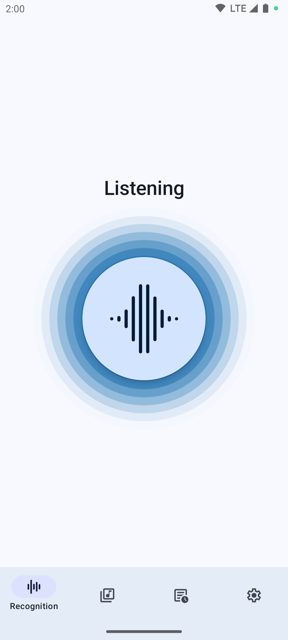
Audile is an open-source Android app that identifies music playing around you. It combines three recognition services (AudD, ACRCloud, and Shazam) and uses Odesli to find links to the track on your favorite music services.
Developer: Aleksey Saenko (AudileTeam) · License: GPL-3.0 (open source) · Price: Free
Before you start: Audile works out of the box using Shazam-based recognition, but if you want to use AudD or ACRCloud you will need to sign up for an API key with that service first. AudD offers a 14-day trial token at dashboard.audd.io, and limited use without a token is possible but restricted. ACRCloud requires creating an account and registering a project (see their recognition guide), choosing the region closest to you, setting the audio source to "Recorded audio", and enabling all 3rd party ID integration boxes. Note: if you install the F-Droid build, you cannot later upgrade using the GitHub release APK, since they are signed differently.
Official file from the developer's release · Oct 5, 2026 · SHA-256 1f1330b3be05d3ef…
Screenshots
Key features
- One-tap recognition, with automatic retry once you're back online if a recording was made offline
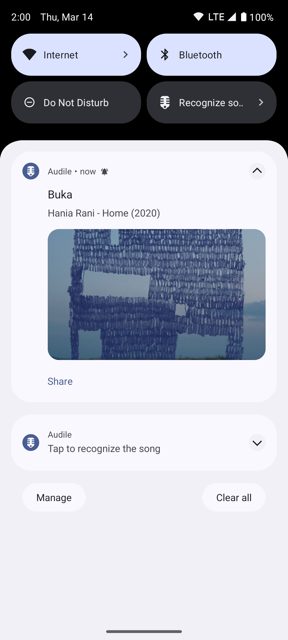
- Works from the notification drawer, a home screen widget, a floating button, or a quick settings tile, without opening the app
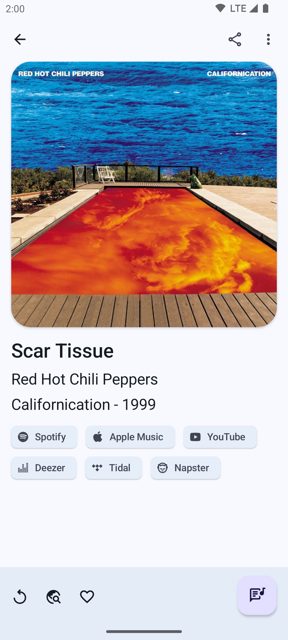
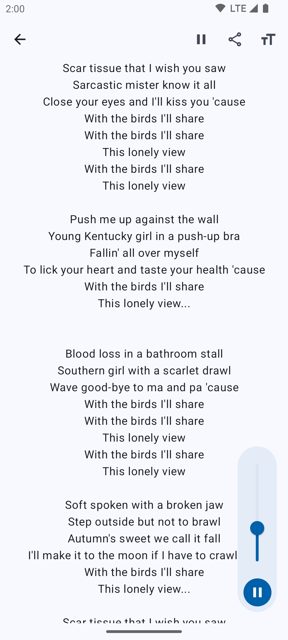
- Shows title, artist, album, release year, artwork, lyrics, and links to the track on popular music services
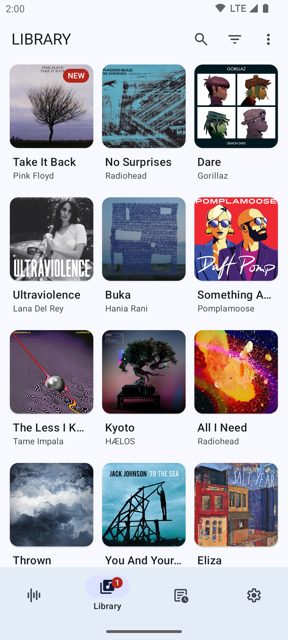
- Built-in library to store recognized tracks, with filtering, search, favorites, and the option to delete tracks
- Customizable preferences, including what the app does when a recognition fails (no internet, no match, other errors)
Why isn’t Audile on Google Play?
Audile is published by its developer on GitHub and is also available on F-Droid. The README does not give a reason it is absent from Google Play.
Is Audile safe?
Audile is open source under the GPL-3.0 license, and this page links to the official release from the developer's GitHub repository. The app is free with no ads, though recognition relies on third-party services (AudD and ACRCloud) that may need you to set up your own API key for regular use. Audile comes straight from its developer rather than through Google Play, so it hasn’t gone through Google’s app review. As with any app, check the permissions it asks for and install it if you’re comfortable with them.
How to install
- Tap the download button above: the APK file downloads straight to your phone.
- When Android asks, allow your browser to install unknown apps.
- Open the file and tap Install.
FAQ
Is Audile free
Yes. The app itself is completely free with no ads or other monetization. Some of the recognition services it connects to (AudD, ACRCloud) are paid services with free trial or limited free tiers, so you may need your own API key for heavy use.
How do I get song recognition to work without an API key
Audile can work without an AudD token, but the README notes this significantly limits the number of daily recognitions and is not guaranteed to continue working. For reliable use, sign up for an AudD trial token or set up an ACRCloud project.
Should I download the GitHub release or the F-Droid version
Either works, but you cannot switch between them later. F-Droid builds are compiled and signed by F-Droid itself, so they cannot be upgraded by installing a GitHub release APK on top, and vice versa.
More free apps you won’t find on Google Play: Open Source Apps · Best Android apps not on the Google Play Store.






Frequently Asked Questions
Is Audile free
Yes. The app itself is completely free with no ads or other monetization. Some of the recognition services it connects to (AudD, ACRCloud) are paid services with free trial or limited free tiers, so you may need your own API key for heavy use.
How do I get song recognition to work without an API key
Audile can work without an AudD token, but the README notes this significantly limits the number of daily recognitions and is not guaranteed to continue working. For reliable use, sign up for an AudD trial token or set up an ACRCloud project.
Should I download the GitHub release or the F-Droid version
Either works, but you cannot switch between them later. F-Droid builds are compiled and signed by F-Droid itself, so they cannot be upgraded by installing a GitHub release APK on top, and vice versa.













Leave a Comment